Argos A700 User’s Manual
normally
2. Please turn off the power of A700
3. Please switch off the engine
4. Please check the condition all LED is turned off
5. Please press SD memory card and it will be popped out
Note) Please take care to eject SD memory card by forced because this is the reason of
a device trouble
◈ Blackbox Player
Exclusive Viewer
The image recorded from our unit can be played without converting file format
in any player (exclusive viewer, Window media player or apple QuicTime player… etc)
Please use exclusive viewer of A700 to analyze the reason of an accident image and to
modify configuration values
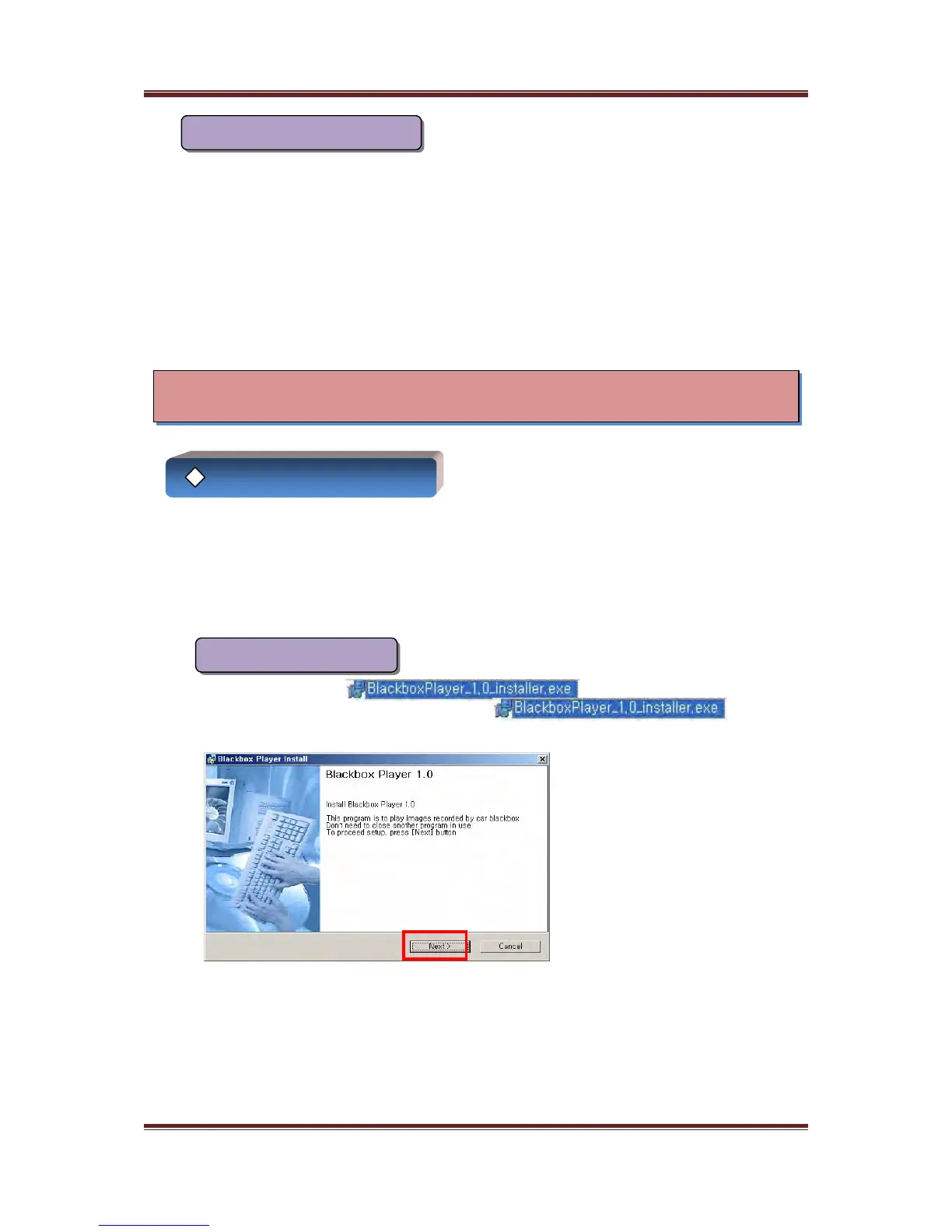
Installation of the viewer
Please copy this file “ ” included in SD memory card
to user’s PC and then double click this file “ ”
(Please use SD card reader if user’s PC don’t have SD card slot)
Please click “Next”
11
1. Please press the stop recording button to stop recording and save an image
How to eject SD memory card



 To Next Page