EasyManua.ls Logo

Argos A600 - Components & Name of each Part; Components; Name of each Part

Argos A600
21 pages
Print Icon
To Next Page IconTo Next Page
To Previous Page IconTo Previous Page
Loading...
Argos A700 User’s Manual
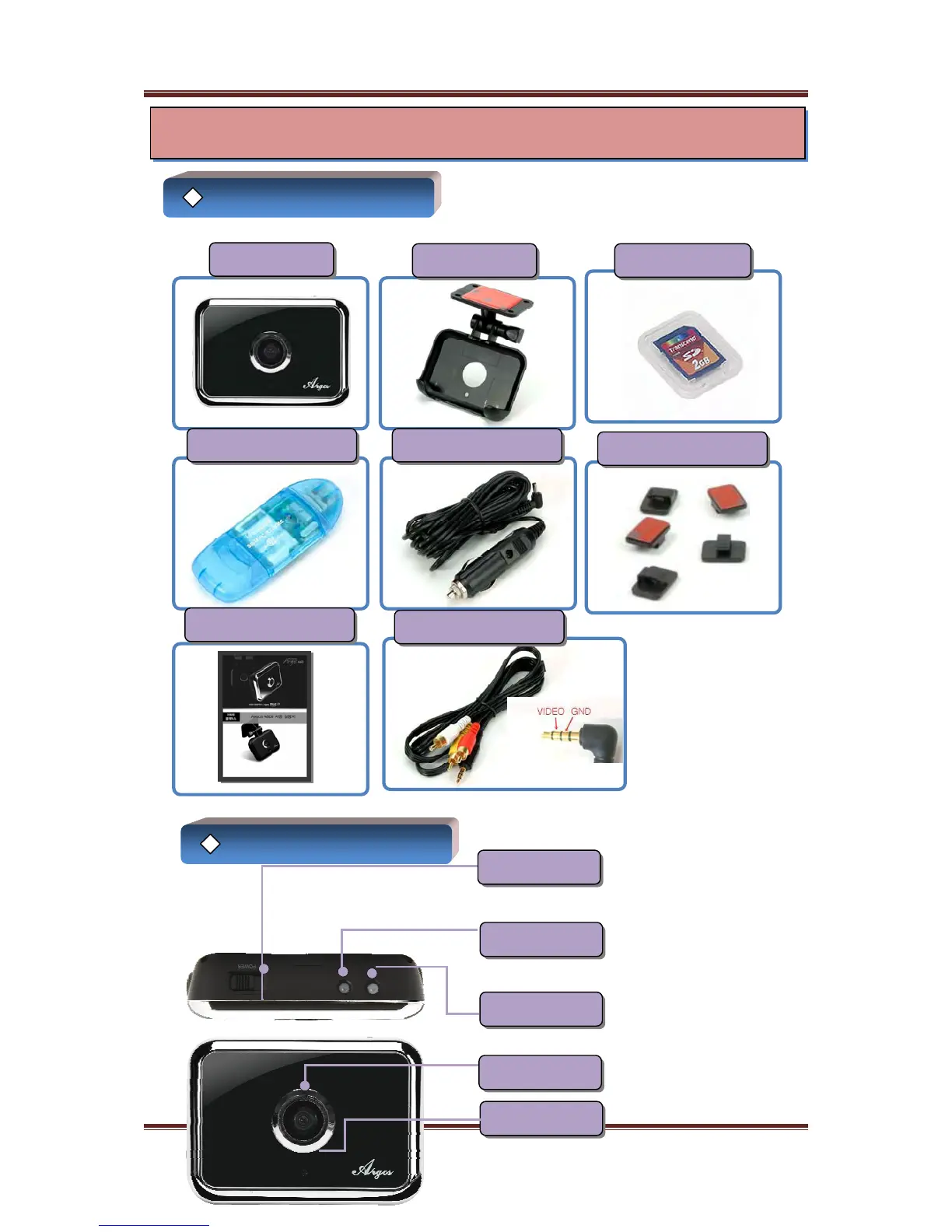
Components
전원케이블 홀더
SD Card Reader Vehicle Adapter
Manual
Video Cable(Extra)
A700 Body
Cradle SD Memory
When
y
ou turn on the
p
ower
Recordin
g
will be started
automaticall
y
after s
y
stem boot
up
(Rec LED flashes green) When the unit start up continuous
recordin
g
Oran
g
e li
g
hts u
p
and red
lights up when impact
(※ If you don’t insert SD card, red
flash and ring buzzer)
LED lights up orange while charging
and goes to green when charged
Name of each part
Power S/W
Recording LED
Charging LED
Please be careful not to get lens
stained with stains and spots
It supports voice recording
5
Mic
Camera Lens
Components & Name of each part