Argos A700 User’s Manual
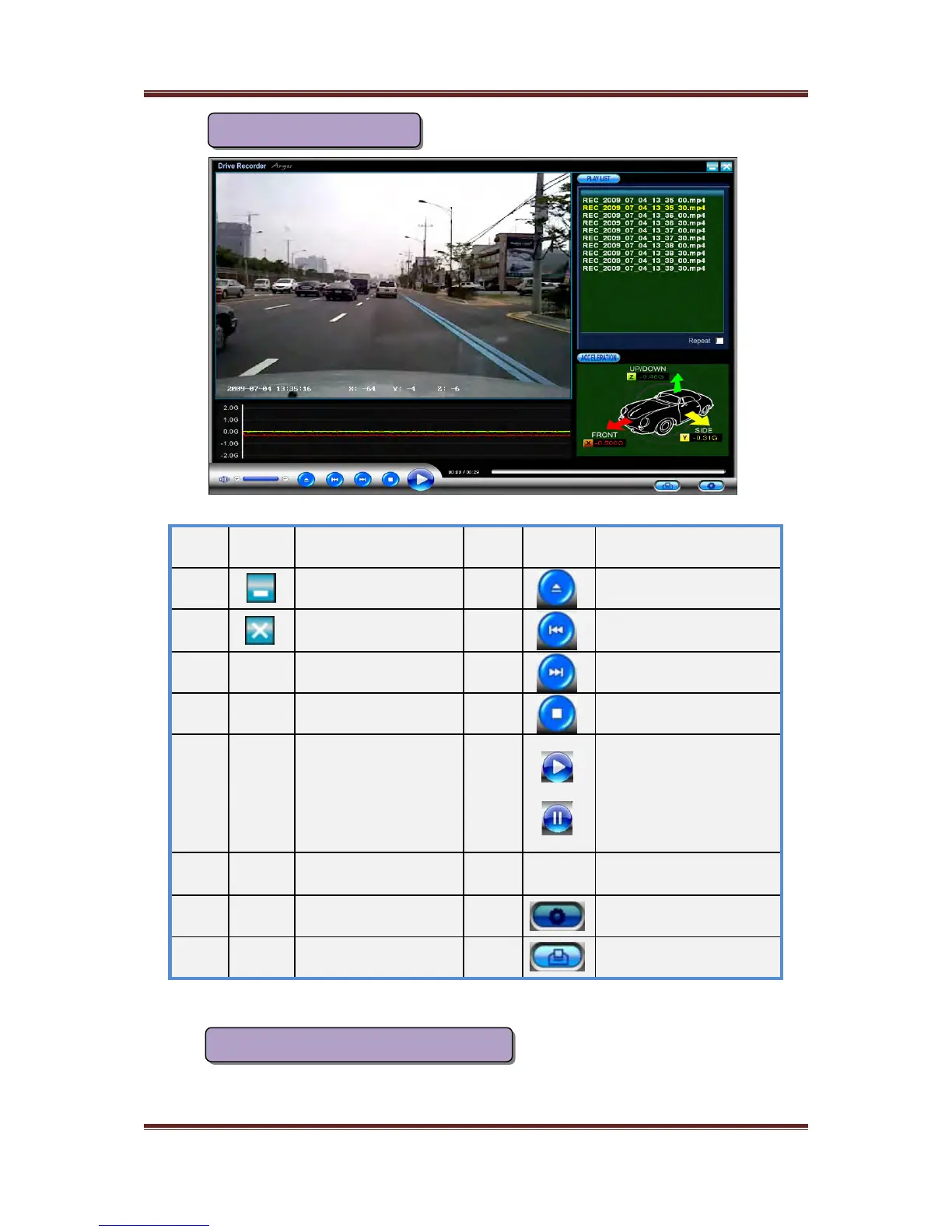
NO. Icon Function NO. Icon Function
①
Hide the window
⑨
Open the file
②
Close the window
⑩
Fast reverse play
③
View Pane
⑪
Fast play
④
File list
⑫
Stop
⑤
Replay
⑬
Play
Pause
⑥
G-Sensor graph
⑭
Play Section
⑦
G-Value(X,Y,Z)
⑮
Configuration button
⑧
Volume Control Print(TBD)
If you press “Configuration button”, the following window will be popped out
Configuration of Volume, sensitivity, time
So you can modify configuration values and time values voluntarily
15
Function of the viewer
⑤
⑨
⑩
⑪ ⑫ ⑬ ⑮
⑧
⑦
⑥
④
③
② ①
⑭



 To Next Page