Argos A700 User’s Manual
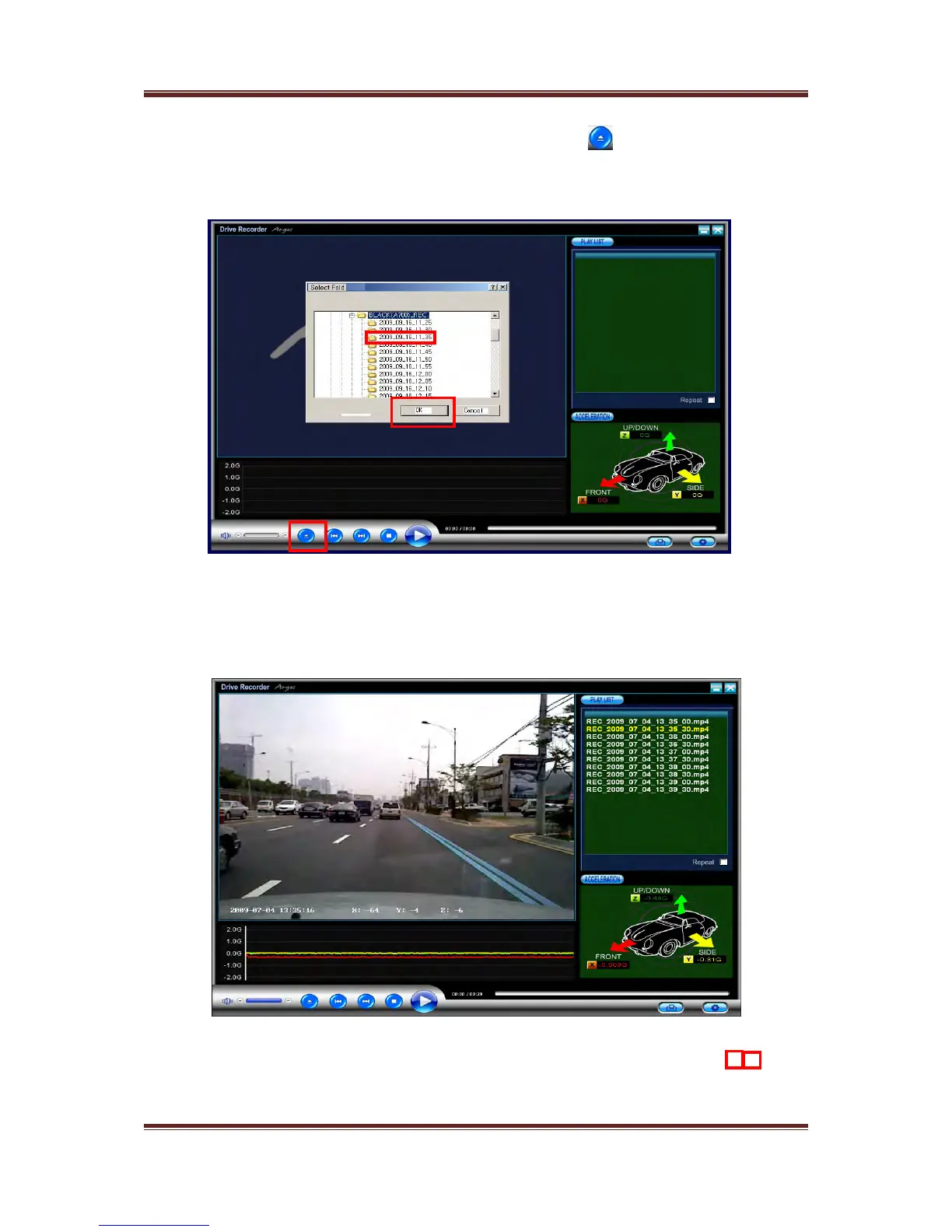
File list will be opened on the right pane
If you click one of files to check, image recorded will be displayed on the view
Pane
14
After connect SD memory card to PC, click this button
and then select
“BLACK_EVENT” or “BLACK_REC” folder to check images recorded
Please select one of the folders to check the image and then click “confirm”



 To Next Page