Argos A700 User’s Manual
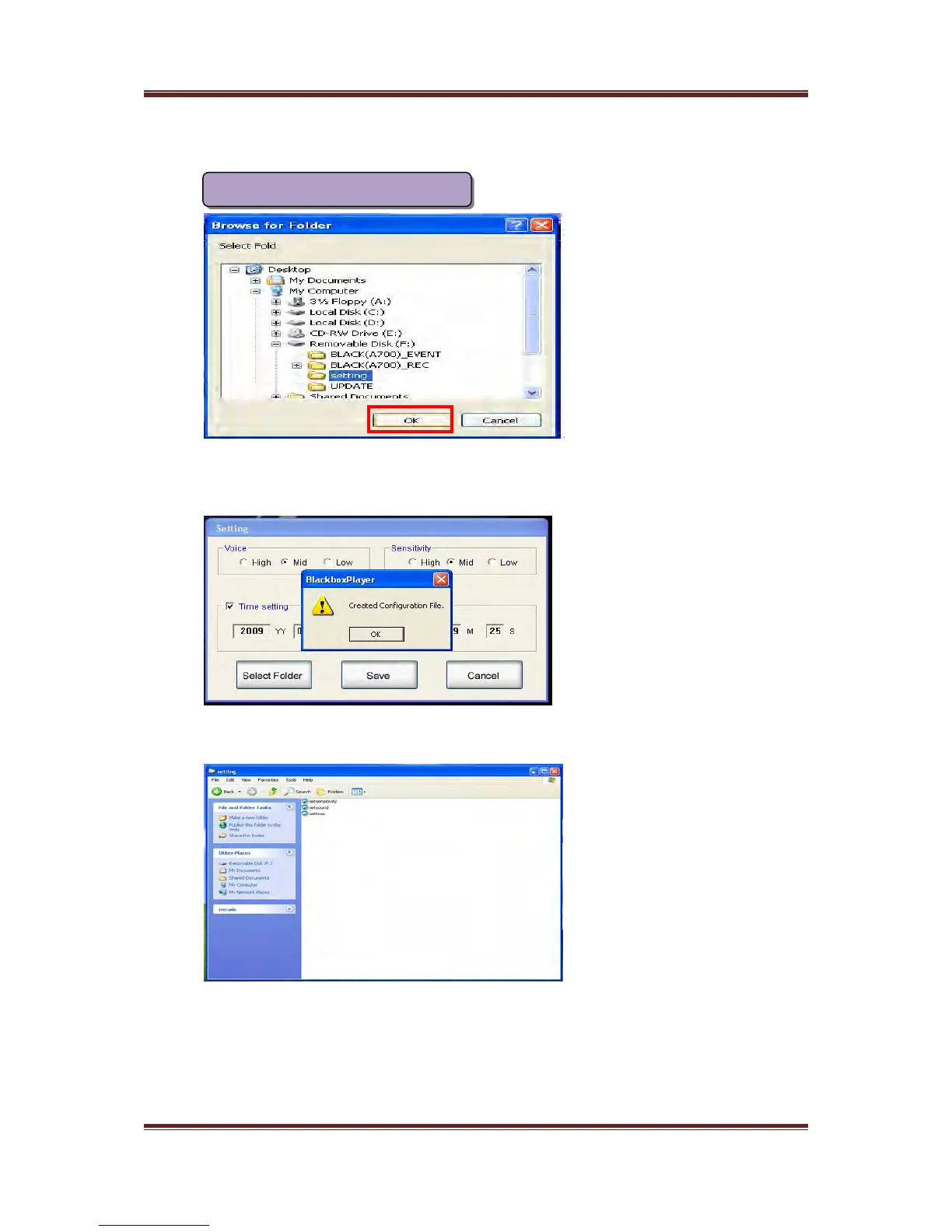
Please “ Select Folder “ after modifying Volume, sensitivity, time values and then select
“Setting” folder in the SD memory card as like left window and click “OK” to store the
values
Please click “OK” again
If configuration values is stored in the SD memory card normally, you can check the
three files in the “Setting” folder
17
Storage of configuration values



 To Next Page