Argos A700 User’s Manual
This button have two functions
- One is long-time recording
- two is forced stop recording
If
e
while continuous recordin
ress
this button so recordin
e will
be saved in the event folder
If you don’t want to record voice, press
Long time / Stop
this button
If you want to see the real-time
ima
e, connect video cable between
this unit and navigation or monitor
Connect this unit with vehicle adapter
of DC 12~24V
Please turn on the
ower after
inserting SD memory card
Please check the following before installation for safety
Please install a unit after turning off the engine of vehicle and eject the car key
Please install a unit in a safe and flat ground
Please just connect the power to cigar soket of DC12V~24V
Please use only the power cable of our company
Please be careful of direction of SD memory and insert it rightly
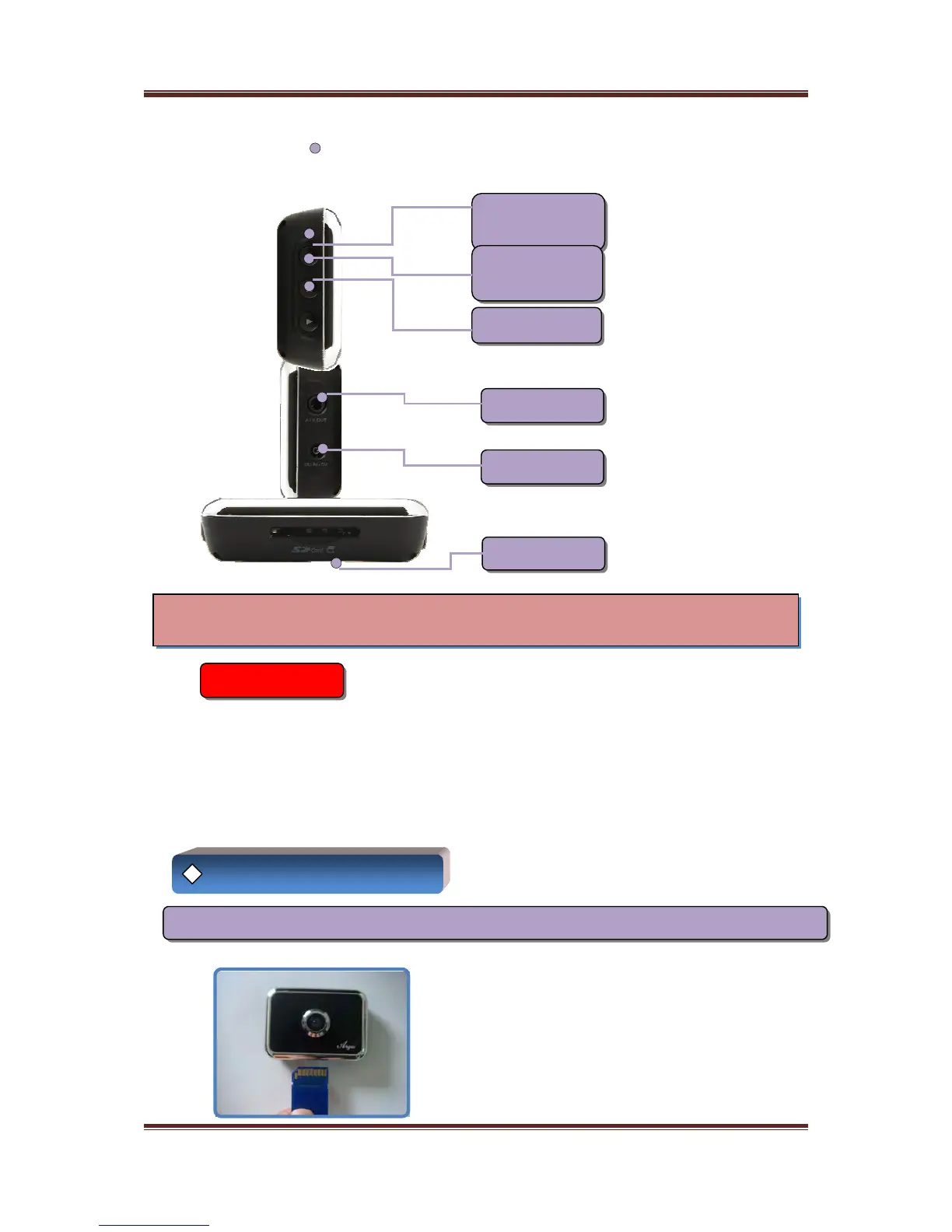
Recording
Forced
Recording
Voice Mute
Video Output
Power Input
SD Card Slot
◈ Installation
Precautions
Installation Sequence
No 1. Before installation A700 to cradle, insert SD memory to A700 as follows
6



 To Next Page