Argos A700 User’s Manual
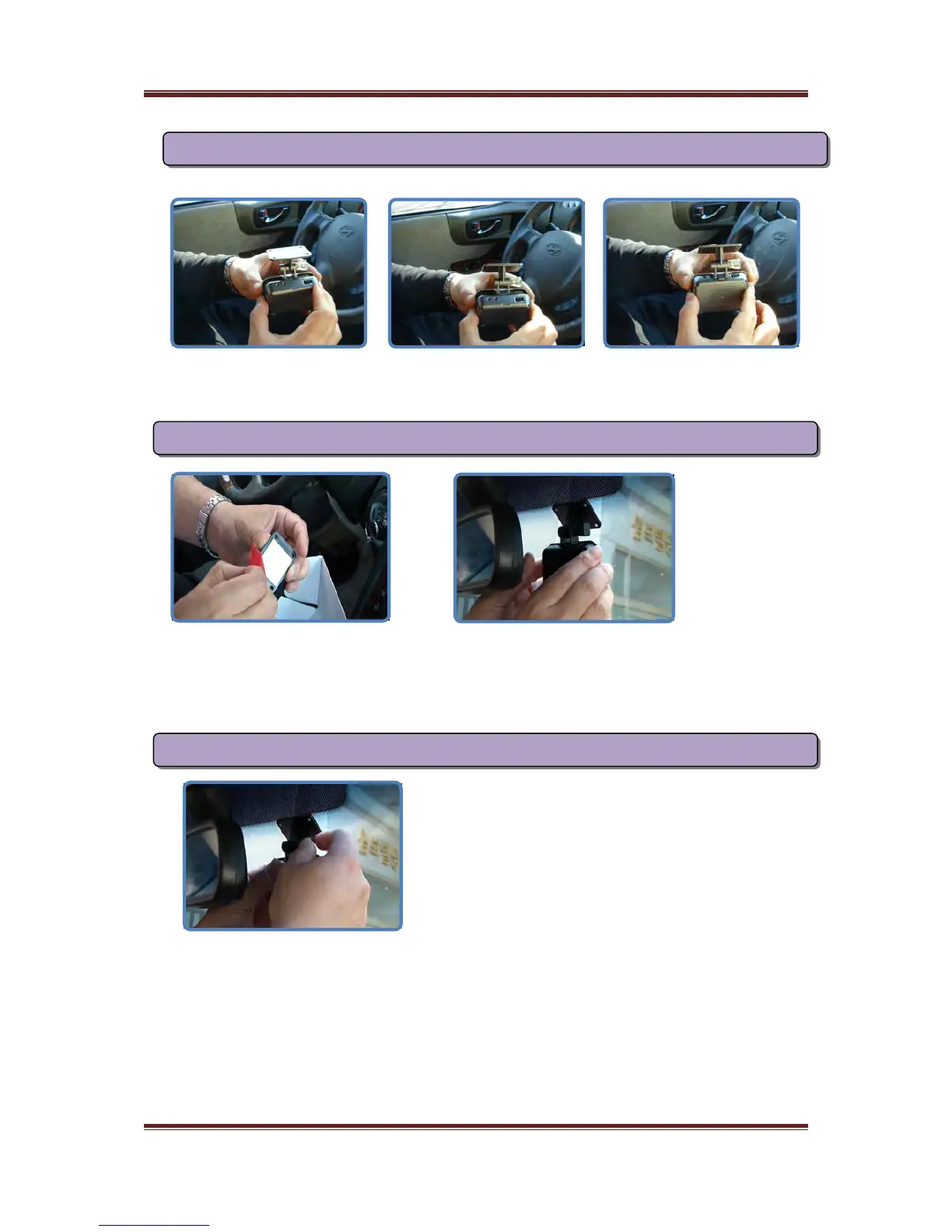
please push the bottom first and then the upper
No 2. Install A700 to cradle
If you want to separate A700 from cradle, do it in reverse order
Please eject only SD memory from A700 to check the data or to back up the data
Please fix the place not to disturb driver’s view
If you want to fix it on car glass, please fix it after removing stains and sopts
We’d like to recommend you fix it on the rear center of rearview mirror
No 3. Fix the place after removing the skin of 3M tape
No 4. Fasten the screw to fix it after adjusting the angle of camera
Please check it in front of car whether the angle of camera is adjusted properly
If you connect it to navigation or monitor, you can check it easly in the car
We’d like to recommend you adjust the angle to see the end of hood of car
7



 To Next Page