Argos A700 User’s Manual
(☞ The format type of SD memory card is “FAT32”)
- Please always update the Firmware of a product and use it
After inserting SD memory card into A700, turn on the power of it
Explanation of data
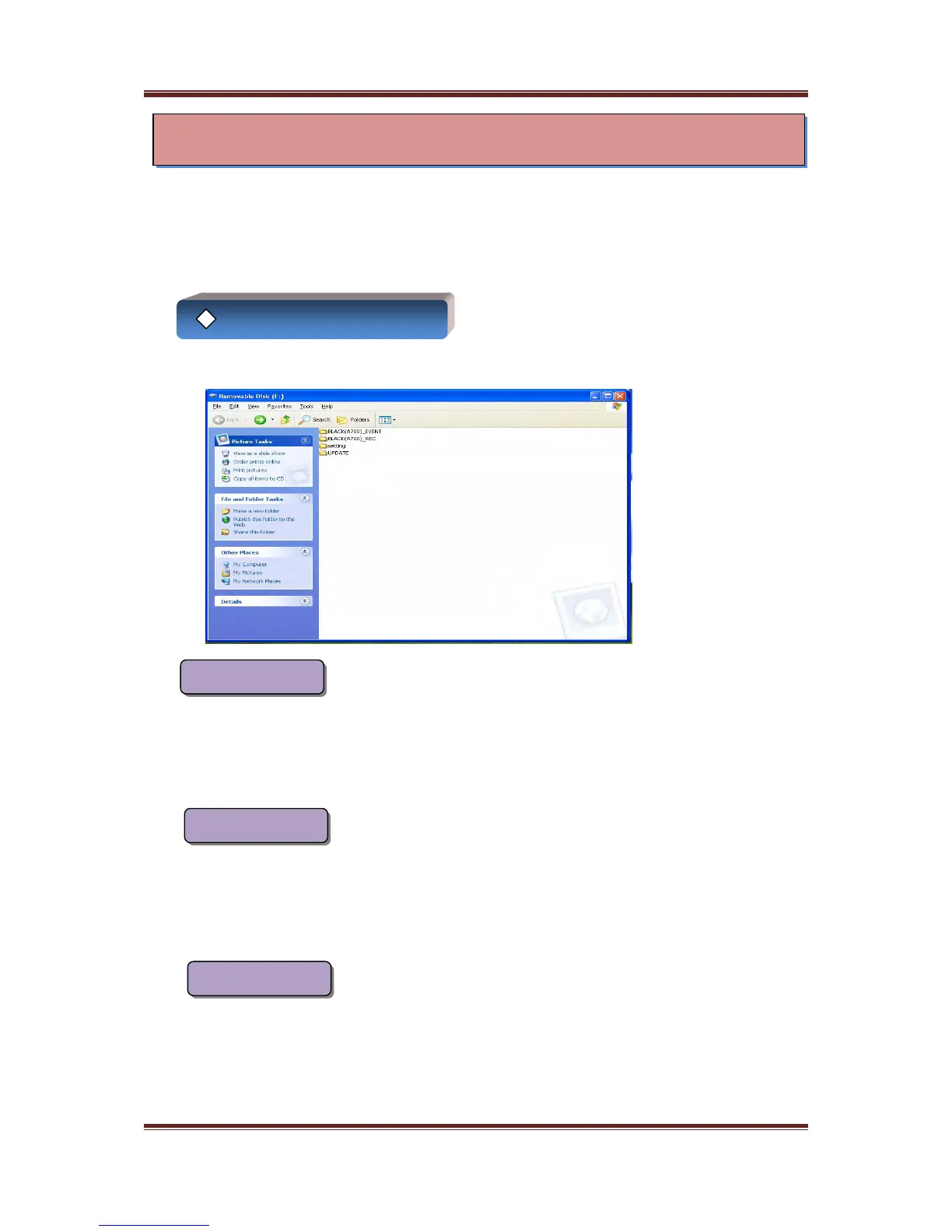
The following folders will be created in the SD memory card automatically.
This folder is to store events recorded by G-Sensor or forced recording
BLACK_EVENT
<< EVS_”date”>> : This is the file recorded by G-Sensor
<< EVK_”date”>> : This is the file recorded by forced recording
This folder is to store data recorded by regular recording
BLACK_REC
A700 is starting recording automatically when the power of A700 is turned on
<< REC_”date”>> : This is the file recorded by regular recording
This folder is to store values created by exclusive viewer
SETTING
<<Setsensitivity.dat>> : This is the G-Sensor value
<<Setsound.dat>> : This is the volume value
<<Settime.dat>> : This is the time value
(If the power of A700 is turned on, this file will be disappeared.)
18
◈ Data management
This is method for using product and to protecting data safely
- Please store an important data to user’s PC separately
- Please format SD memory card more than two times every one month



 To Next Page