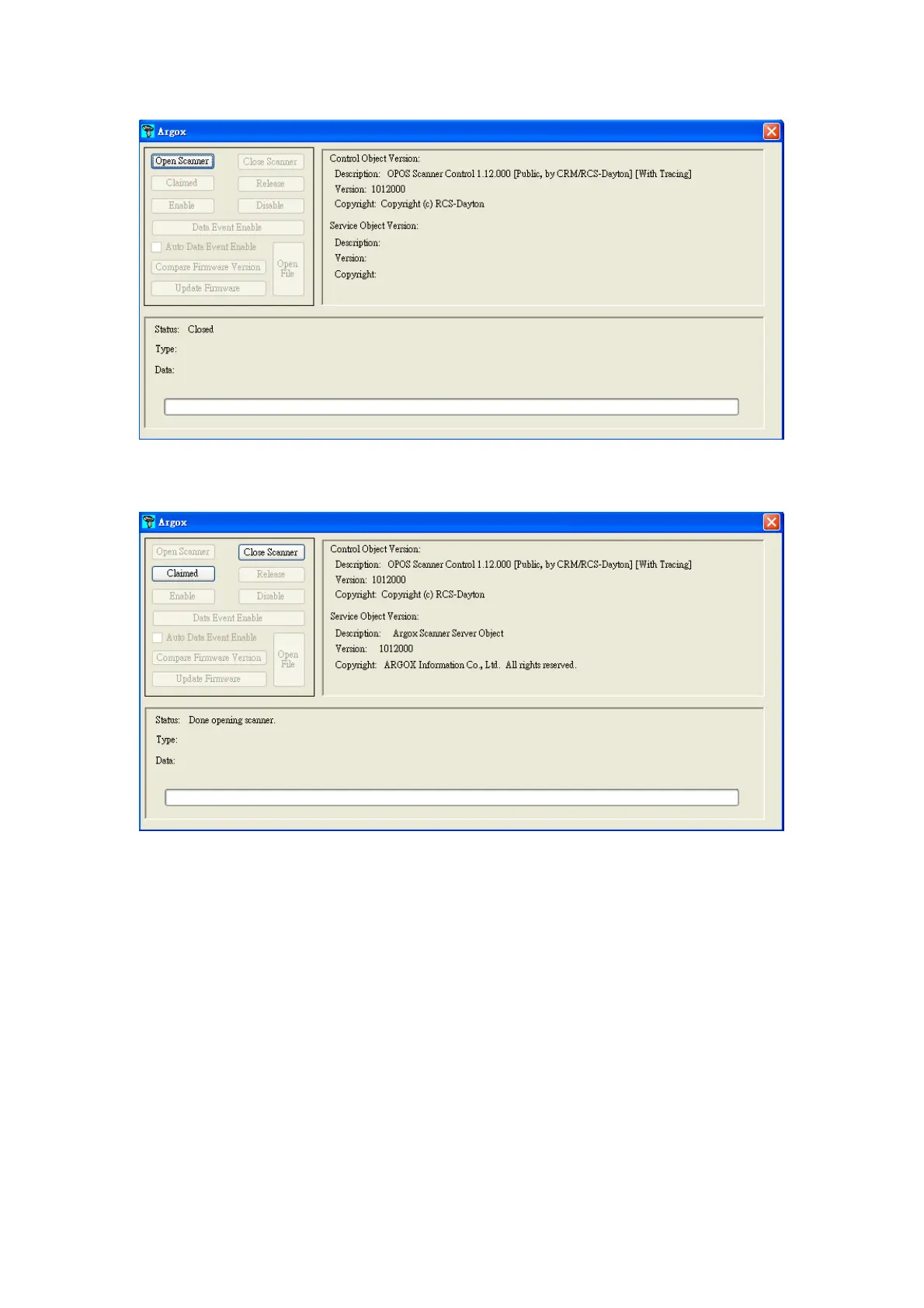
Step2. Press “Open Scanner” buttom to open a argox scanner, :
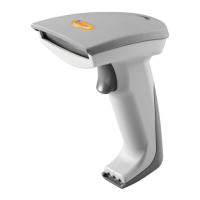
Step 3. Press “Claimed” button: to execute OPOS claimed function to idenity where a OPOS
device is ready or not. If a OPOS device is ready, the screenshot will be shown as below. If no
OPOS device is ready, an error dialog will be popup.


 To Next Page