EasyManua.ls Logo

Argox OS-214 plus - User Manual

Argox OS-214 plus
77 pages
Print Icon
To Next Page IconTo Next Page
Loading...
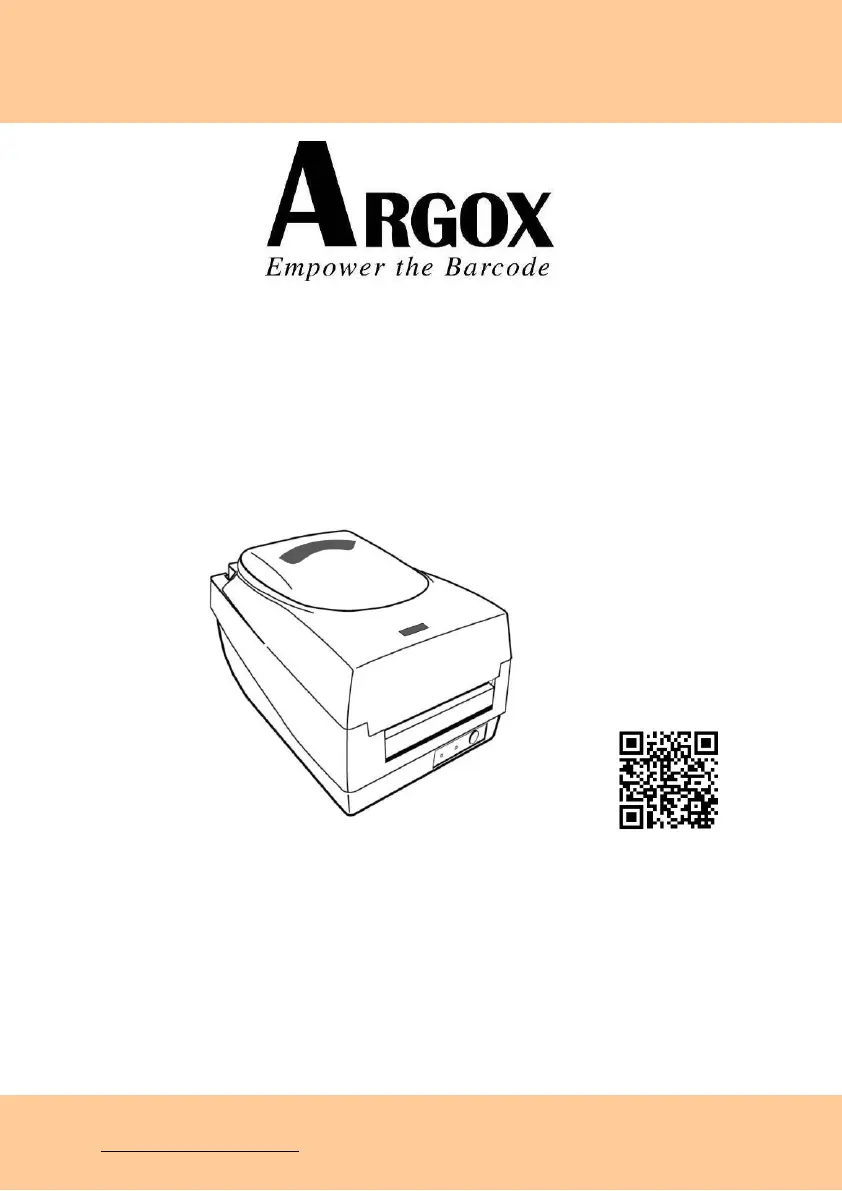
DESKTOP BARCODE PRINTER
OS-214plus/OS-2140D/
OS-2140/OS-2140Z/
OS-2140DZ
User’s Manual
Website: http://www.argox.com
Ribbon & Media Installation video

Questions and Answers

  • A
    Alex JenkinsAug 19, 2025
    Why is the printout quality poor on my Argox Barcode Reader?
    • S
      Steven WilliamsAug 19, 2025
      Poor printout quality on your Argox Barcode Reader can stem from several factors. The ribbon or media might not be qualified for use with the printer. Try adjusting the darkness (heat temperature) settings or slowing down the print speed to see if that improves the quality.
  • T
    Tiffany JensenAug 21, 2025
    What to do if my Argox Barcode Reader shows a 'Printer Time out' error?
    • M
      Melissa WebsterAug 21, 2025
      If your Argox Barcode Reader is showing a 'Printer Time out' error, ensure the communication cable (parallel or serial) is securely connected to both your PC and the printer. Also, verify that the printer power is turned on.
  • J
    Joseph JamesAug 23, 2025
    How to fix vertical streaks in printouts from my Argox Barcode Reader?
    • C
      Carl RobertsAug 23, 2025
      If you're seeing vertical streaks in the printouts from your Argox Barcode Reader, start by cleaning the print head. If the problem persists after cleaning, consider replacing the print head.
  • R
    Ryan WernerAug 26, 2025
    What should I check if my Argox Barcode Reader has no output?
    • T
      tbakerAug 26, 2025
      If your Argox Barcode Reader isn't producing any output, verify that the correct printer driver is active. Ensure that Label Dr. for your Windows system and your label printer are selected.
  • C
    cynthia33Aug 28, 2025
    What to do if the cutter failed or is jammed on my Argox Barcode Reader?
    • T
      tracey89Aug 28, 2025
      If the cutter on your Argox Barcode Reader fails or jams (especially during installation or setup), check the cutter and recover the jam.
  • M
    Mandy MaldonadoAug 29, 2025
    What to do if my Argox Barcode Reader's memory is full?
    • H
      heatherclayAug 30, 2025
      If your Argox Barcode Reader's memory is full, add the extension RAM.
  • D
    Dana DavisAug 31, 2025
    Why is the power LED not illuminated on my Argox Barcode Reader?
    • L
      Lori AndersonSep 1, 2025
      If the power LED on your Argox Barcode Reader isn't lit, check the fuse inside the power adapter case.
  • B
    beverly73Sep 3, 2025
    What to do if there is a ribbon jam in my Argox Barcode Reader?
    • H
      hmillerSep 3, 2025
      If there is a ribbon jam in your Argox Barcode Reader, recover the jam.
  • A
    Allen KirbySep 5, 2025
    What to do if there is a label jam in my Argox Barcode Reader?
    • H
      Henry SpencerSep 5, 2025
      If your Argox Barcode Reader has a label jam, recover the jam.
  • S
    Shelby PetersonSep 7, 2025
    How to resolve a Serial IO error on my Argox Barcode Reader?
    • K
      Kathleen ShawSep 7, 2025
      To resolve a Serial IO error on your Argox Barcode Reader, check the baud rate.

Summary

Getting Started

Unpacking

Steps to check the printer for shipping damage and verify contents.

Connecting the Power Supply

Guide on how to safely connect the printer to a power source.

Loading Ribbon and Media

Loading Ribbon

Detailed instructions for installing a ribbon roll into the printer.

Loading Media

Procedures for loading various types of media rolls into the printer.

Calibration and Configuration

Performing Calibration and Configuration

Steps for calibrating and configuring printer settings for optimal performance.

Resetting Printer to Factory Defaults

Procedure to revert the printer's settings to their original factory state.

Communicating with the Printer

Installing a Plug and Play printer driver (for USB only)

Step-by-step installation guide for the USB printer driver using Plug and Play.

Installing the Printer Driver

General instructions and recommendations for installing the printer driver software.

Troubleshooting

Replacing the Thermal Print Head

Argox OS-214 plus Specifications

General IconGeneral
Print MethodThermal Transfer / Direct Thermal
Resolution203 dpi
ModelOS-214 Plus
Print Width104 mm
Memory8 MB Flash
Processor32-bit RISC
InterfacesUSB, Serial (RS-232), Parallel
TypeBarcode Printer
Supported BarcodesCode 39, Code 128, UPC-A, UPC-E, EAN-13, EAN-8, Interleaved 2 of 5, Codabar
Operating Voltage100-240VAC, 50-60Hz
Print Speed4 ips (inches per second)

Related product manuals