7
Connecting the Power Supply
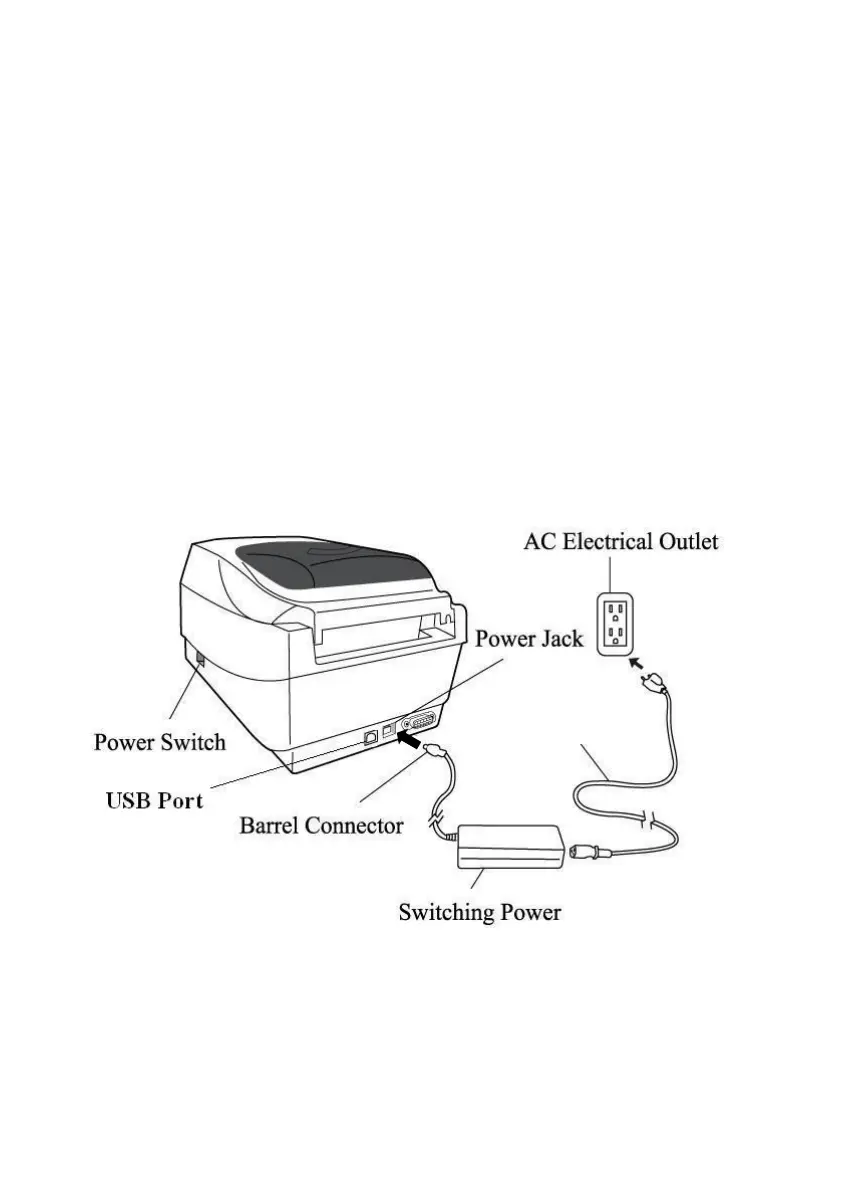
Connect the power supply as below.
WARNING! Do not operate the printer and power supply in an
area where they can get wet.
Make sure the power switch is in the "O" position.
1. Insert the barrel connector of the power supply into the power
jack on the back of the printer. Note the location of the power
jack for different models in the diagrams below.
2. Insert the separate power cord into the power supply.
3. Plug the other end of the cord into an AC electrical outlet.



 To Next Page