MAINTENANCE
14.203.B_A707 en.SM.V4.3X ARGUS Medical AG 28.03.06 / PJ 31 / 48
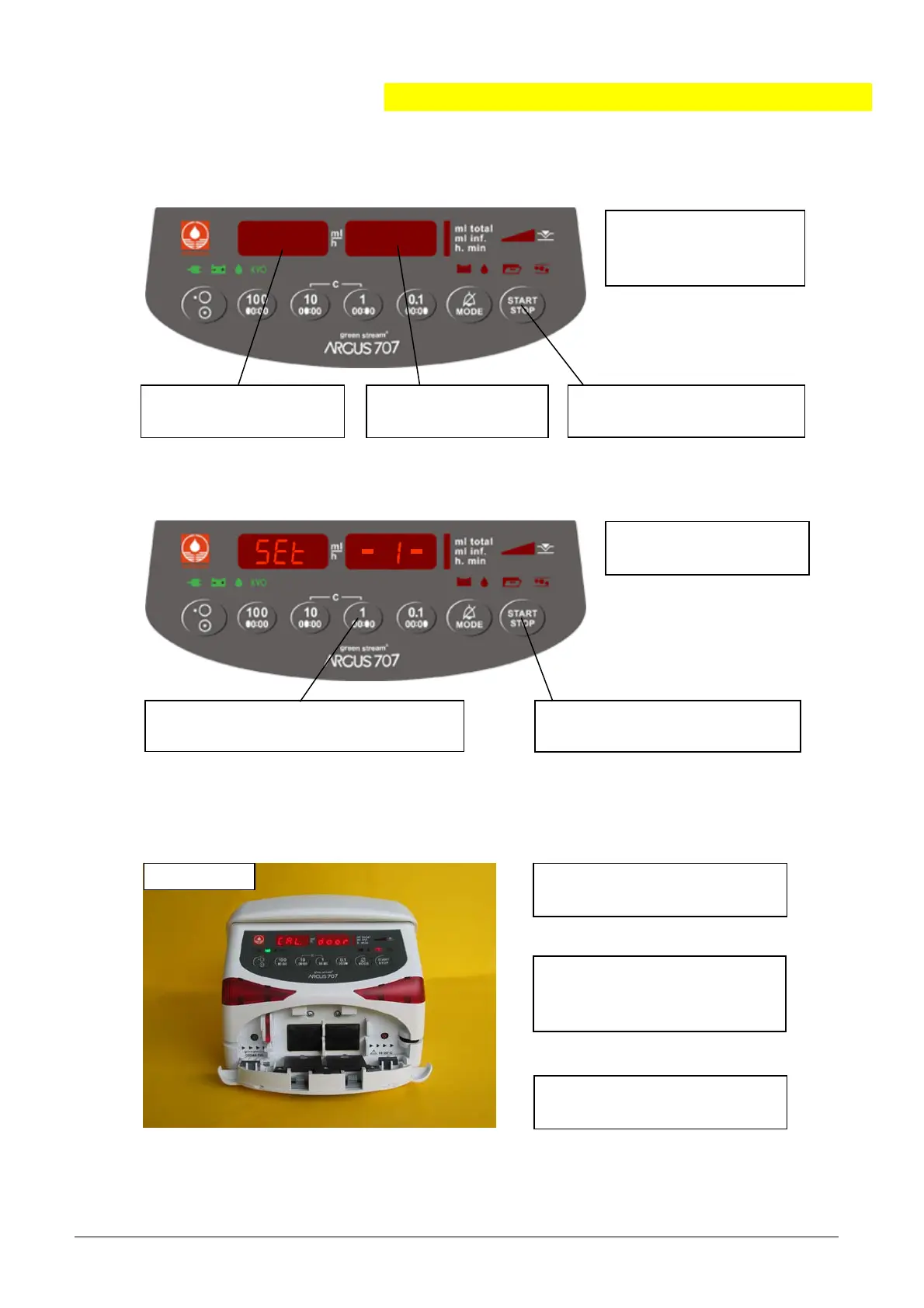
2. Press “START/STOP” to
store the values for the up-
and downstream sensor.
3. Press “MODE”.
Display shows “CAL 1.0b”.
2. Select address 399
and press “MODE”.
4. Press “START/STOP”.
Display shows “Set - 1-”.
2. Press “START/STOP”.
Displa
shows “CAL. door”.
1. Press key "1" to select the set num-
ber
ou want to calibrate
1 to 4
.
6.3.2. Enter into the pressure calibration mode
6.3.3. Set selection before calibrating
6.3.4. Calibrating the offset of both sensors
1. Enter into the
configuration mode
(see chapter 2.3.).
123
.
39
3. Enter value 1234.
1. Remove the IV set and
open the door.
“
”
Before you select an
IV set, check chap. 2.8.


 To Next Page