MAINTENANCE
14.203.B_A707 en.SM.V4.3X ARGUS Medical AG 28.03.06 / PJ 34 / 48
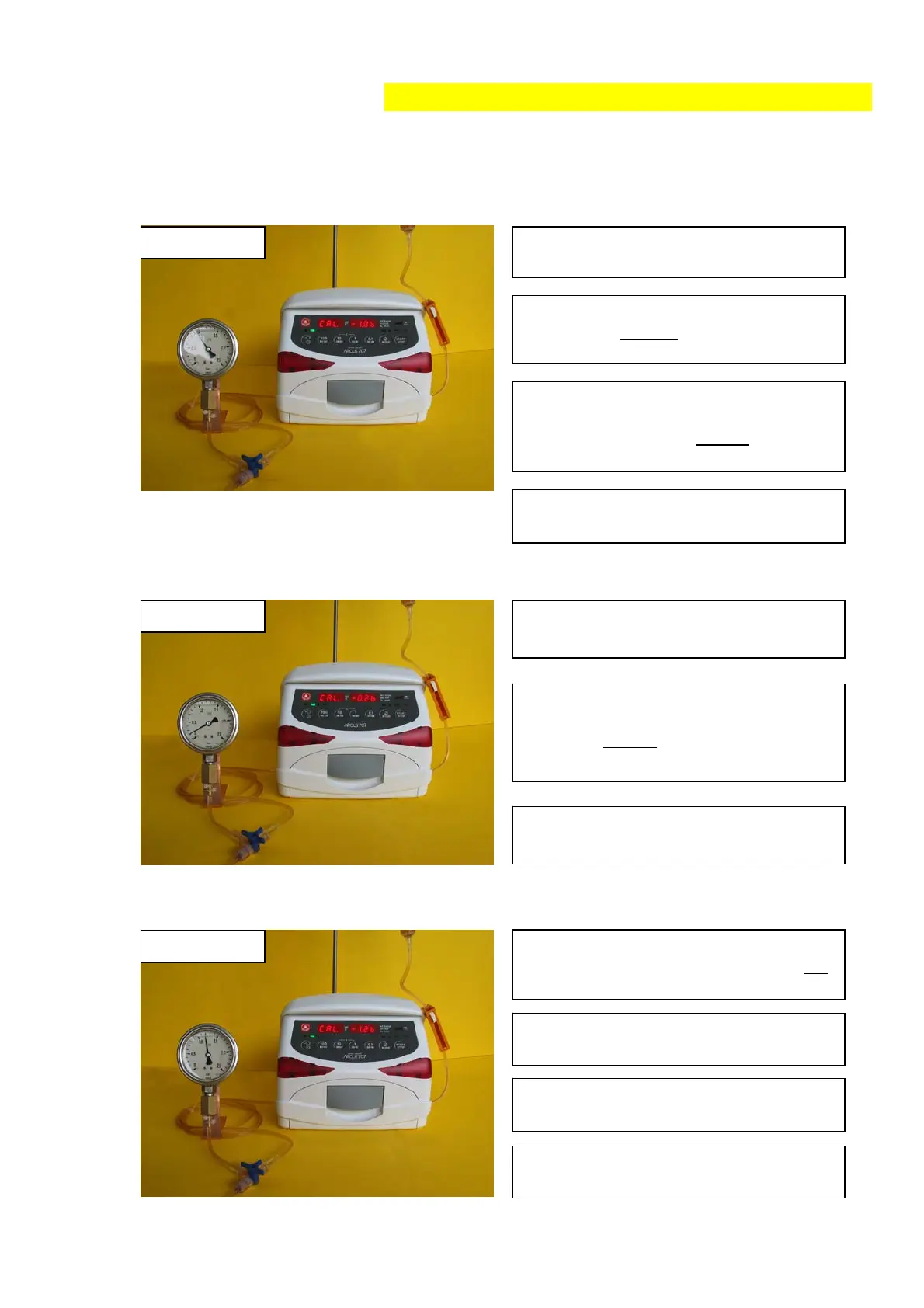
3. The pump generate a pressure build-
up automatically.
When the pressure 1.0 bar
reaches
ress “START/STOP”.
4. Release the pressure and press
"MODE". Display shows “CAL -0.2b”.
2. Open the roller clamp, insert the IV
set in the reverse
direction and close
the door.
6. The pump generates a pressure
build-up automatically. Is the pres-
sure of 0.2 bar
reached press
“START/STOP”.
7. Press "MODE".
Display shows “CAL -1.2b”.
5. Simulate an upstream occlusion by
the 3-way stop cock.
8. The pump continues on with the pres-
sure build-up. When the pressure 1.2
ba
reaches
ress “START/STOP”.
9. Release the pressure and press
"MODE". Display shows “SEt - 1-”.
6.3.8. Calibrating the upstream sensor part 2
“CAL -1.0b”
1. Simulate an upstream occlusion by
the 3-wa
sto
cock.
“CAL -0.2b”
“CAL -1.2b”
10. Switch the pump off. Close the roller
clamp and remove the IV set.
11. Perform a control measurement
according chapter 6.4.


 To Next Page