SOFTWARE UPDATES
14.164.A_A707en.SM.V1.01.doc ARGUS Medical AG 17.02.04 AS 16 / 38
4. SOFTWARE UPDATES
4.1. General
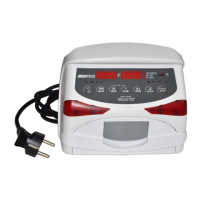
This chapter describes the procedure to perform a software update on the ARGUS 707 in-
fusion pump. To check the installed software release in your ARGUS 707 press the
"MODE" key while switching on the pump.
Please refer to your local distributor or ARGUS Medical AG to determine the latest soft-
ware release able to run on your device hardware.
4.2. Requirements for a software update
To update an ARGUS Medical device, the following items are needed:
- A PC with Microsoft Windows.
- RS 232 serial interface cable (part no. 10.093), connected to the PC.
- Software file "AMFlasher" and corresponding user instruction (pdf-file) on your PC.
- Data file "A707_xxx.txt" including the pump software which can be downloaded with
the "AMFlasher" software.
The file name "A707_xxx.txt" contains the software release (xxx) version of the pump
software release.
Those items are available from your local distributor or from ARGUS Medical.
4.3. Safety aspects
Be aware of the following points:
• For medical device traceability your local distributor or ARGUS Medical AG
needs to be informed about every device updates (serial number) you performed!
• Do not make any software updates when the device is used and/or connected to a
patient!
CAUTION!
A standard safety check (see appendix) has to be performed after every software up-
date!


 To Next Page