GB - 14
OPTIONAL CONTROLS
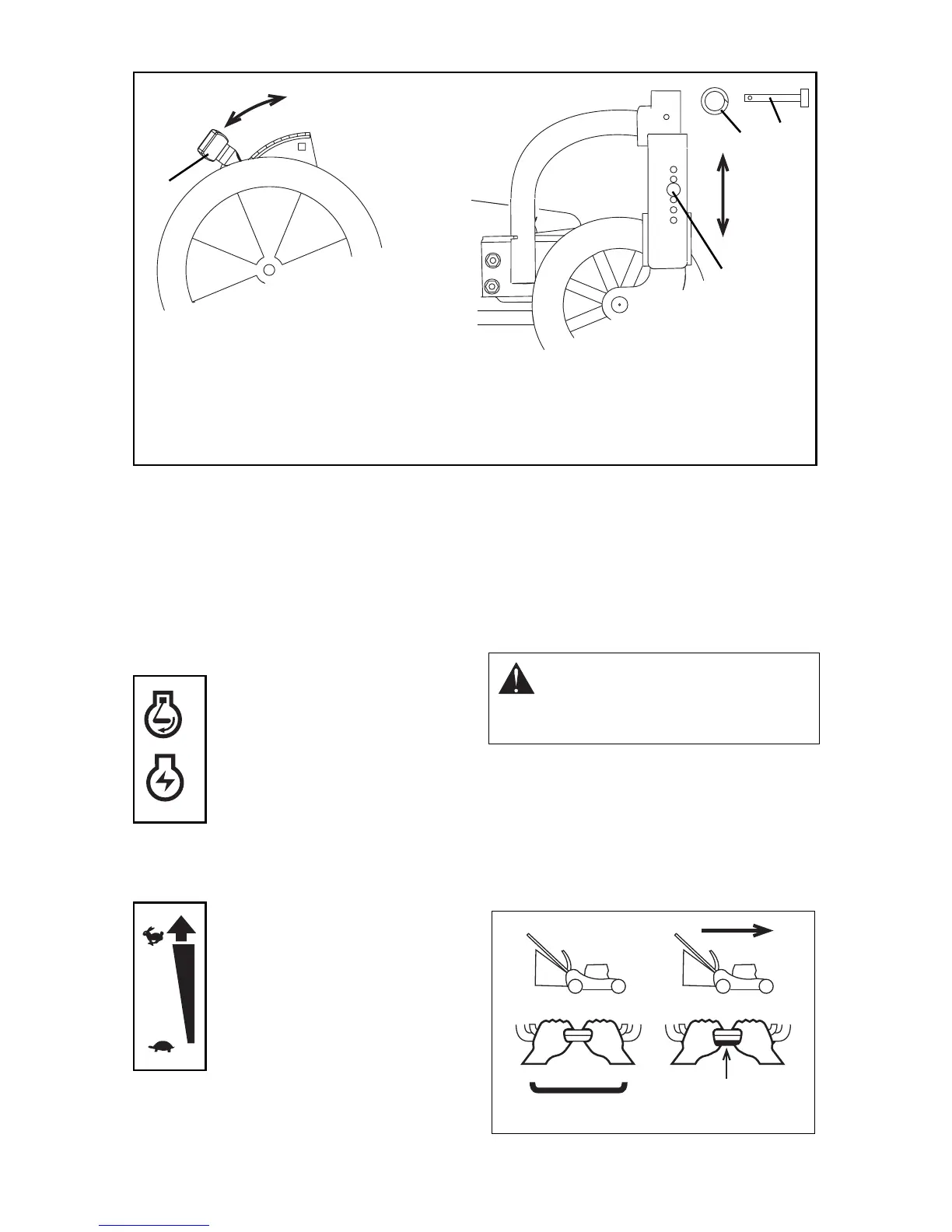
Primer Bulb
Push the primer bulb in to add fuel for easier
engine start.
Throttle (911526)
The throttle controls the engine speed and
chokes engine for starting.
Ignition Switch (911525)
A removable key operates the
ignition switch. The key will spring
back to the “RUN” position.
RUN Position (1): All controls are
operable.
START Position (2): Starter turns
over the engine.
Speed Control (self-propelled models)
Speed control rod changes the mower’s
forward travel speeds.
High –Push lever all the way
forward.
Low –Pull lever all the way
rearward.
Start mowing slowly and use speed control
rod to gradually increase speed to a safe,
comfortable walking pace.
Speed control rod should hold the desired
speed. If not, adjust speed control bell crank
(See Service and Adjustments).
WHEEL DRIVE CONTROL (self-
propelled models)
NOTE: Engine must be running for wheel drive
to propel unit.
To drive forward:
Slowly squeeze and hold wheel drive control
against handlebar.
To stop:
Release wheel drive control.
1. Cutting Height
Lever
2. Height Adjuster
Pin
3. Key Ring
Figure 7
1
2
2
3
High Low
OM1270
Rear Front
1
2
OM1000
OM0480
CAUTION: Unit will move forward at
engine start if wheel drive control is
engaged. ALWAYS release wheel
drive control before starting unit.
STOP
GO
OM1240




 To Next Page