12
EN
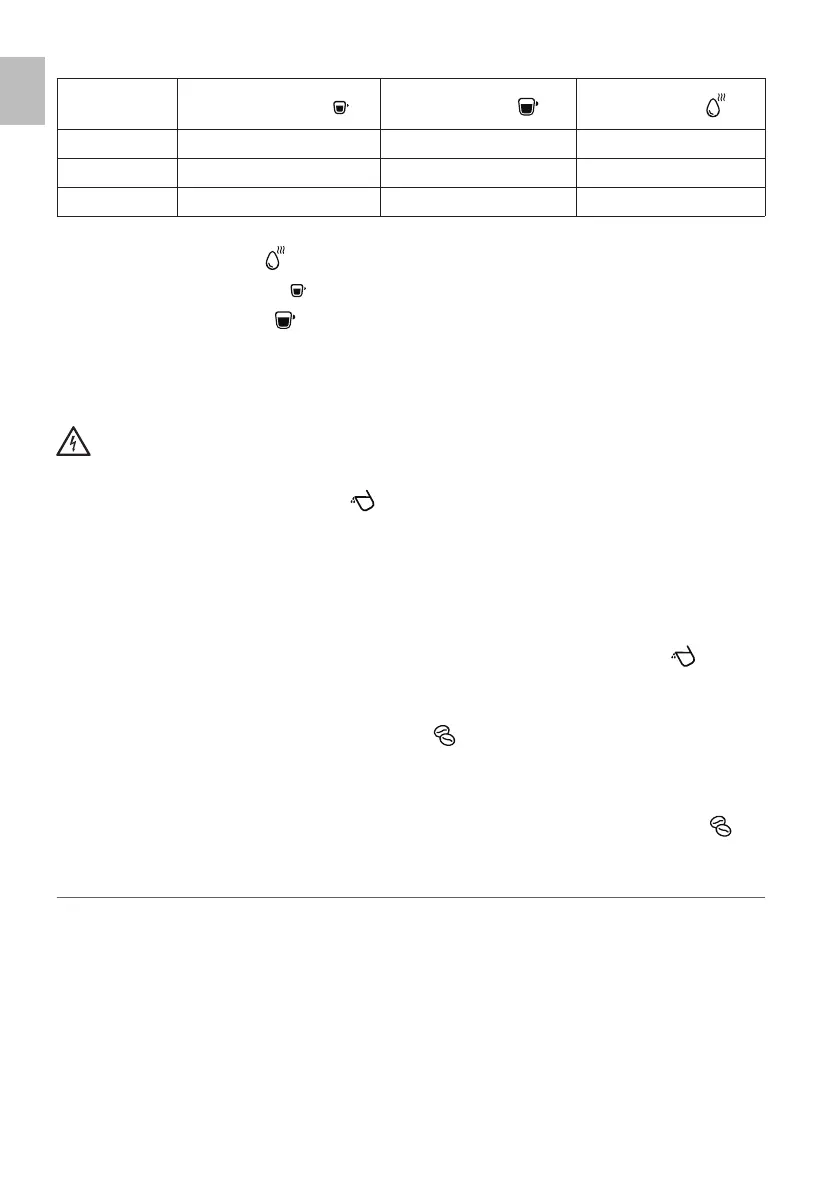
The buttons on the display will present a different set-up according to the mode selected:
Strong coffee button ( ) Mild coffee button ( ) Hot water button ( )
Default mode Flashing Steady Flashing
ECO mode Flashing Flashing Steady
Fast mode Steady Flashing Flashing
The indicator light of the button turned on indicates the current operating mode.
- Press the hot water button (
) to enter the ECO mode.
- Press the strong coffee button (
) to enter the fast mode.
- Press the mild coffee button (
) to enter the default mode.
Two sound signals indicate that the operating mode has been correctly selected.
2 Once the operating mode is selected, press and hold the power button (S) again for 5 seconds.
Filling the water tank during use
Warning!
Do not fill the water tank while it is installed in the appliance. Danger of electric shock.
Always check the water level in the tank.
If the water tank is empty, the indicator light (
) will start flashing.
1 Hold and lift the lid (A) to remove the water tank (B) from the appliance (Fig. 4).
2 Open the water tank lid (A) (Fig. 5).
3 Fill the water tank with fresh still water up to the MAX level (Fig. 6).
4 Close the water tank lid (A) (Fig. 5).
5 Insert the water tank (B) into its seat (Fig. 7).
Properly and fully install the water tank in its seat for the proper operation of the appliance.
When the appliance reaches the right amount of water into the water tank, the indicator light (
) automat-
ically turns off.
Filling the coffee beans container during use
If the coffee beans container is empty, the indicator light ( ) will start flashing.
1 Remove the coffee beans container lid (W) (Fig. 8).
2 Insert coffee beans inside the coffee beans container (U) (Fig. 9).
3 Close the coffee beans container lid (W) (Fig. 11).
When a sufficient amount of coffee beans has been inserted into the container, the indicator light (
) au-
tomatically turns off.
REUSING THE APPLIANCE TO MAKE ANOTHER COFFEE
No specific operation is required to start brewing coffee after delivering steam. The appliance is equipped
with an electronic control system which makes it possible to always brew coffee at the optimal temperature.
When pressing the desired coffee button, the button pressed starts flashing for the time needed for the boiler
to cool down.


 To Next Page