13
EN
CLEANING AND MAINTENANCE OF THE APPLIANCE
Regular and daily cleaning maintains the appliance efficient and extends the life of the appliance.
Warning!
Cleaning and maintenance operations shall be carried out when the appliance is off and unplugged
from the power outlet.
Warning!
Cleaning shall be carried out when the hot parts of the appliance cooled down.
Warning!
Never wash the appliance components in the dishwasher. Do not use direct jets of water.
Cleaning the drip tray (I) and the cup-holder grid (J)
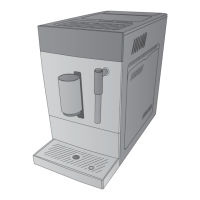
1 Remove the drip tray (I) (Fig. 26).
2 Remove the cup-holder grid (J) (Fig. 2).
3 Empty the drip tray (I) into the sink.
4 Wash the drip tray and the cup-holder grid in fresh water.
5 Dry using a dry cloth.
6 Install the cup-holder grid (J) on the drip tray (I) (Fig. 2).
7 Insert the drip tray (I) at the base of the appliance (Fig. 3).
Cleaning the water collection tray (H) and the coffee grounds container (K)
Remember to empty the water collection tray from time to time.
1 Remove the water collection tray (H) and the coffee grounds container (K) located inside the tray from the
base of the appliance (Fig. 27).
2 Remove the coffee grounds container (K) from the water collection tray (H) (Fig. 28).
3 Empty the coffee grounds container (K).
NOTE: if the indicator light (
) turns on steady, the coffee grounds container shall be emptied.
4 Wash the water collection tray and the coffee grounds container in fresh water.
5 Dry using a dry cloth.
6 Place the coffee grounds container (K) into the water collection tray (H) (Fig. 28).
NOTE: if the indicator light (
) flashes, the coffee grounds container has not been installed.
7 Insert and lock the water collection tray (H) at the base of the appliance (Fig. 27).
Cleaning the brewer (D) and its seat
1 Open the lateral door (E) (Fig. 29).
2 Press the release buttons located at the sides of the brewer (D) to remove the brewer (Fig. 30).
3 Remove the brewer from its seat (Fig. 31).
4 Use the provided cleaning brush (F) to remove any coffee residues from the outlet hole located inside the
brewer seat (Fig. 32).
5 Wash the brewer in fresh water.
6 Dry using a dry cloth.
7 Insert and lock the brewer (D) into its seat.
8 Close the lateral door (E).
NOTE: when the indicator light (
) turns on steady, the brewer has not been installed or has not
been installed properly. When the indicator light (
) flashes, the lateral door has not been closed or
has not been closed properly.


 To Next Page