EasyManua.ls Logo

Arjo Flowtron Excel - User Manual

Arjo Flowtron Excel
28 pages
Print Icon
To Next Page IconTo Next Page
Loading...
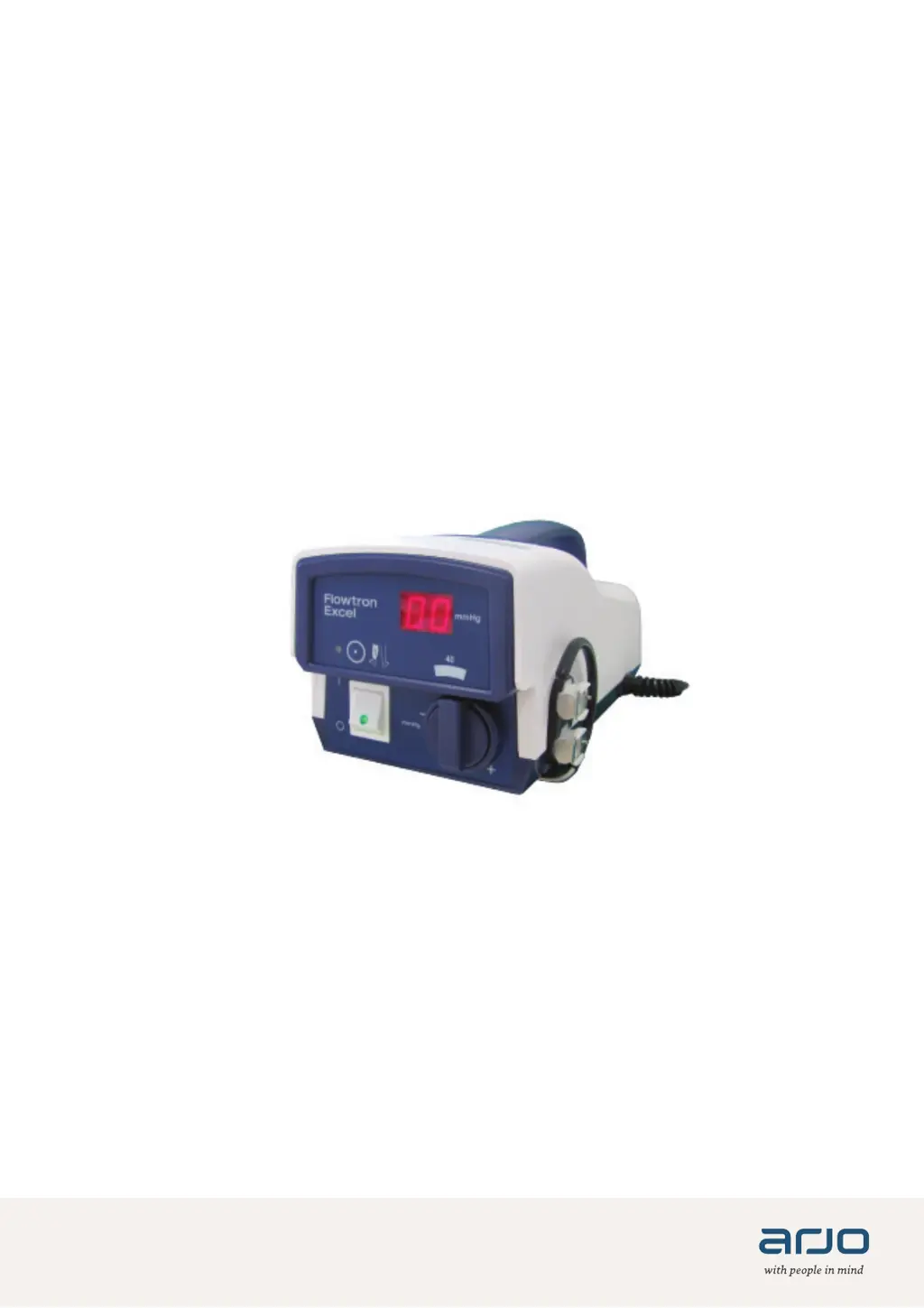
Flowtron Excel
247933EN_10 • 12/2020
INSTRUCTIONS FOR USE

Other manuals for Arjo Flowtron Excel

Questions and Answers

  • S
    shawlauraAug 15, 2025
    What to do if my Arjo Flowtron Excel has no displays, no indications, and no operation?
    • E
      Emily FosterAug 15, 2025
      If your Arjo Medical Equipment shows no displays, no indications, and no operation, it could be due to a power failure or a blown fuse. First, check the mains power supply and the power cable. If the issue persists, it might be a blown fuse, and you should call the service engineer.
  • H
    Hailey SalasAug 18, 2025
    What to do if the yellow LED on the top panel of my Arjo Medical Equipment flashes?
    • P
      petersonloriAug 18, 2025
      If the yellow LED on the top panel of your Arjo Medical Equipment is flashing approximately four times per second, do not use the pump and call the service engineer.
  • N
    Nicole GrantAug 21, 2025
    What to do if my Arjo Medical Equipment pump fails?
    • M
      Megan KingAug 21, 2025
      If your Arjo Medical Equipment pump fails, do not use the pump. Call the service engineer.
  • H
    hernandezkristinAug 25, 2025
    What to do if my Arjo Medical Equipment has a hose disconnected or garment leak?
    • J
      Jessica WadeAug 25, 2025
      If your Arjo Medical Equipment is experiencing issues, consider the following: 1. Check the hose connection at the garment end. 2. Inspect the garment for leaks and replace it if faulty. 3. If the problem persists, call the service engineer.
  • K
    Katrina WeissAug 27, 2025
    What to do if my Arjo Medical Equipment has no displays, indications, or operation?
    • J
      Jon MolinaAug 27, 2025
      If your Arjo Medical Equipment shows no displays, indications, or operation, verify the mains power supply and check the power cable.
  • E
    Elizabeth SmithAug 30, 2025
    How to fix a hose disconnected at the garment of Arjo Flowtron Excel?
    • S
      summersmeganAug 31, 2025
      If the hose is disconnected at the garment end of your Arjo Medical Equipment, check the hose connection at the garment end.
  • M
    Michael MclaughlinSep 2, 2025
    What to do if the hose is disconnected at the pump of Arjo Flowtron Excel Medical Equipment?
    • A
      Alexander BoyleSep 3, 2025
      If the hose is disconnected at the pump outlet of your Arjo Medical Equipment, check the hose connection at the pump outlet.
  • S
    Stacy TerrySep 5, 2025
    What to do if there is a garment leak in Arjo Medical Equipment?
    • K
      Katherine MurphySep 6, 2025
      If there is a garment leak in your Arjo Medical Equipment, check the garment and replace it if it is faulty.
  • K
    Kristy LaraSep 8, 2025
    What to do if there is a pump failure in Arjo Flowtron Excel Medical Equipment?
    • D
      Donna ButlerSep 9, 2025
      If there is a pump failure with your Arjo Medical Equipment, DO NOT USE PUMP. Call the service engineer.
  • K
    Katelyn ChambersSep 12, 2025
    What to do if the fuse is blown in Arjo Flowtron Excel?
    • S
      Savannah LivingstonSep 12, 2025
      If the fuse is blown in your Arjo Medical Equipment, call the service engineer.

Summary

1. Introduction

About this Manual

This manual serves as an introduction to the Flowtron Excel system.

Intended Use

The product is intended for the prevention of Deep Vein Thrombosis (DVT).

About Flowtron Excel

Details the Flowtron Excel pump's operation cycle and recommended use environment.

2. Clinical Applications

Indications

Outlines the application of the Flowtron Excel system for DVT prevention.

Contraindications

Lists specific conditions where the Flowtron Excel system should not be used.

Cautions

Provides essential safety precautions for the correct use of the Flowtron Excel system.

Guidelines and Recommendations

Offers general advice and specific recommendations for optimal system usage.

3. System Set Up

Installing the Pump

Step-by-step instructions for attaching or positioning the Flowtron Excel pump.

Garment Application

Guidance on the correct procedure for applying the system's garments to the patient.

Garment Removal

Describes the process for safely disconnecting and removing the garments.

To Use Only One Garment

Instructions for connecting a single garment when only one is required.

4. Pre-Use Check

5. Operation

Start Up

Procedures for connecting the pump to power and initiating operation.

Shut Down

Instructions for safely turning off the pump and ending therapy.

6. Pressure Adjustment

Pressure Output Check

Procedure to verify the displayed pressure matches the prescribed output.

Adjusting the Output Pressure

Method for modifying the pressure setting via the control knob.

System Calibration Check

Steps to confirm the accuracy of the pump's pressure control and display.

7. Decontamination

8. Routine Maintenance

Flowtron Excel System Maintenance

Overview of system maintenance, servicing schedules, and agent information.

Flowtron Excel Pump Care

Guidance on pump inspection, general care, and locating serial numbers.

9. Troubleshooting - Alarm Condition

Alarm Cancel

Methods available to cancel or reset alarms after a fault is corrected.

10. Accessories

11. Technical Specification

Symbols

12. Electromagnetic Compatibility (EMC)

Arjo Flowtron Excel Specifications

General IconGeneral
Pressure SettingsAdjustable
Cycle Time60 seconds
Cycle Time RangeAdjustable
IndicationDeep Vein Thrombosis (DVT) Prophylaxis
Power SupplyAC/DC Adapter
Power SourceMains
AlarmsLow pressure, High pressure, System fault

Related product manuals