11
9. Troubleshooting - Alarm Condition
The Flowtron Excel system features an audible and visual alarm. If a problem
occurs, the system will sense the fault and briefly flash a message on the front panel
pressure display.
If the same fault continues for 10 successive inflations, the audible alarm will sound
and a flashing message will remain on the pressure display until corrective action is
completed. All the alarm conditions are low priority, in compliance with
IEC60601-1-8.
The exception to this is an fault which will alarm immediately.
Alarm Condition
Alarm Cancel After a fault has been corrected, the alarm can be
cancelled by two methods:
1. Switch the pump off, then on again.
2. Allow the pump to run until it senses a normal
inflation; it will then reset itself.
Continue to watch the display for approximately one
minute after reset. If no flashing messages reappear, the
fault has been cleared.
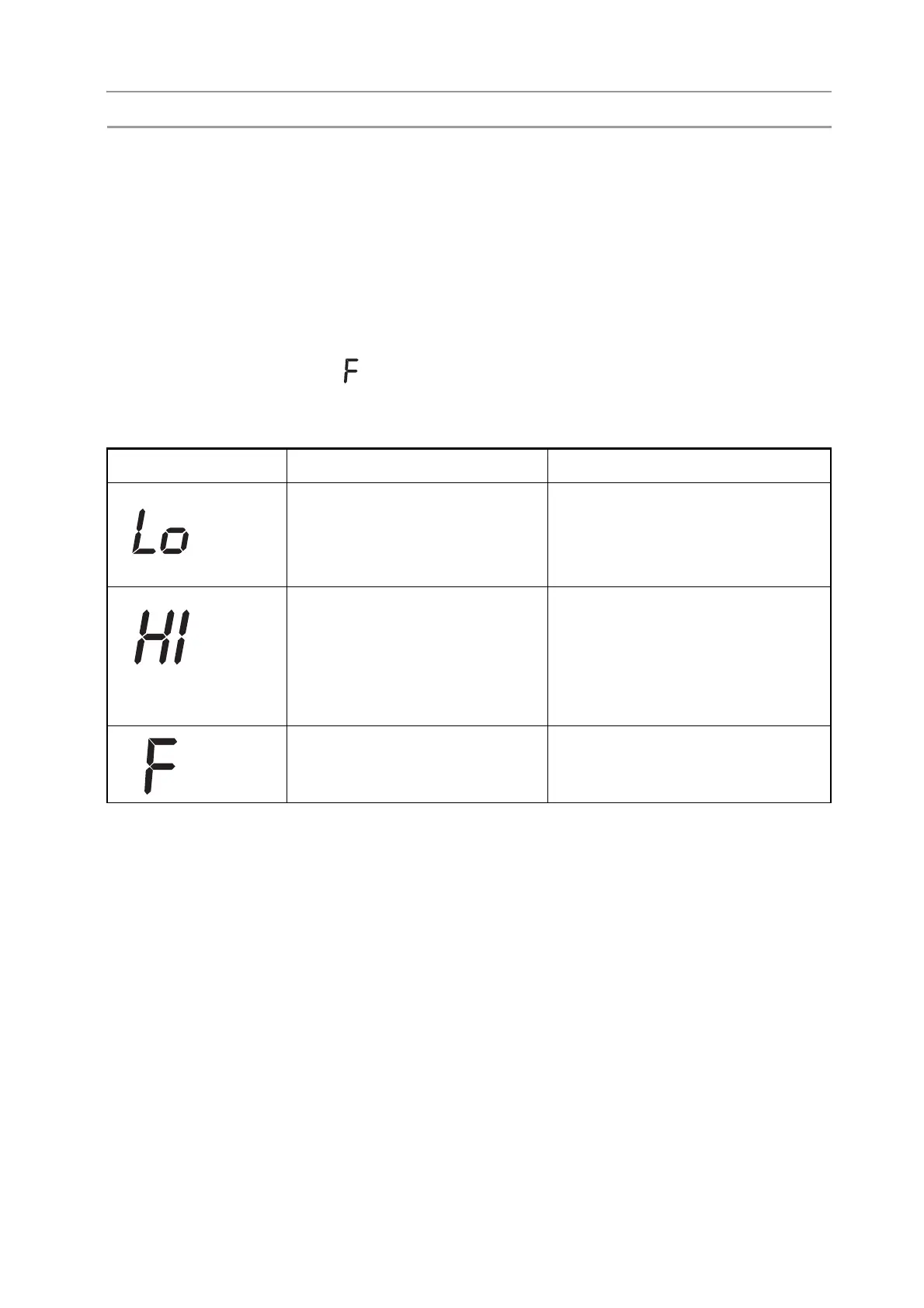
Display Problem Corrective Action
1. Hose disconnected at garment.
2. Garment leak.
3. Low pressure.
1. Check the hose connection at
garment end.
2. Check garment and replace if
faulty.
3. Call the service engineer.
1. Hose kinked causing a blocked
tube.
2. Hose disconnected at pump.
3. Single garment attached
without pressing ‘single leg’
button.
1. Check hoses for kinks or
obstructions.
2. Check the hose connection at
pump outlet.
3. Press ‘single leg’ button, if only one
garment to be used.
Pump failure. DO NOT USE PUMP.
Call the service engineer.


 To Next Page