EasyManua.ls Logo

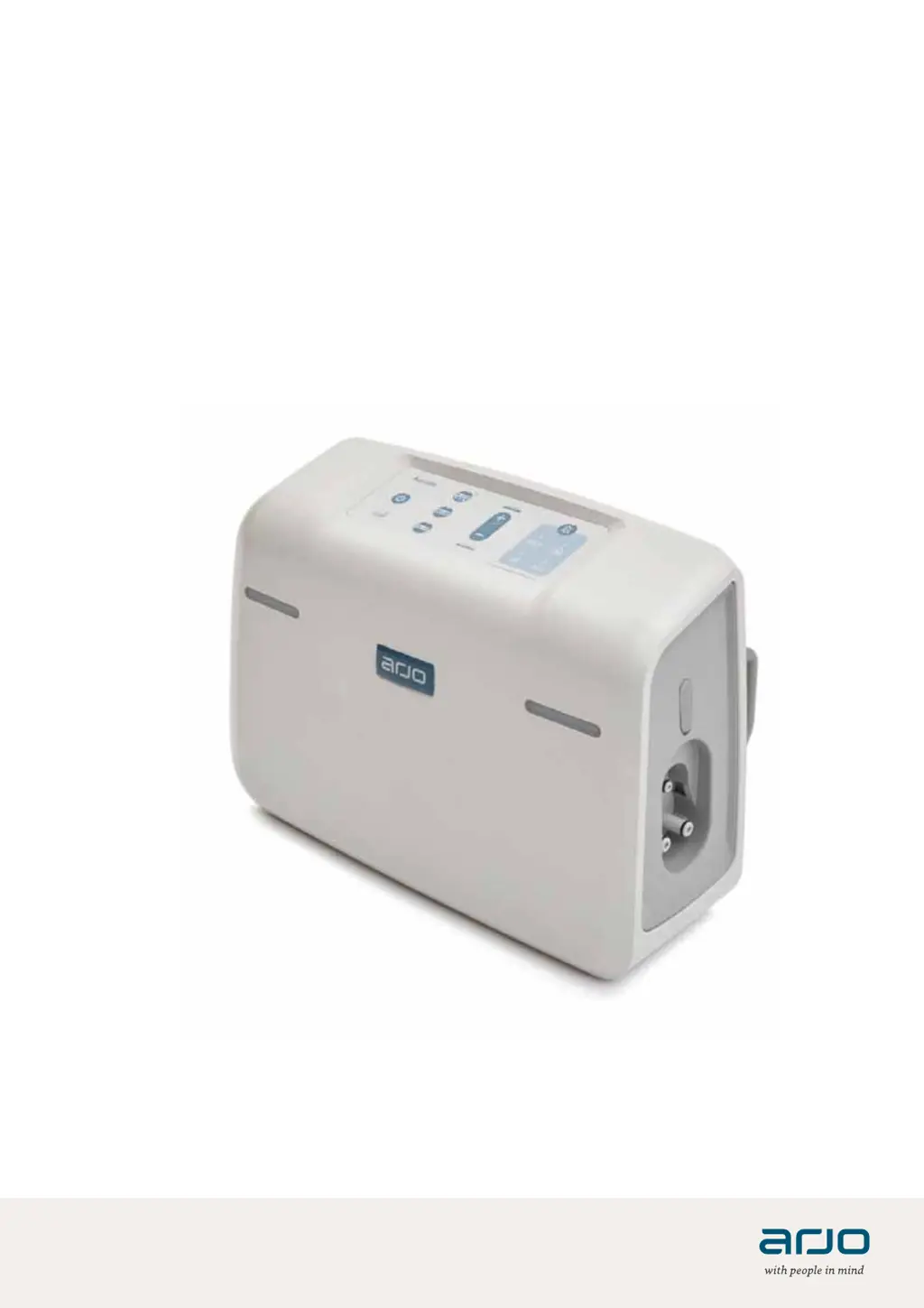
Arjo Auralis - User Manual

Arjo Auralis
68 pages
Print Icon
To Next Page IconTo Next Page
Loading...
INSTRUCTIONS FOR USE
A ur alis
04.AI.00EN_03 10/2020
Alternating pressure system

Table of Contents

Other manuals for Arjo Auralis

Questions and Answers

  • M
    Mallory HallJul 27, 2025
    What to do if Arjo Auralis shows LOW PRESSURE and WAIT?
    • W
      Wesley HernandezJul 27, 2025
      If your Arjo Auralis SXPS indicates 'LOW PRESSURE and WAIT', it could be due to several reasons. First, check for leaks in the Auralis mattress or VHDW cushion. Ensure the CRP rapid deflation unit on the mattress is closed, and the valves on the seat cushion are also closed. Verify that the tube set connector is correctly connected to the Auralis SXPS; you should hear an audible click when it's properly connected. Both indicators should turn on when operating pressure is reached.
  • J
    Jacob JamesJul 31, 2025
    What to do if Arjo Medical Equipment shows OVER TEMPERATURE?
    • J
      John HarrisJul 31, 2025
      If your Arjo Auralis SXPS displays 'OVER TEMPERATURE', it means the device is operating outside its specified temperature range and has entered transport mode. An audible alarm will sound, and the indicators will turn yellow before the system shuts down. To resolve this: 1. Turn off the Auralis SXPS. 2. Disconnect the power cable. 3. Check the device's surroundings for heat sources, direct sunlight, or whether it is covered. 4. If any of these conditions apply, move or uncover the Auralis SXPS. 5. Wait for 30 minutes. 6. Reconnect the power cable. 7. Turn on the Auralis SXPS. If the alarm persists, contact qualified service personnel.
  • G
    Gregory BrayAug 4, 2025
    What to do if Arjo Medical Equipment shows LOW PRESSURE?
    • T
      Terry FrostAug 4, 2025
      If the Arjo Auralis SXPS displays 'LOW PRESSURE', it could be due to a few reasons. Ensure the tube set connector is correctly connected to the Auralis SXPS; you should hear an audible click when properly connected. Also, check that the CRP rapid deflation unit on the Auralis mattress is closed and that the valves on the Auralis seat cushion are closed. If these steps don't resolve the issue, contact qualified service personnel as there may be a leak in the system.
  • C
    Christopher WatkinsAug 8, 2025
    What to do if Arjo Medical Equipment shows SERVICE FLASHING AUDIBLE ALARM?
    • A
      Alan AlvaradoAug 8, 2025
      If your Arjo Auralis SXPS is showing a 'SERVICE FLASHING AUDIBLE ALARM', it indicates that the system has detected an internal fault. Try switching the Auralis SXPS off and then restarting it. If the alarm continues after restarting, contact qualified service personnel for assistance.
  • V
    Victoria HallAug 13, 2025
    What to do if Arjo Auralis doesn't activate AUTOFIRM?
    • W
      wfryAug 13, 2025
      If the AUTOFIRM mode on your Arjo Auralis SXPS isn't activating, first, ensure that the Auralis seat cushion is disconnected, as the Autofirm mode only applies to Auralis mattresses. To activate Autofirm mode, press and hold the Autofirm button for 5 seconds.
  • K
    Kelli WoodsAug 17, 2025
    What to do if Arjo Auralis shows POWER FAILURE?
    • L
      Leah AndersonAug 17, 2025
      If your Arjo Auralis SXPS indicates a 'POWER FAILURE', check that power is available and inspect the power cable for any issues. Note that when fully charged, the Auralis SXPS can operate for a minimum of 16 hours on battery power.
  • L
    Lisa JacksonAug 22, 2025
    What to do if Arjo Auralis shows BATTERY LOW?
    • A
      Amber HinesAug 22, 2025
      If your Arjo Auralis SXPS displays a 'BATTERY LOW' message, charge the battery by connecting the Auralis SXPS to a mains power supply.

Summary

Foreword

Intended use for Auralis

Safety instructions

Home care

Preparations

Actions before first use

Steps for preparing the Auralis system before initial operation.

Actions before every use

Procedures to follow before each use to ensure system readiness.

After each patient

Steps for cleaning and maintenance after a patient has used the system.

Caregiver position during operation

Guidance on the optimal placement of the caregiver during system operation.

Parts designation - Auralis pump

Control panel and indicators

Identifies buttons, indicators, and their functions on the pump's control panel.

Parts designation - Auralis 110 mattress overlay

Parts designation - Auralis 175 and 200 mattress replacement

Parts designation - Auralis Plus mattress replacement

Parts designation - Auralis seat cushion

Product description - Auralis pump

Control panel overview

Details the Run/Standby, Wait, Autofirm, and Alternating mode buttons and indicators.

Advanced pump modes and controls

Explains Reactive CLP, Comfort control, Lock out, and Mute alarm functions.

Pump status indicators

Describes service, battery, and pressure indicators for system status.

Pump connections and mounting

Details alarm indicators, hanging brackets, power cable, and Skin IQ port.

Product description - Auralis mattresses

Mattress basic components

Details CPR unit, cover, cells, straps, tube-set, and connectors.

Mattress operational features

Covers cable management, air loss system, and different mattress overlay/replacement types.

Mattress accessories and extensions

Describes securing straps, overlay zip, bolsters, foot extensions, and mattress extensions.

Product description - Auralis seat cushion

Seat cushion components

Details on detachable cover, cells, straps, base, valves, tube-set, and connector.

CPR rapid deflation unit

Activation and deactivation

Step-by-step guide for activating and deactivating the CPR rapid deflation unit.

Assemble the Auralis system

Auralis 110 mattress overlay assembly

Instructions for assembling the Auralis 110 mattress overlay onto the bed.

Auralis 175, 200, Plus mattress assembly

Steps for assembling replacement mattresses (175, 200, and Plus models).

Auralis pump setup

Guidance on hanging and connecting the Auralis pump to the system.

Auralis Plus mattress extensions

Instructions for installing optional mattress extensions for the Auralis Plus.

Auralis seat cushion setup

Steps for placing and securing the Auralis seat cushion on a chair.

Start the Auralis system

System start-up procedure

Steps for powering on and initiating the Auralis system for operation.

Select mode

Autofirm mode operation

How to activate, extend, and deactivate the Autofirm mode for nursing procedures.

Alternating mode

Details on the default alternating mode and its deactivation.

Reactive CLP mode

How to activate and deactivate the Reactive CLP mode for constant low pressure.

Lock out mode

How to lock and unlock the control panel to prevent unintended changes.

Transport mode

Instructions for activating and deactivating transport mode for patient movement.

Bolster adjustment (Auralis Plus only)

Procedures for deflating and inflating bolsters on the Auralis Plus mattress.

Turn off and store the Auralis system

Pump shutdown procedure

Steps to properly turn off the Auralis pump.

Mattress deflation and storage

How to deflate, clean, and store the Auralis mattress.

Seat cushion deflation and storage

Procedures for deflating and storing the Auralis seat cushion.

Pump storage

Instructions for cleaning and storing the Auralis pump.

Cleaning and disinfection instructions

Cleaning and disinfection overview

General guidelines and preparation for cleaning and disinfecting the Auralis system.

Pump cleaning and disinfection

Detailed steps for cleaning and disinfecting the Auralis pump unit.

Mattress;Seat cushion cleaning and disinfection

Procedures for cleaning and disinfecting the Auralis mattress and seat cushion.

Care and preventive maintenance

Expected service life

Information on the expected lifespan of the Auralis pump.

Routine checks and tests

Daily/weekly checks, post-patient cleaning, and full functionality test procedures.

Label inspection

Guidance on visually checking all system labels for presence and legibility.

Periodic service check

Requirement for qualified personnel service check after 24 months of use.

Troubleshooting and alarms

Alarm indicators and causes

Table detailing indicators, possible causes, solutions, and alarm delays.

Fault indicators and troubleshooting

Explains indicators for power failure, low battery, service, internal faults, and mode issues.

Temperature and lock-out issues

Troubleshooting for over-temperature shutdown and lock-out mode activation.

Technical specifications

Pump specifications

Details on model, size, weight, electrical ratings, and operating conditions.

Battery and electrical specifications

Information on battery type, capacity, and electrical supply requirements.

Transport and storage conditions

Guidelines for short-term and long-term transport and storage of the system.

Mattress and seat cushion measurements

Dimensions and weights for various Auralis mattress and seat cushion models.

Sound levels

Specifies the sound level during audible alarms.

List of standards and certificates

Labels

Auralis Pump Labels

Explanation of labels found on the Auralis pump unit.

Symbol explanations

Interpretation of various symbols used on the product and packaging.

Mattress and seat cushion labels

Details on labels for mattresses, seat cushions, and extensions.

Electromagnetic Compatibility (EMC)

EMC compliance and precautions

Information on the product's EMC compliance and necessary precautions.

Electromagnetic emissions (EMI) guidance

Declarations and guidance related to the system's electromagnetic emissions.

Electromagnetic immunity guidance

Declarations and guidance regarding the system's immunity to electromagnetic interference.

Parts and accessories

Arjo Auralis Specifications

General IconGeneral
CategoryMedical Equipment
Target UserPatients with limited mobility
Weight Capacity200 kg (440 lbs)
Power SourceBattery
CleaningWipe clean with mild detergent

Related product manuals