11
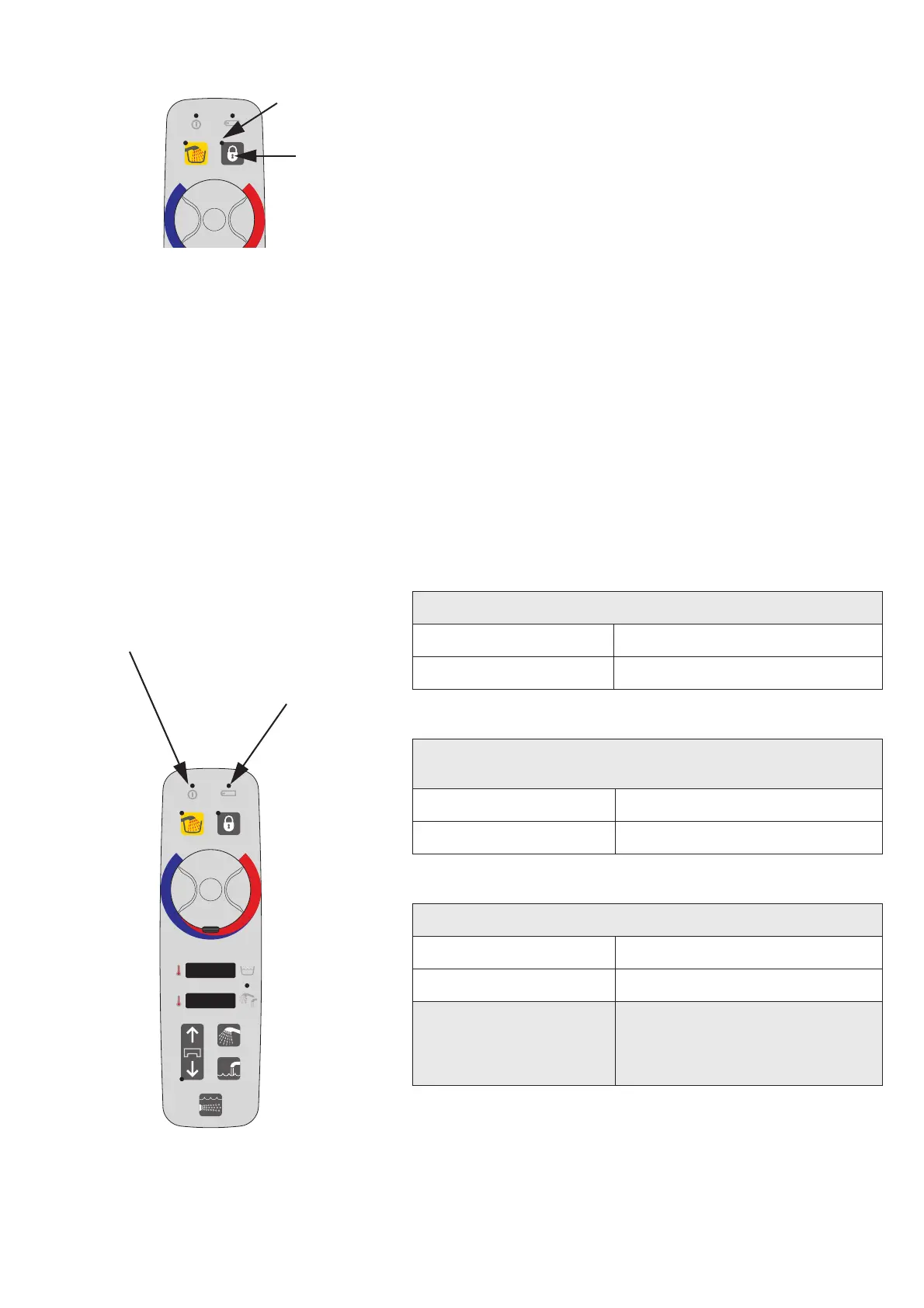
Patient Lock-out
Push and hold the patient lock out button (A) for 3 s and it will
disable all panel and remote buttons, preventing involuntary
activation of functions. Patient lock-out is indicated by a yellow
LED (B). See Fig. 1
Push and hold for another 3 s to re-enable all the functions.
Battery Back-up (Optional)
A battery will work as a back-up if there is a power failure. It is
possible to help a patient out of a Malibu/Sovereign bathtub
during that time.
It will be possible to lower the Malibu/Sovereign bathtub, raise
and rotate the lifting arm with the transfer chair out of the
bathtub.
If the battery fails to work during a power failure
(no LED indication), contact your Arjo technician.
The battery must be checked and replaced through a yearly
check by authorized personnel, according to section Care and
Preventive Maintenance on page 43.
LED Indications See Fig. 2
Mains power status
No LED Mains off
Green LED Mains on
Battery Charging Status
(mains on - with or without battery)
Green LED flashing Battery is charging
Green LED Battery OK
Battery Status (mains off)
Green LED Battery OK
Yellow LED Battery low.
No LED Battery is empty and needs
replacement or no battery is
connected. No operation is
possible.
Fig. 2
LED indicating
battery charging
status and
battery status
LED indicating
mains power


 To Next Page