16
Set Up Your System
• Aim with the cloud. Use Arlo’s Position mode to send video to the cloud as
quickly as possible. This allows you to aim the camera while watching the video
feed on your Arlo smartphone app to make near real-time adjustments to the
camera’s position. Go to your camera’s Settings page to turn on Position mode.
After the camera is in place, you can turn o Position mode, or wait for it to
automatically turn o after five minutes. For more information, see
Position
Mode on page 17.
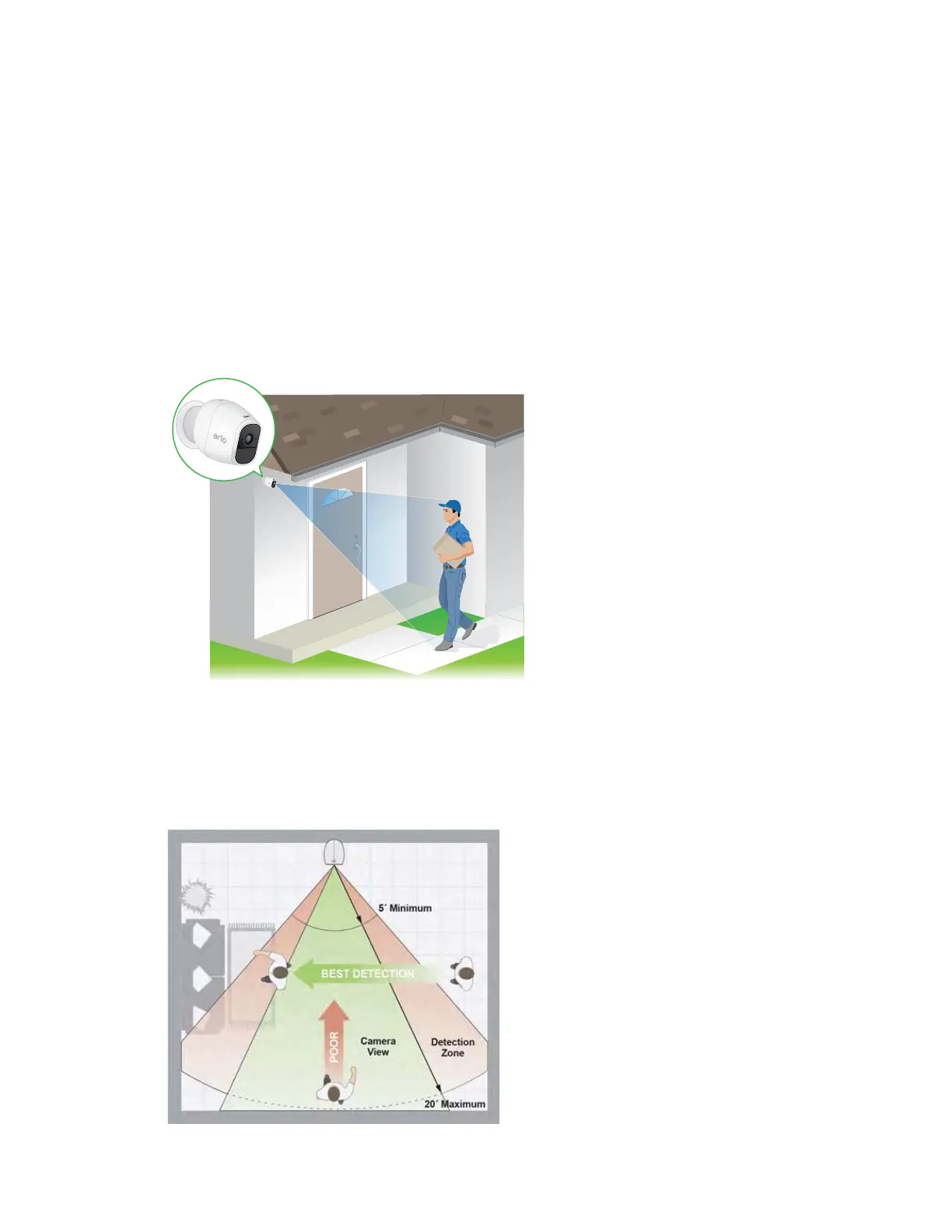
• Elevate your camera. Mount your Arlo motion-detection camera at least 7
feet (2 meters) above the floor or the ground and aim it slightly downward for
the best sensor performance.
• Make sure that side-to-side trac crosses Arlo’s field of view. Arlo’s
motion sensor is much more sensitive to side-to-side movement across its field
of view than to movement directly toward or away from the camera. The best
area for motion detection is 5 to 20 feet (1.5 to 6 meters) from the camera
position.



 To Next Page