9
Set Up Your System
Connect Your Base Station to the Internet
The base station connects to your home network and allows you to view your
camera streams from anywhere.
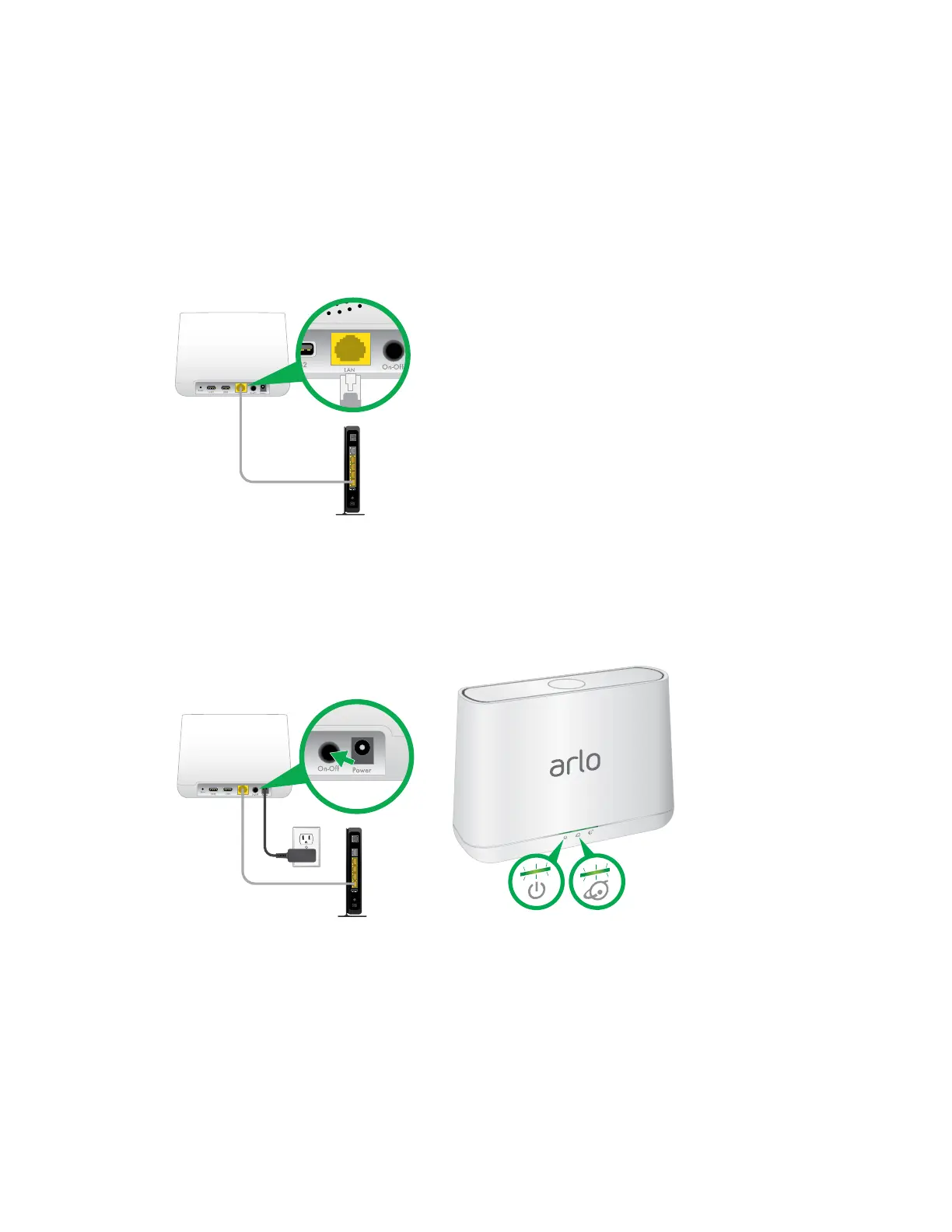
¾ To connect your base station to the Internet:
1. Connect the base station to your router using an Ethernet cable.
2. Connect the AC adapter to the base station and plug it in.
3. Turn the base station on by pressing the On/O button.
The Power LED and Internet LED on the front of the base station light green in
about two minutes.
Your base station is set up.



 To Next Page