Exclusive distributor of Rx100
Polarity Screen
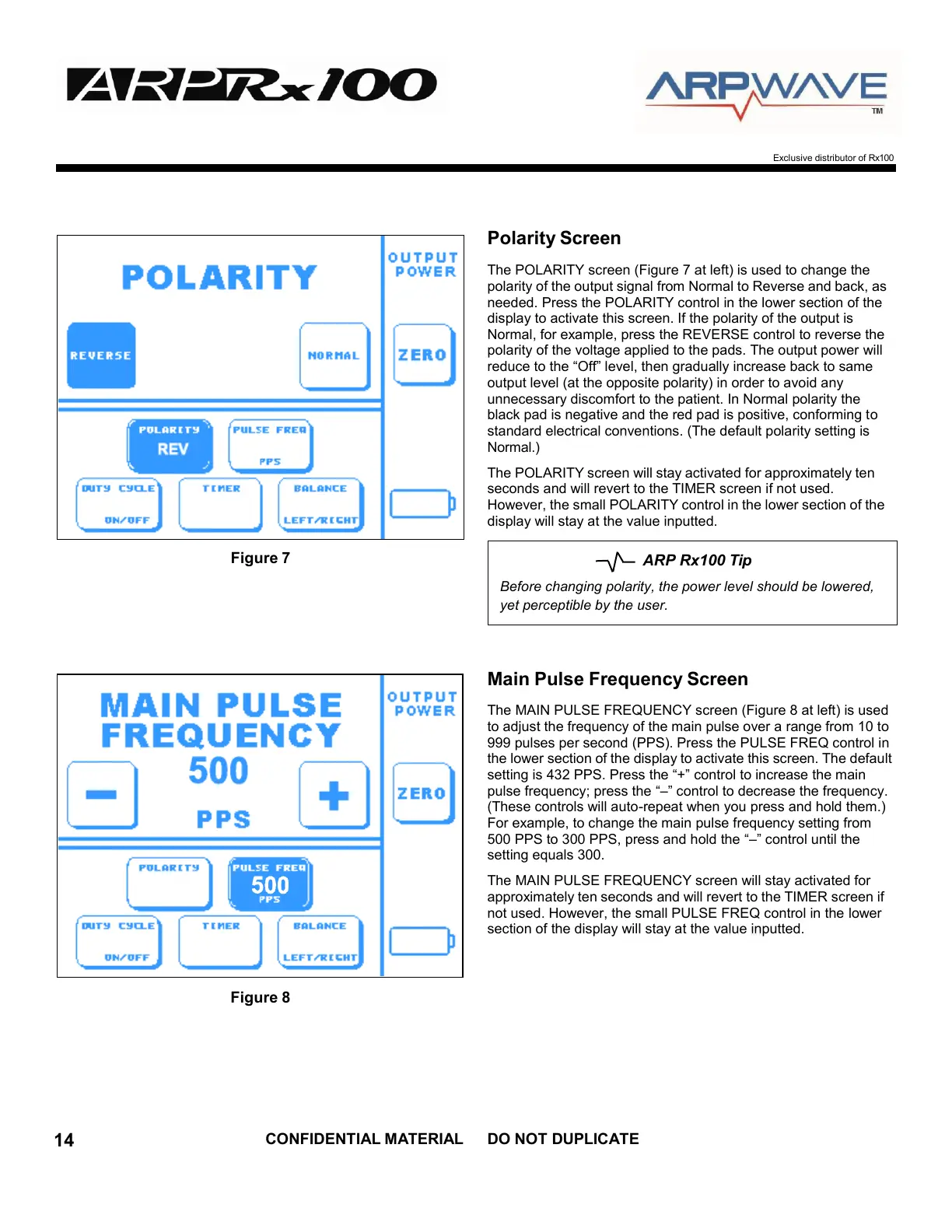
The POLARITY screen (Figure 7 at left) is used to change the
polarity of the output signal from Normal to Reverse and back, as
needed. Press the POLARITY control in the lower section of the
display to activate this screen. If the polarity of the output is
Normal, for example, press the REVERSE control to reverse the
polarity of the voltage applied to the pads. The output power will
reduce to the “Off” level, then gradually increase back to same
output level (at the opposite polarity) in order to avoid any
unnecessary discomfort to the patient. In Normal polarity the
black pad is negative and the red pad is positive, conforming to
standard electrical conventions. (The default polarity setting is
Normal.)
The POLARITY screen will stay activated for approximately ten
seconds and will revert to the TIMER screen if not used.
However, the small POLARITY control in the lower section of the
display will stay at the value inputted.
Figure 7
Main Pulse Frequency Screen
The MAIN PULSE FREQUENCY screen (Figure 8 at left) is used
to adjust the frequency of the main pulse over a range from 10 to
999 pulses per second (PPS). Press the PULSE FREQ control in
the lower section of the display to activate this screen. The default
setting is 432 PPS. Press the “+” control to increase the main
pulse frequency; press the “–” control to decrease the frequency.
(These controls will auto-repeat when you press and hold them.)
For example, to change the main pulse frequency setting from
500 PPS to 300 PPS, press and hold the “–” control until the
setting equals 300.
The MAIN PULSE FREQUENCY screen will stay activated for
approximately ten seconds and will revert to the TIMER screen if
not used. However, the small PULSE FREQ control in the lower
section of the display will stay at the value inputted.
Figure 8
ARP Rx100 Tip
Before changing polarity, the power level should be lowered,
yet perceptible by the user.


 To Next Page