33
Mini Monitor Output
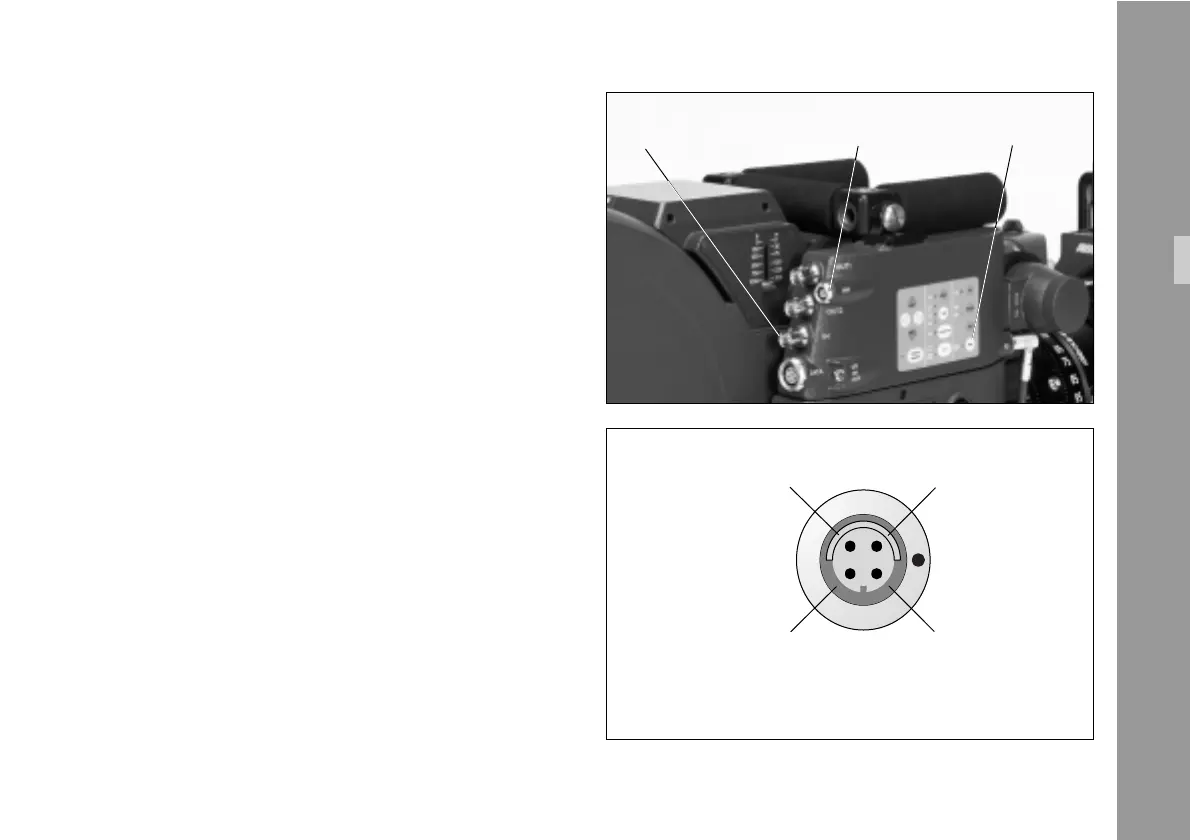
The IVS has a connector for a standard mini-monitor.
As there is only one mini monitor connector, it is possible
to switch between ”normal video” and ”video with data”
on this output.
• The output to the mini monitor will be altered at every
press of the MM key §.
An illuminated LED indicates ”video with data” on the
mini monitor connector.
4.2.6.2 Inputs
It is possible to synchronize the IVS to an external video
source. Furthermore, the IVS can be remote-controlled by
a computer.
Genlock
The genlock input § allows the IVS to be synchronized
to an external video source. This is necessary if several
video cameras are used together.
Input is a standard composite video signal.
genlock input mini monitor MM key
Setup
Pin 1 GND
Pin 2 Signal ShieldComposite Video Pin 3
Pin 4
+12 V
(1 A continous
1.5 A peak)
pin-outs mini monitor connector
(seen from the outside)



 To Next Page