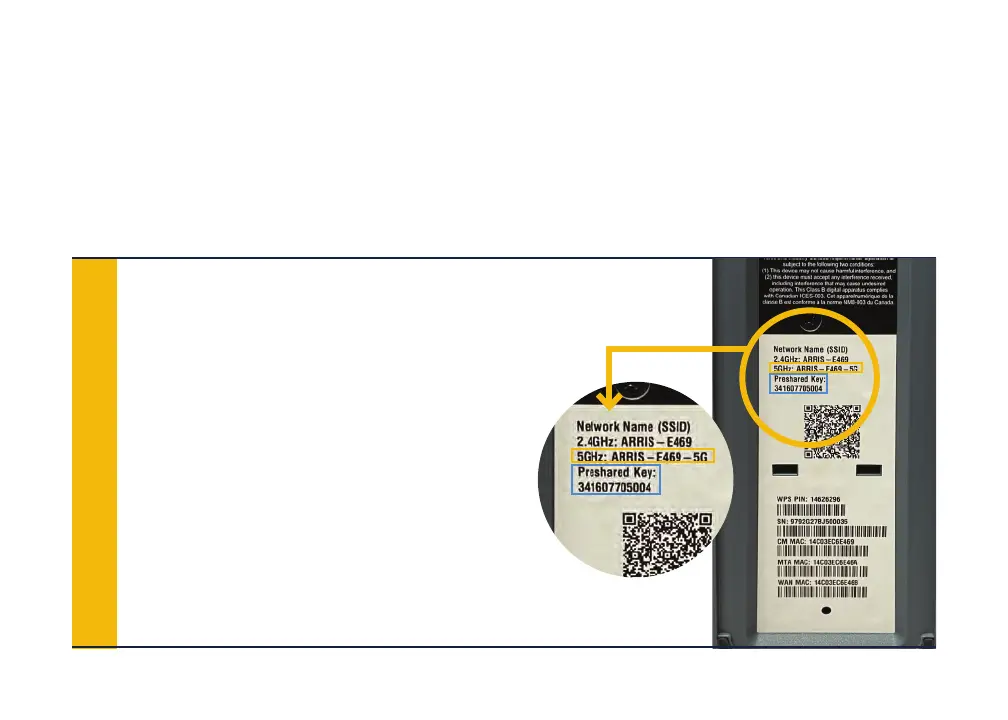
STEPS TO CONNECT TO WIFI:
To connect to your new WiFi network, you can keep the default WiFi network
names and password OR you can rename them. To connect to the default
WiFi network:
Look for the label on the bottom of
your gateway (example shown here).
You’ll see both 2.4GHz and 5GHz
“SSIDs” (5G SSID is in the yellow
box), as well as a “Pre-Shared Key”
or password (Pre-Shared Key for both
networks in the blue box).
1








 To Next Page