Chapter 6
Troubleshooting
The Cable Modem is plugged in, but the power
light is off
Check all power connections. Is the power cord plugged in firmly at both ends?
Note: Use only the power adapter and power cord included with the equipment.
If you plugged the power cord into a power strip, make sure the strip is switched on.
Try to plug the power cord into a different outlet. If the outlet is controlled by a wall switch,
make sure the switch is on.
Finally, check the fuse or circuit breaker panel.
I'm not getting on the Internet
It may take over 30 minutes to establish a connection the first time you power up your Cable
Modem, especially when many people are online. Always leave your Cable Modem plugged
into AC power and connected to the cable system.
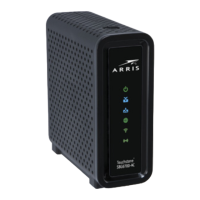
Check the front panel lights:
■
The Power and Internet lights should be on.
■
If the Power light blinks for more than 30 minutes, call your service provider for
assistance.
Check your cable connections. Connectors should be tight. The coax cable should not be
pinched, kinked, or bent sharply—any of these can cause a break or short in the cable (you
may have to replace the cable). If you have one or more splitters between the Cable Modem
and CATV outlet, remove the splitters and connect the Cable Modem directly to the outlet.
If you are using an Ethernet hub, check to be sure that it is turned on.
Check to be sure that you are using the right type of Ethernet cable. Use the supplied cable
for direct connection to a computer; use a cross-over cable for connection to an Ethernet
hub.
Press the Reset button on the back of the Cable Modem.
Touchstone CM9200 Cable Modem User Guide STANDARD Revision 1.0 23



 To Next Page