Touchstone TM502 Telephony Modem User’s Guide 21
Getting Battery USB Ethernet
Safety Started Installation Installation Drivers Configuration Usage Troubleshooting Glossary
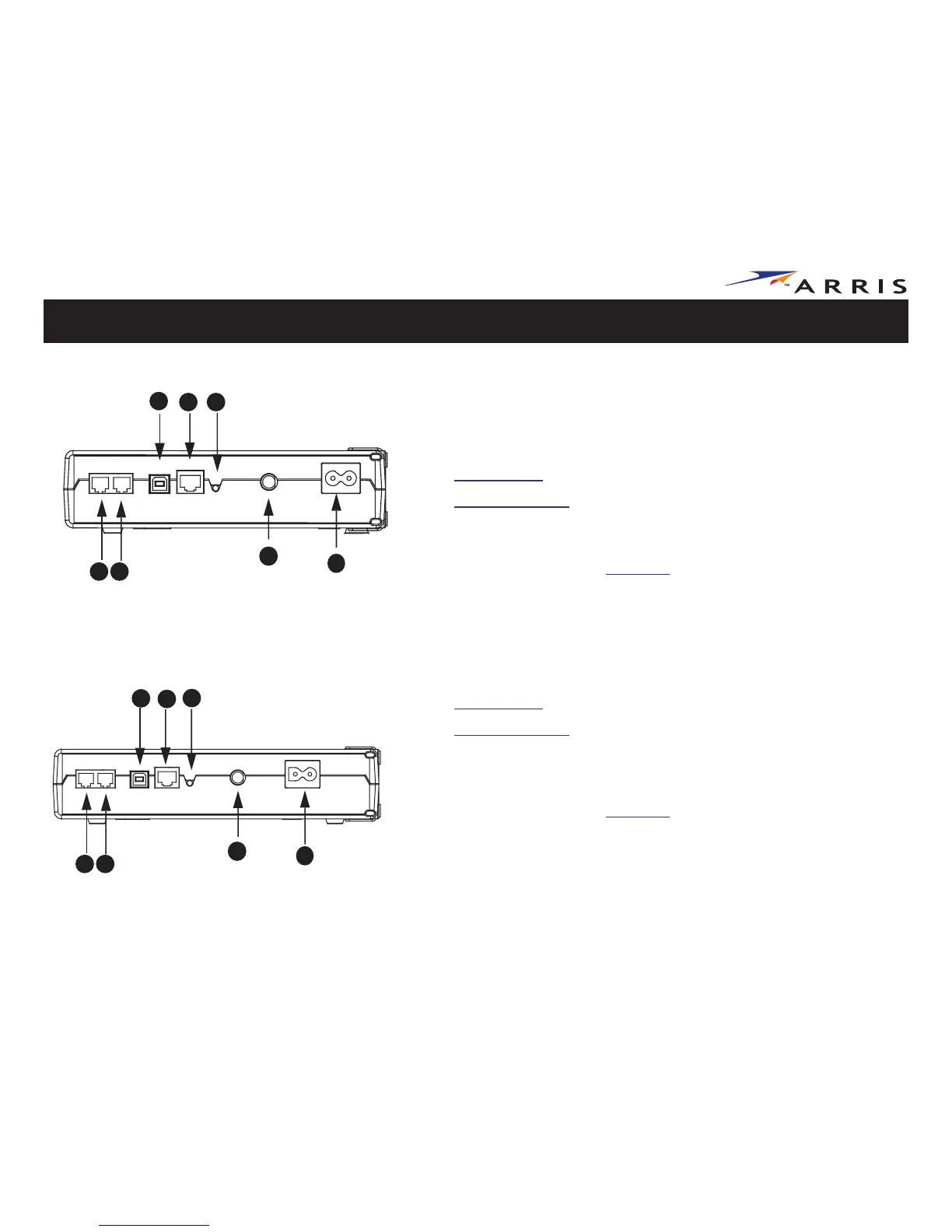
Rear Panel
The rear of the Telephony Modem has the following connectors and controls:
TM502B
A Tel 1: connector for the first phone line
B Tel 2: connector for the second phone line
C USB connector: for use with a computer USB port
D Ethernet connector: for use with a computer or home network LAN port
E Reset button: resets the Telephony Modem as if you power cycled the unit.
Use a pointed non-metallic object to press this button.
F Cable: connector for the coax cable
G Power: connector for the power cord
TM502G
A Tel1/2: connector for the first phone line (or both lines of a 2-line phone)
B Tel 2: connector for the second phone line
C USB connector: for use with a computer USB connection
D Ethernet connector: for use with a computer or home network LAN connec-
tion
E Reset button: resets the Telephony Modem as if you power cycled the unit.
Use a pointed non-metallic object to press this button.
F Cable: connector for the coax cable
G Power: connector for the power cord
TM502B Models
ED
C
A
B
F
G
E
D
C
A
B
F
G
TM502G Models















 To Next Page