Touchstone TM502 Telephony Modem User’s Guide 46
Getting Battery USB Ethernet
Safety Started Installation Installation Drivers Configuration Usage Troubleshooting Glossary
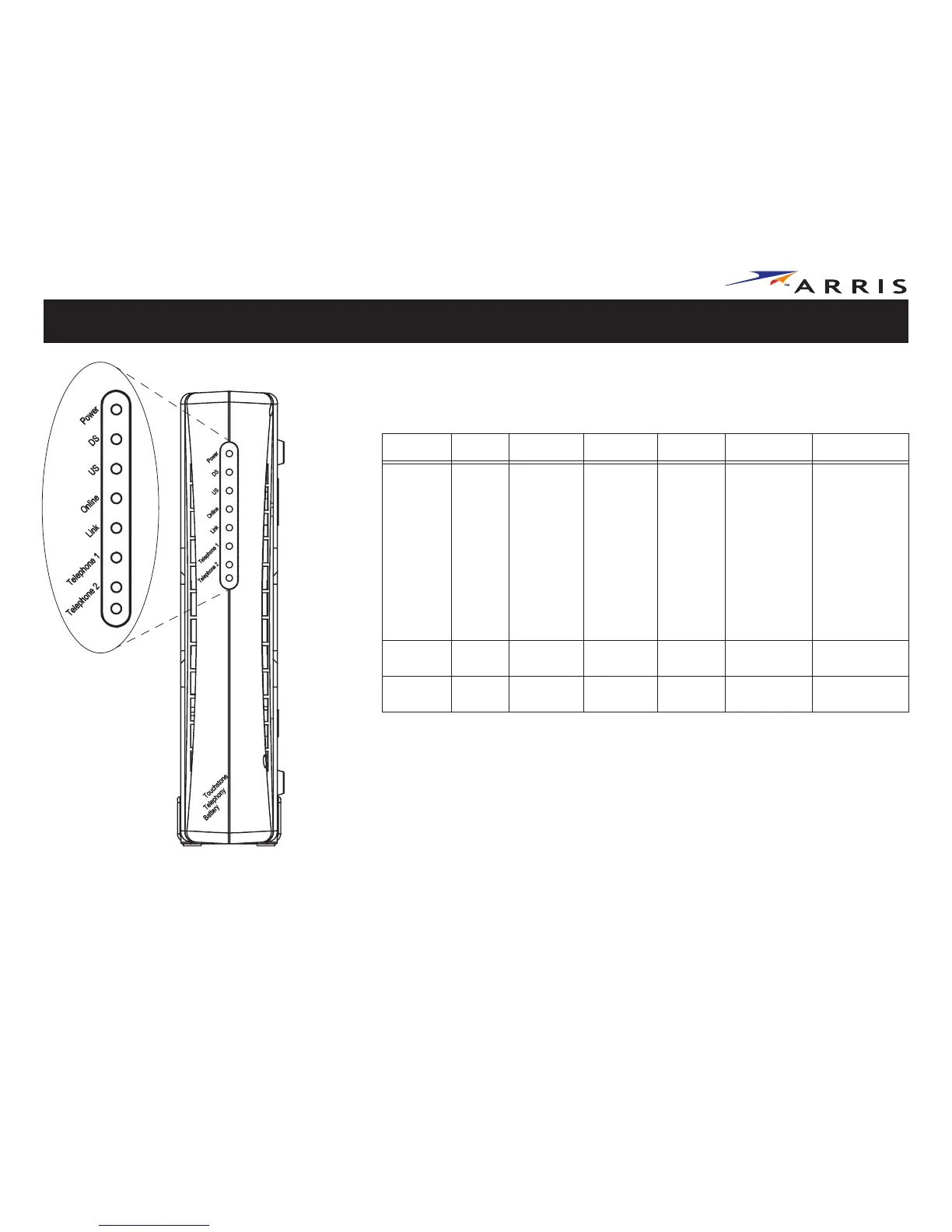
Indicator Lights for the TM502B Model
The Touchstone Telephony Modem has seven LEDs to assist in troubleshooting.
Patterns: Normal Operation
The following table shows light patterns during normal operation.
Mode Power DS US Online Link Tel. 1/Tel. 2
AC Power On
On =
Connected
to the
Internet
Flash =
Not
connected
to the
Internet
On =
Connected
to the
Internet
Flash =
Not
connected
to the
Internet
On =
Internet
Available
Off =
Internet
not
available
On =
Computer
Connected
Off =
Computer
not
connected
Flash =
Computer
Activity
On =
On-hook
Flash = Off-
hook
Off = disabled
No AC
Power
Off Off Off Off Off Off
Software
Upgrade
On Flash Flash On
(normal
operation)
(normal
operation)















 To Next Page