22
Navigation
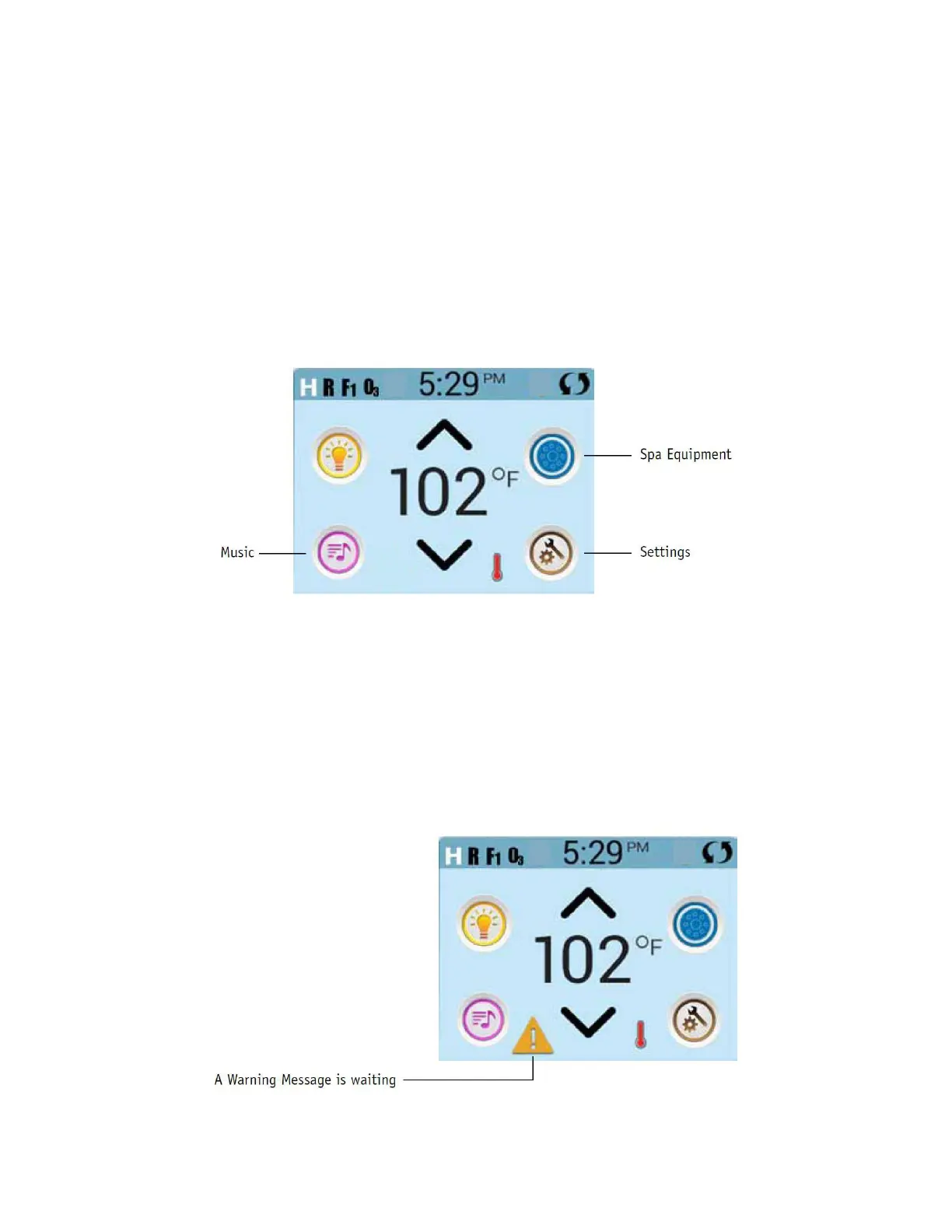
Navigating the entire menu structure is done by touching the screen. When a text item
is shown in white on the main screen, it is selectable. The menu selections on the right
side of the screen can be selected. Select one of these to enter a different screen with
additional controls.
Most menu screens time out and revert to the main screen after 30 seconds of no activity.
The only item that can be changed on the left side of the Main Screen is the Set
Temperature. Touch either the set temperature line or the water temperature to go to
the Set Temperature screen. See next page.
Messages
At the bottom of the screen, messages may appear at various times. Some of
these messages must be dismissed by the user (see General Messages page 42).







 To Next Page