33
Time of Day
Set the Time-of-Day
Setting the time-of-day is important for determining filtration times and other background
features.
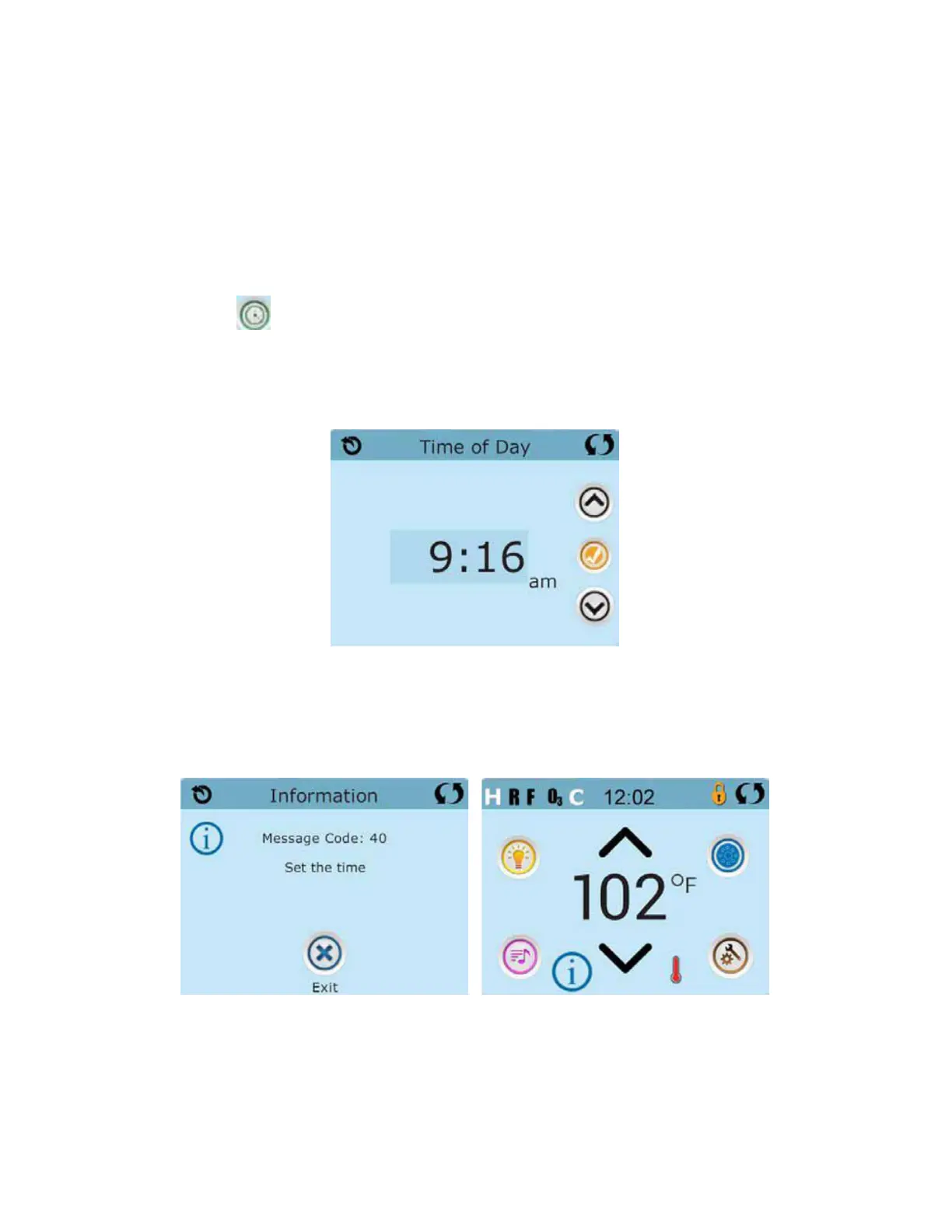
The Time Icon on the Settings Screen takes you to a screen where you control the
Time-of-Day.
On the Time-of-Day screen, simply select the Hours and Minutes. Use the Up and
Down Buttons to make changes, then Save.
If no time-of-day is set in the memory an Information Screen will appear. If you exit it
and Information Icon will appear at the bottom of the Main Screen, until the time-of-day
has been set.
Note:
This only applies to some systems:
If power is interrupted to the system, Time-of-Day will be maintained for several days.







 To Next Page