Need help?
Do you have a question about the Artillery Sidewinder X4 Plus and is the answer not in the manual?
Key safety guidelines and precautions for operating the 3D printer to prevent injury and damage.
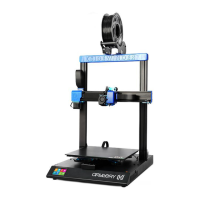
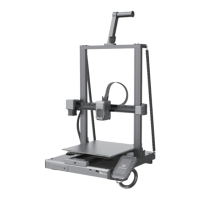
Identifies and labels the key physical components of the Sidewinder X4 Plus 3D printer.
Details the technical specifications of the Sidewinder X4 Plus, including dimensions, speed, and materials.
Lists all main parts, components, accessories, and tools included in the printer package.
Instructions for assembling the gantry onto the base and attaching the material rack assembly.
Details steps for fixing the screen bracket, connecting cables, and attaching the WiFi antenna.
Instructions for inserting flat cables, connecting motor wires, and securing tie rods with screws.
Describes the main interface, settings interface, and their functionalities.
Explains the tool interface, after-sales service access, system restart, and network settings.
Details the print file selection and the main printing interface screens.
Step-by-step guide for the initial boot program and setup process after powering on.
Detailed steps for setting the Z-axis offset and performing manual bed leveling.
Guide to installing and configuring the ArtillerySlicer software for initial print setup.
Steps to select the correct printer model and material configurations within the slicer software.
Details on setting up print parameters, automatic updates, and view modes in the slicer.
Steps for slicing 3D models using the software and exporting the G-code file.
How to load files via USB, select them on the printer, and start the printing process.
Instructions for connecting the printer to Wi-Fi and controlling prints remotely via a browser.
Step-by-step guide on how to properly load filament into the extruder.
Procedure for returning filament material from the extruder, useful for changing filaments.
Precautions during printing, including model cooling, platform cleaning, and screw rod lubrication.
Advice on removing prints, cleaning the platform, applying adhesive, and regular calibration.
Details specific maintenance projects like machine cleaning, nozzle checks, platform cleaning, and lubrication.
Information regarding product warranty, intellectual property rights, and disclaimers.
 General
| Build Volume | 300 x 300 x 400 mm |
|---|---|
| Heating Bed | Yes |
| Connectivity | USB, SD Card |
| Printing Technology | FDM (Fused Deposition Modeling) |
| Max Nozzle Temperature | 260 °C |
| Max Bed Temperature | 100 °C |
| Filament Diameter | 1.75 mm |
| Display Size | 4.3 inches |
| Nozzle Diameter | 0.4 mm |
| Filament Compatibility | PLA, ABS, PETG, TPU |
| Display | Touch Screen |
| Frame Material | Aluminum |
| Bed Leveling | Auto Bed Leveling |

 To Next Page