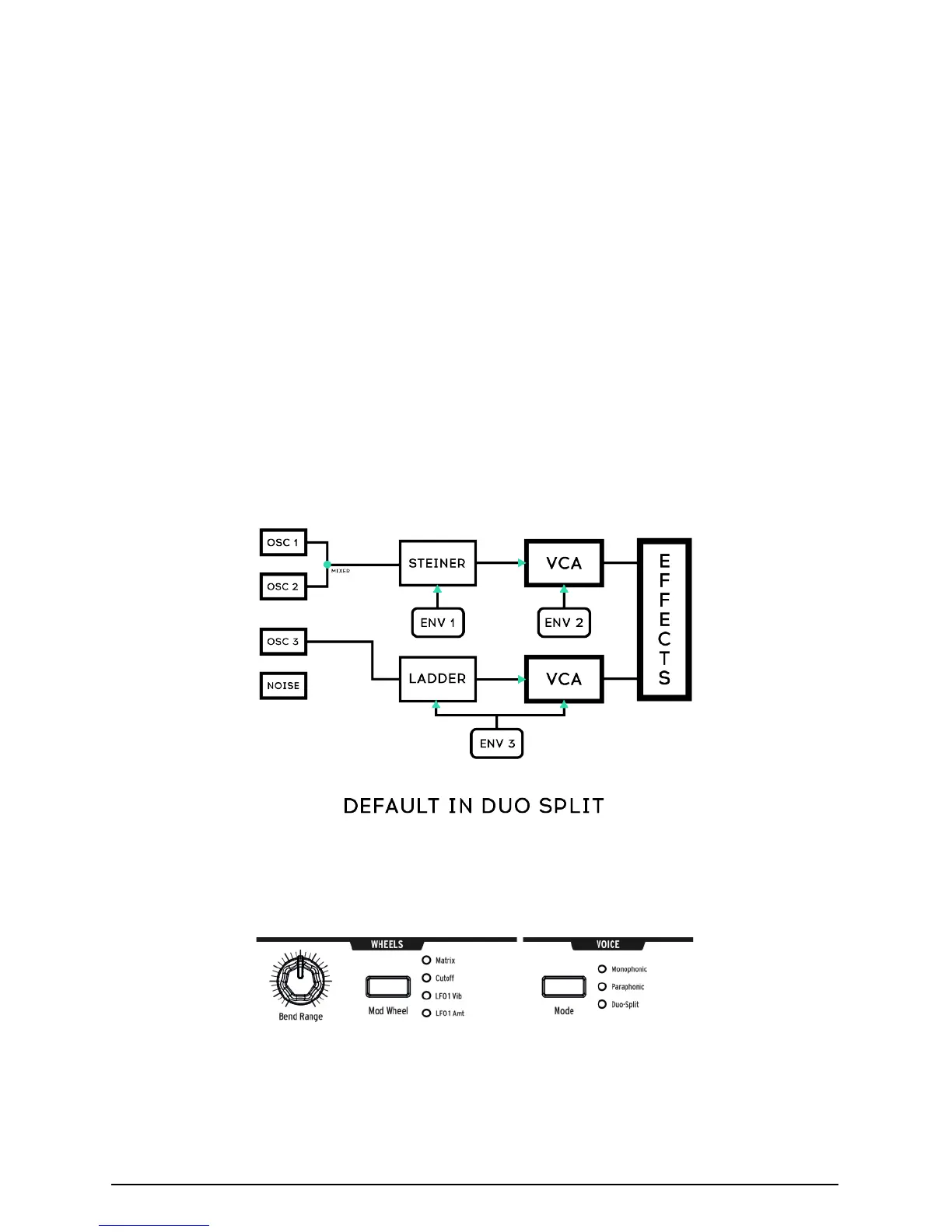
4.6.3.2. Lower Part
• Signals routed to VCF 2 (the Ladder filter); are controlled by ENV 3
which then controls both the Ladder filter and a hidden VCA.
• The Sequencer and Arpeggiator are routed to the lower part, so you
can hold a key to play a pattern or arpeggio on the lower part of the
keyboard while playing notes on the top part.
4.6.3.3. Setting the split point
Set the split point by pressing MODE button while playing a key. (This is the
MODE button in the VOICE panel area, not one of the filter mode buttons.)
4.6.3.4. Setting the octave of the lower section
Set the octave of the lower part by pressing MODE button and use the Octave <-
-> buttons to transpose it.
4.7. Wheels
• Wheels As on most keyboards, the MatrixBrute's pitch wheel springs
back to the center position (no pitch shift), while the mod wheel is
continuous.
24 Arturia - MatrixBrute Manual - Operation














 To Next Page