2. GETTING STARTED WITH MATRIXBRUTE
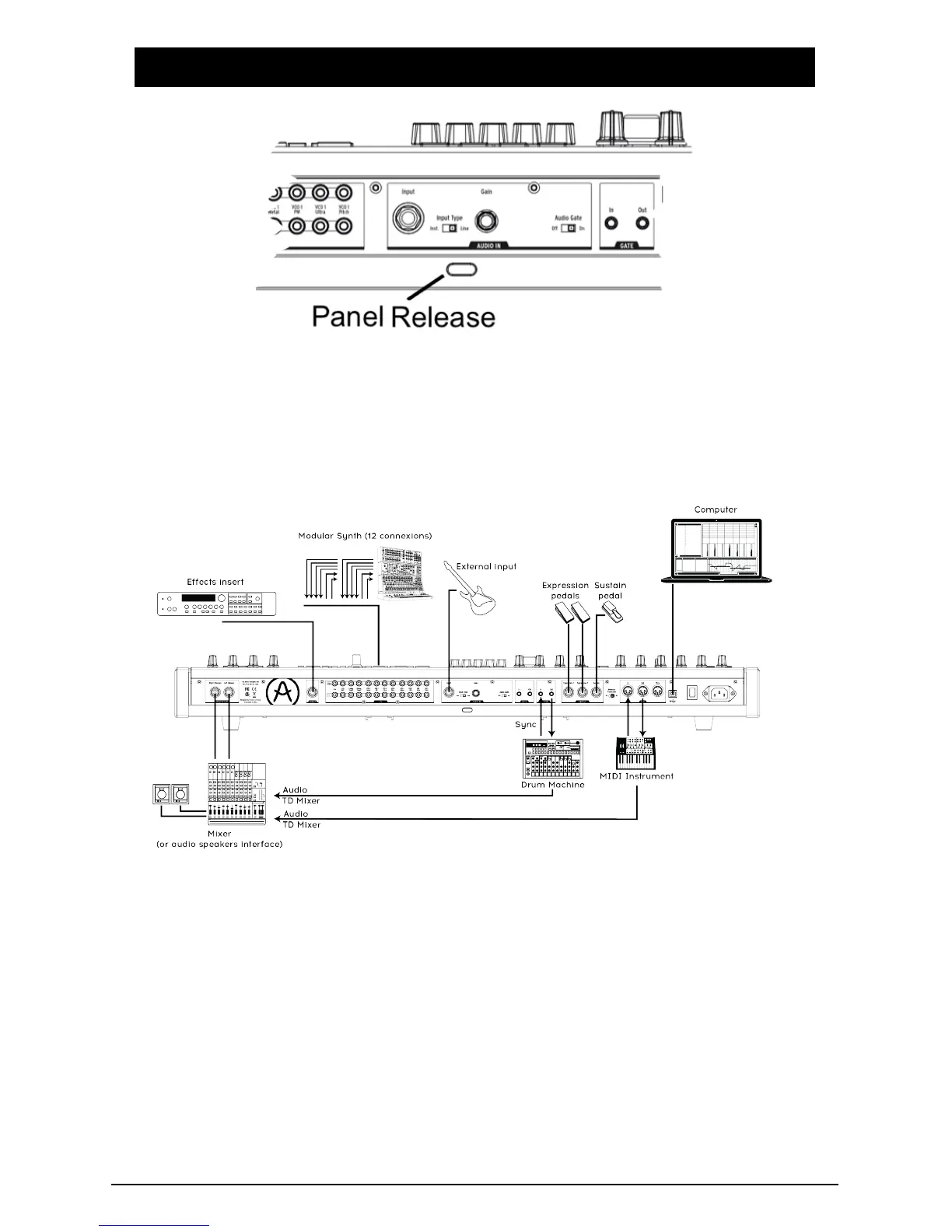
With the MatrixBrute on a solid playing surface, push the Panel Release latch and
use the hinged prop inside to set the control panel at the most convenient angle
(or just leave it flat if that works better). Take care when lifting on the Matrixbrute
panel as it could cause the support to fall.
In order to hear the instrument, connect cables from the Master Out to your amp
and speakers. Use the left output for mono, i.e. if you're only using one cable.
(You can also just use headphones - the jack is on the left side of the front edge,
by the wheels.)
Register and update first: MatrixBrute is designed so it can work stand-alone, but
it also brings some very useful features to a computer environment.
Please use a USB-B to USB-A cable to connect it to a Mac or PC when you first
get it.
Arturia - MatrixBrute Manual - Getting Started with MatrixBrute 5














 To Next Page