• Bend Range sets how far the pitch wheel bends up or down, up to a
maximum of ± 1 octave. The center position is up or down a fifth.
• Mod Wheel - successive pushes assign the mod wheel to the Matrix
(where it can be routed to multiple parameters); or to the master filter
Cutoff frequency; to LFO 1 Vibrato rate; or to LFO 1 amount.
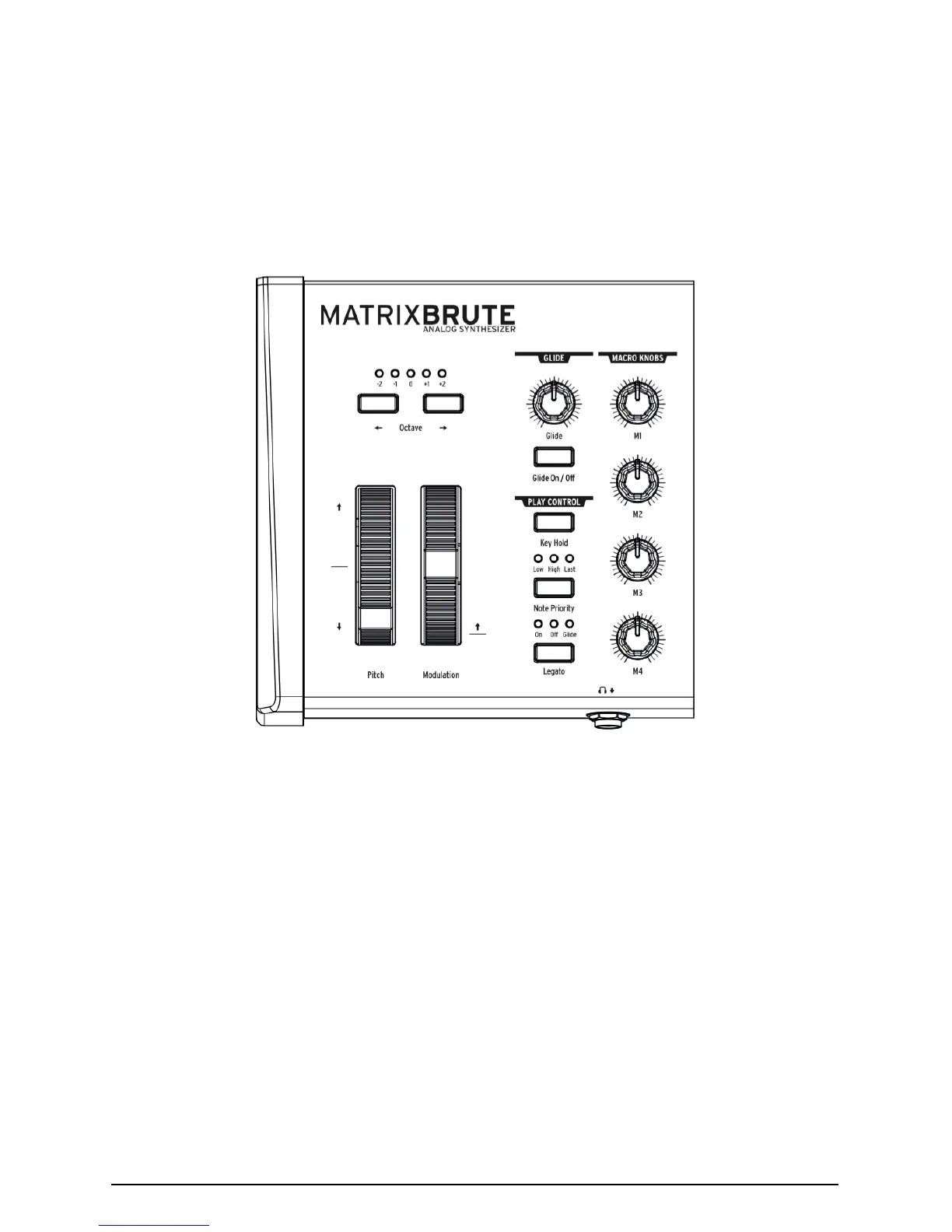
4.8. Keyboard Performance Controls
• Pitch and Modulation wheels - Please refer to the previous section
(WHEELS) to set the pitch bend range and Modulation wheel
assignment.
• Octave <- -> - Transposes the entire 49-key keyboard ± 1 or 2 octaves to
extend its range past four octaves. This affects the instrument locally
as well as over MIDI.
4.8.1. Glide
• Glide On/Off - The Glide effect sweeps the pitch from one note to the
next. The ON/OFF button enables and disables the glide function.
• Glide - This knob sets the glide time from barely perceptible all the way
to over two seconds when it's all the way up.
Arturia - MatrixBrute Manual - Operation 25














 To Next Page