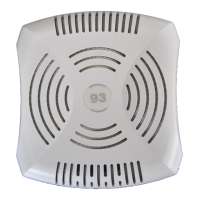
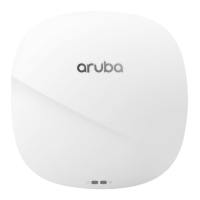
Aruba 630 Series Campus Access Points | Installation Guide 5
Pre-Installation Checklist
Before installing the 630 Series, be sure that you have the following (not included with the AP):
A mount kit compatible with the AP and mount surface
Cat5E or better UTP cable with network access
(Optional) a compatible 12V AC-to-DC power adapter with power cord
(Optional) a compatible PoE midspan injector with power cord
(Optional) a compatible snap-on front cover (for easy aesthetic customization)
(Optional) an AP-CBL-SERU console cable or an AP-MOD-SERU RS232 serial interface module
Also make sure that (at least) one of the following network services is supported:
Aruba Discovery Protocol (ADP)
DNS server with an “A” record
DHCP Server with vendor-specific options
Identifying Specific Installation Locations
Use the access point placement map generated by Aruba RF Plan software application to determine the proper
installation location(s). Each location should be as close as possible to the center of the intended coverage area
and should be free from obstructions or obvious sources of interference. These RF absorbers/reflectors/
interference sources will impact RF propagation and should be accounted for during the planning phase and
adjusted for in RF plan.
Identifying Known RF Absorbers/Reflectors/Interference Sources
Identifying known RF absorbers, reflectors, and interference sources while in the field during the installation
phase is critical. Make sure that these sources are taken into consideration when you attach an access point to its
fixed location.
RF absorbers include:
Cement/concrete—Old concrete has high levels of water dissipation, which dries out the concrete, allowing
for potential RF propagation. New concrete has high levels of water concentration in the concrete, blocking
RF signals.
Natural Items—Fish tanks, water fountains, ponds, and trees
Brick
RF reflectors include:
Metal Objects—Metal pans between floors, rebar, fire doors, air conditioning/heating ducts, mesh windows,
blinds, chain link fences (depending on aperture size), refrigerators, racks, shelves, and filing cabinets.
Do not place an access point between two air conditioning/heating ducts. Make sure that access points are
placed below ducts to avoid RF disturbances.
RF interference sources include:
Microwave ovens and other 2.4 or 5 GHz objects (such as cordless phones)
Cordless headset such as those used in call centers or lunch rooms
Access Point Installation
the Aruba 630 Series access points are designed for ceiling or wall mounted deployments. Several optional
mount kits are available to attach the 630 Series to a variety of surfaces. These mount kits are available as
The Aruba 630 Series access point is designed in compliance with governmental requirements so that only
authorized network administrators can change the settings. For more information about access point
configuration, refer to the AP Software Quick Start Guide.
Use of this equipment adjacent to or stacked with other equipment should be avoided because it could result in
improper operation. If such use is necessary, this equipment and the other equipment should be observed to
verify that they are operating normally.
Portable RF communications equipment (including peripherals such as antenna cables and external antennas)
should be used no closer than 30 cm (12 inches) to any part of the access point. Otherwise, degradation of the
performance of this equipment could result.



 To Next Page