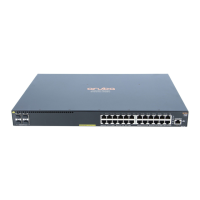
Chapter 1 Introducing the 2930F switches.................................................... 5
Front of the 2930F switches.......................................................................................................................6
Network ports.................................................................................................................................. 8
Management ports........................................................................................................................ 10
Console Ports.....................................................................................................................10
Switch and port LEDs on front of the switches..............................................................................10
LED mode select button and indicator LEDs......................................................................14
Reset and Clear buttons............................................................................................................... 14
Back of the switches................................................................................................................................ 16
Power connector........................................................................................................................... 16
Switch features........................................................................................................................................ 16
Chapter 2 Installing the switch..................................................................... 19
Included parts.......................................................................................................................................... 19
Installation procedures.............................................................................................................................22
Installation precautions................................................................................................................. 23
Prepare the installation site......................................................................................................................24
Verify the switch passes self test............................................................................................................. 24
LED behavior:............................................................................................................................... 26
Mount the switch...................................................................................................................................... 27
Mounting a 24–port or 48–port Aruba 2930F switch..................................................................... 27
Mounting the Aruba 2930F 8G PoE+ 2SFP+ Switch (JL258A).....................................................29
Install or remove SFP/SFP+ transceivers................................................................................................34
Installing the transceivers..............................................................................................................35
Removing the transceiver:............................................................................................................ 35
Connect the switch to a power source..................................................................................................... 36
(Optional) Connect a management console............................................................................................ 37
Terminal configuration................................................................................................................... 38
Direct console access................................................................................................................... 39
Console cable pinouts...................................................................................................................40
Connect the network cables.....................................................................................................................40
Using the RJ-45 connectors..........................................................................................................40
Connecting cables to transceivers................................................................................................ 41
Sample network topologies........................................................................................................... 42
Chapter 3 Getting started with switch configuration..................................44
Recommended minimal configuration......................................................................................................44
Using the console setup screen.................................................................................................... 44
Where to go from here.................................................................................................................. 46
Using the IP address for remote switch management............................................................................. 47
Starting a Telnet session............................................................................................................... 47
Starting a web browser session.................................................................................................... 47
Chapter 4 Troubleshooting............................................................................49
Basic troubleshooting tips........................................................................................................................ 49
Diagnosing with the LEDs........................................................................................................................50
LED patterns for general switch troubleshooting.......................................................................... 50
Contents
Contents 3



 To Next Page