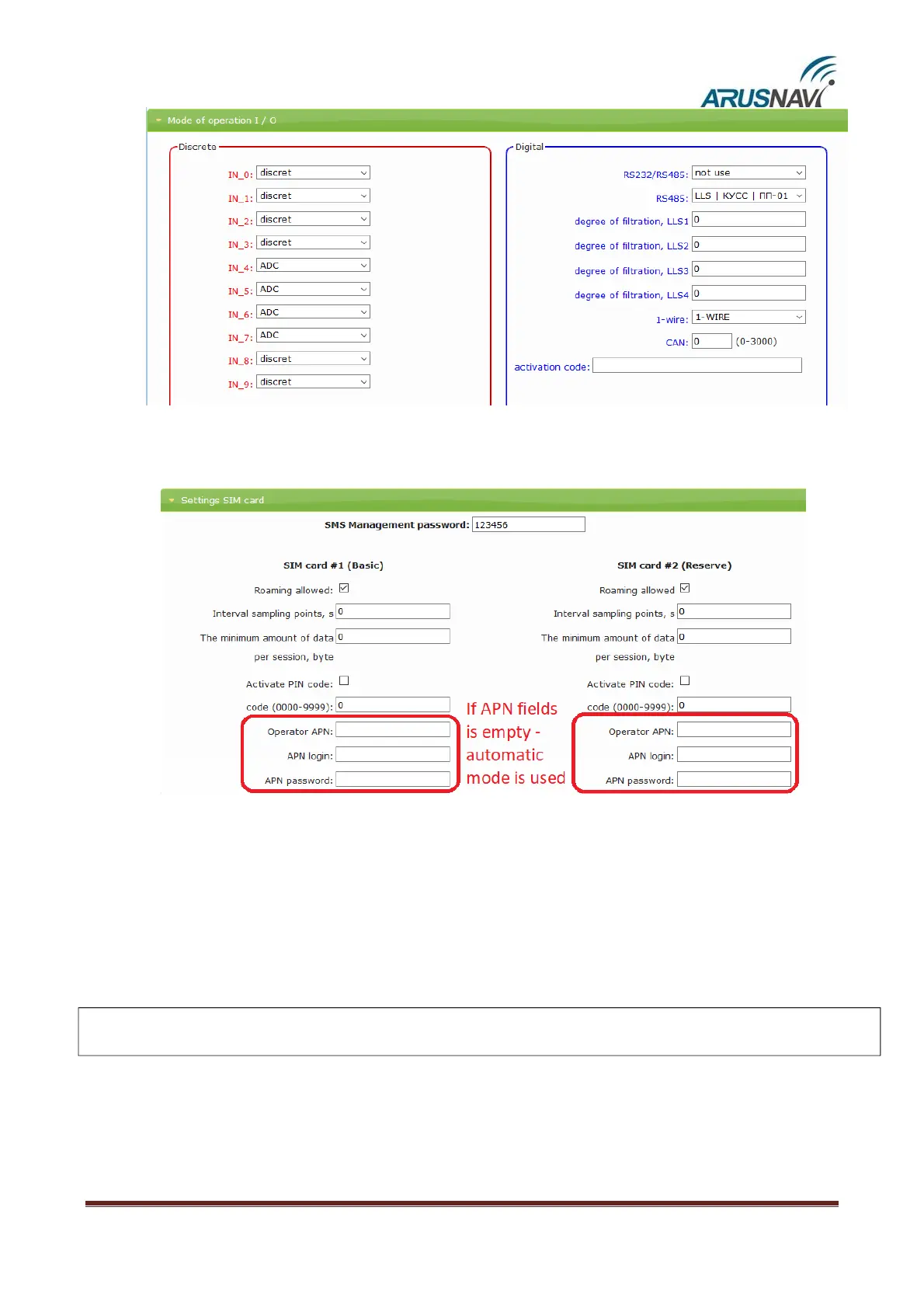
Step 8 – ‘Settings SIM card’ section
The board has a holder for two SIM cards and two heat-resistant SIM chips. SIM
card #1 (main) is installed in the upper compartment of the holder and
SIM card #2 (backup) is installed in the lower compartment of the holder.
The tracker initially establishes a connection via SIM card #1. If the connection to the server fails
after several attempts or SIM card #1 is missing, the tracker switches to SIM card #2 and tries to connect
to the server again.


 To Next Page