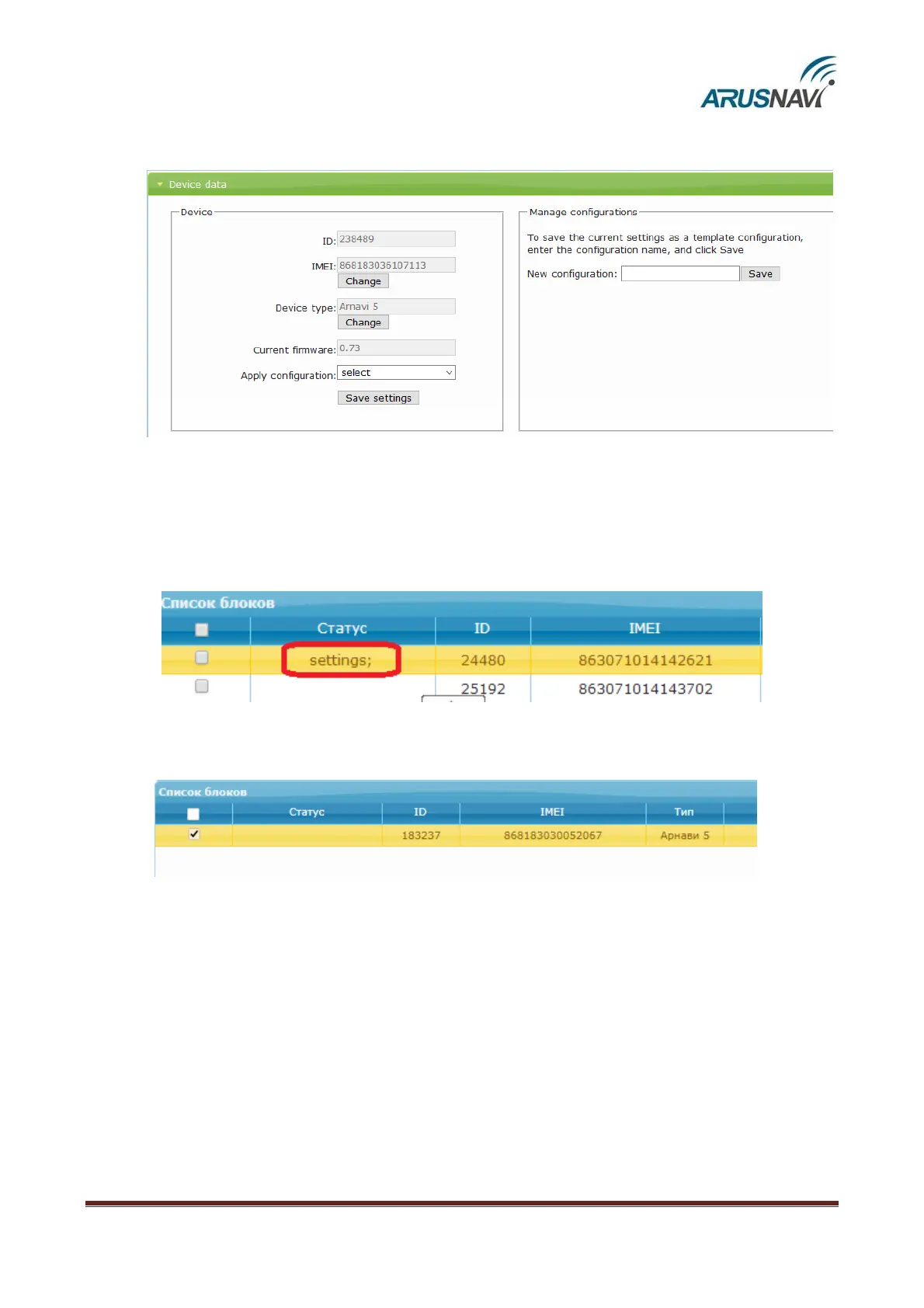
Step 9 – After entering the required settings, they should be saved. Go to ‘Device
data’ section and click ‘Save settings’.
Then, in the general table of devices, in ‘Status’ field, the ‘settings’ entry will appear. It shows
that the device has been assigned new settings but they are not yet applied on the device. To apply the
new settings, send a command to the device in one of the following ways: by SMS, a command from the
server (see the description of commands in ‘SMS and TCP command list’ section) or via
ArnaviConfigurator software.
The status ‘settings’ will disappear when the device confirms the receipt of the
settings.


 To Next Page