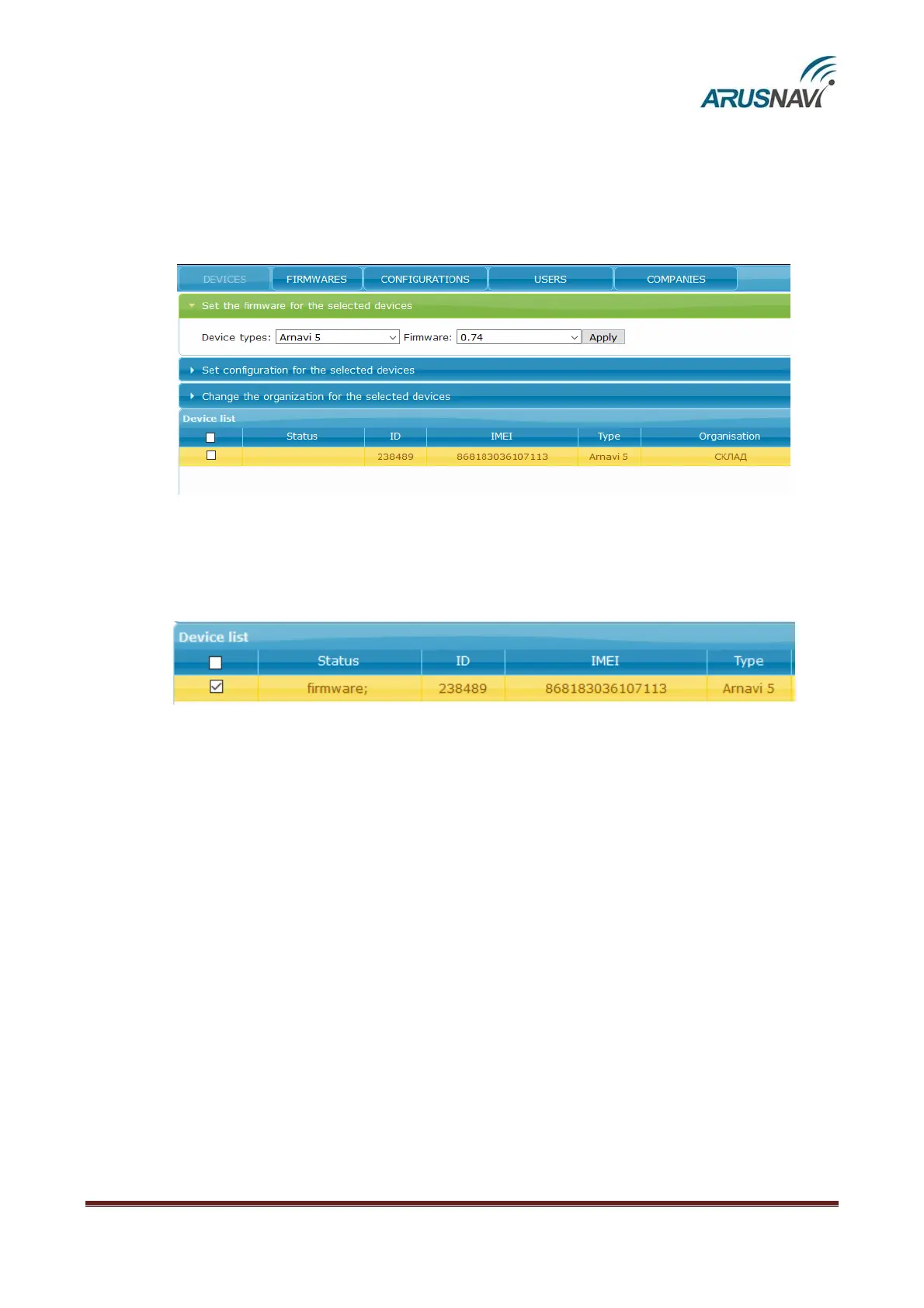
To update the tracker software, you need to:
1.
Select a device (check the box ‘device list’ on the left)
2.
Open the ‘Set the firmware for the selected devices’ tab
3.
Select the device type, firmware version and click ‘Apply’
Then, in the ‘Status’ field, the ‘firmware’ entry will appear. It shows that the device has been
assigned new software but it is not yet applied on the device. To apply the new software, send a
command to the device in one of the following ways: by SMS, a command from the server (see the
description of commands in ‘SMS and TCP command list’ section) or via ArnaviConfigurator software.


 To Next Page