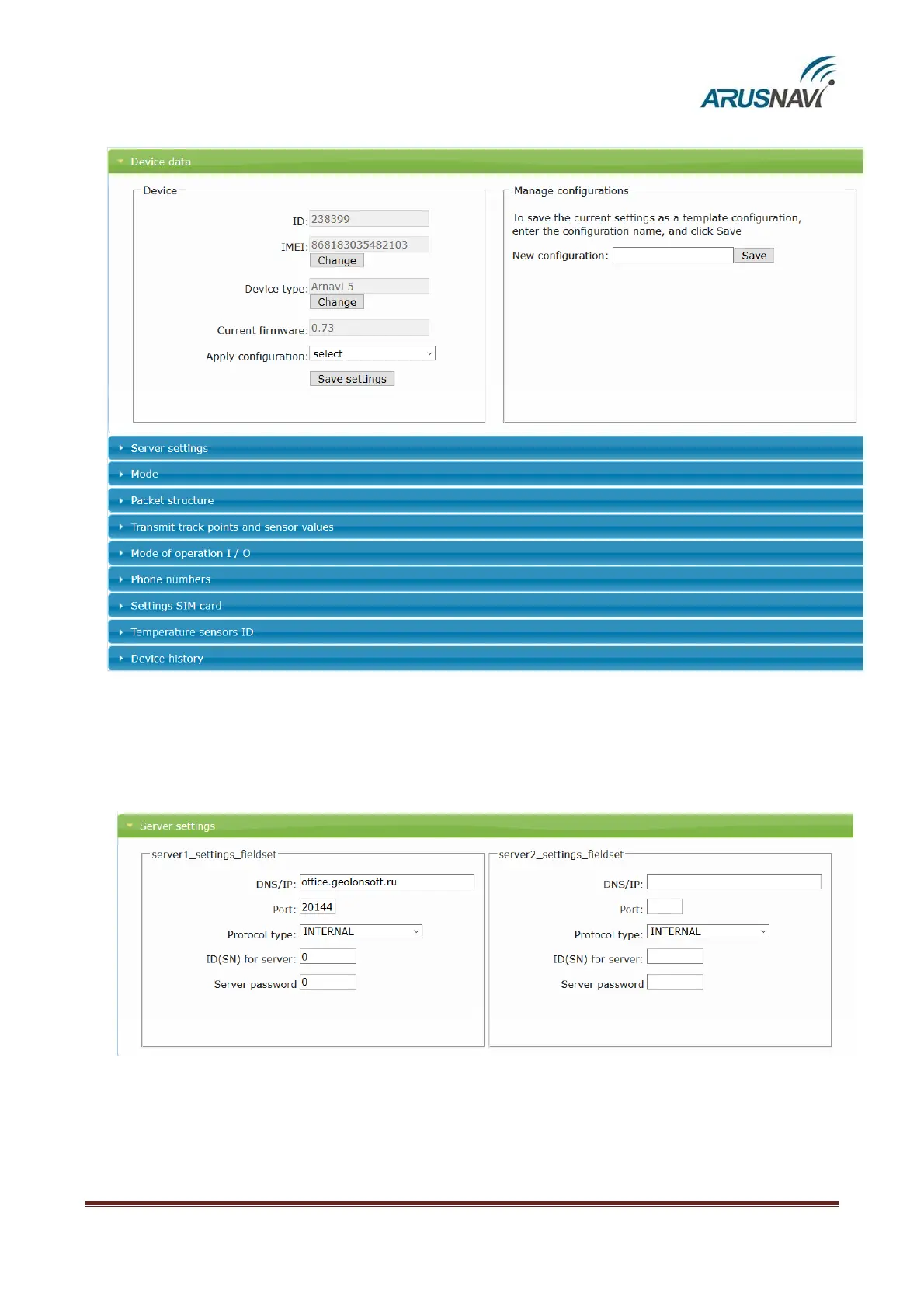
Step 3 – ‘Device data’ section displays general information: ID, IMEI, type, firmware version.
Step 4 – ‘Server settings’ section.
It is necessary to enter the address, port of the monitoring server, select the protocol type
(INTERNAL or EGTS) and, if necessary, assign the server ID and password. Also, if necessary, you can
assign a second address of the monitoring server.



 To Next Page