10
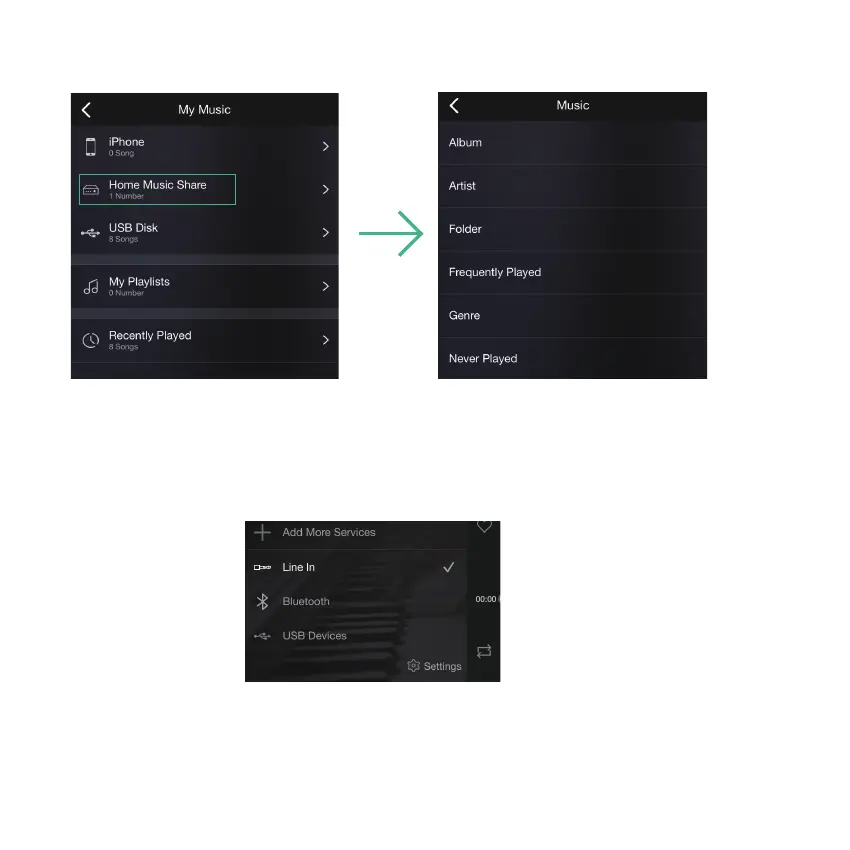
Please note that our system only support NAS with DLNA feature.
8.3.3 To play music from NAS
8.3.4 To play line in mode
- Connect the RCA cables to the TV or other audio sources
- Choose line in mode on the application or remote control
(*using the remote control, press once to line in 1, press twice to line in 2)
8.3.5 To play Bluetooth mode
- Choose the Bluetooth mode on the application or remote control, the LED will change to blue
- Open the Bluetooth on your cellphone/tablet
- Pair the device Bluetooth (SoundSystem) and play













 To Next Page