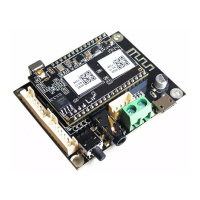
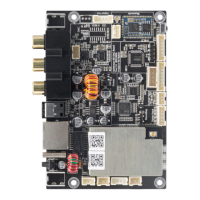
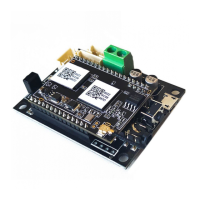
1. Extension Port
2. IIS-Out, SPDIF Out
3. WIFI Antenna
4. IR Receiver
5. External BT Antenna Connector
6. On-board Bluetooth Antenna
7. Micro USB (Power/Playback)
8. 5V 1A Power in
9. Line Out
10. 3.5mm Line-out
11. Power Button
LED Status
Power on: White light on
System Booting: White light blink fast
Ready for Connection: White light blink slowly
Ready to play: White light on steady
Bluetooth Pairing: Blue light blink
Bluetooth Connected: Blue light on steady
Power Button: Short press to power off and on; When in WIFI mode, long press (press and hold the button for more than 5
seconds) to reset WIFI settings and enter the paring mode; When in Bluetooth mode, long press to terminate current
connection.
Further Notes











 To Next Page