– 17 –
Problem: Given the information above, nd the
GW and CG if the 150-lb passenger exits the
aircraft, and 50 lbs of fuel are added.
Solution: The #Items/RF is not changing, nor is
the empty weight of the aircraft, so you do not
need to review the rst 2 items.
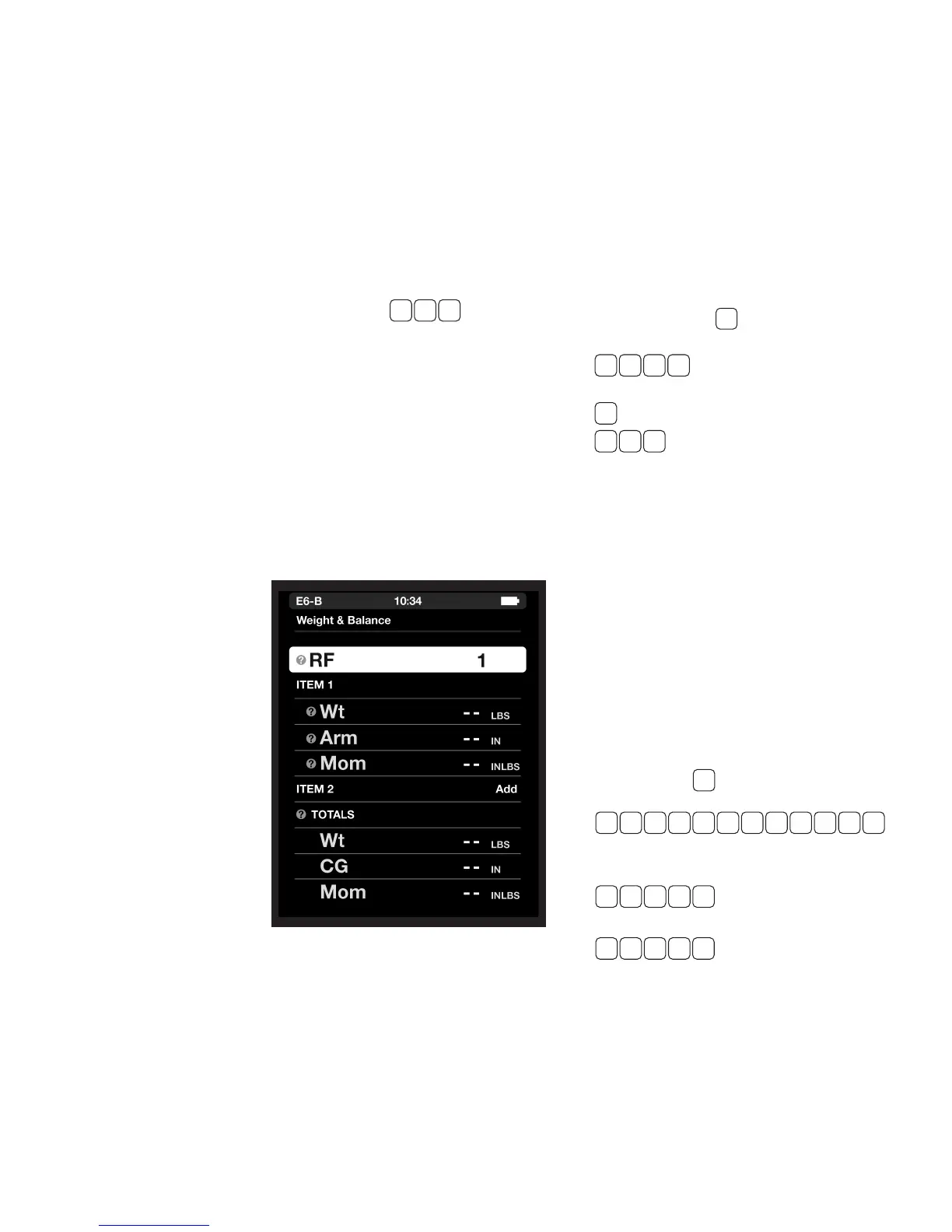
1. To change the passenger
load, scroll up to ITEM 3. Your previous entries
for this item will be displayed, and Remove will
be displayed to the right of ITEM 3. Tap enter to
delete ITEM 3.
2. To change the fuel load, scroll down to the (Wt)
line for ITEM 4. Press and tap enter
to nd the new fuel weight (230 lbs). Scroll
down to Arm and tap enter (it will automatically
remember the previous value of 96 IN). A new
moment for this item is calculated to be 22,080
LB-IN.
3. Scroll to the Weight and Balance Totals. This
will display output only, accounting for the
weight/load changes:
Wt
......... 2,105.00 LBS
Mom ....... 197,993.00 LB IN
CG ........ 94.06 IN
◗ WEIGHT SHIFT FORMULA
The amount of weight that must shift to move the
CG to a desired location may be found using this
function. This function can also be used to nd
the change in CG or Arm from adding or removing
weight.
Problem: Find weight of the item (Item Wt) that
must shift to move the CG to a desired location,
given:
1. Total weight, 7,500 LBS
2. Change in CG, 1 IN
3. Distance weight is shifted, 120 IN
Solution: Press the key. Select the Weight
Shift Formula submenu. At Total Wt, press:
and tap enter to input 7,500
LBS, then
and tap enter to input 1 IN for ∆CG, and then
and tap enter to input 120 IN for
∆Arm.
The display will show 62.5 LBS Item Wt.
◗ %MAC
Large aircraft operations often require the CG be
expressed as a percent of the mean aerodynamic
chord (%MAC). This function calculates the %MAC
given the CG, the length of the mean aerodynamic
chord (MAC), and the leading edge of the mean
aerodynamic chord (LMAC).
Problem: Determine the CG in percent of MAC
given:
MAC
....... 860.2 to 1040.9
CG ........ 910.2’’
LMAC ...... 860.2’’
Solution: Press
function and tap enter. Press:
and tap enter for the MAC.
The result should be 180.7 IN. Then press:
and tap enter for the CG,
and then
and tap enter for LMAC.
The display will show 27.7% for the CG in %MAC.
+ 5 0
W / B
, then slide to the %MAC
1 0 4 0 . 9 - 8 6 0 . 2
9 21 0 .
28 6 0 .
1
1 2 0
7 5 0 0
W/B


 To Next Page