– 2 –
CX
-
3
Flight Computer
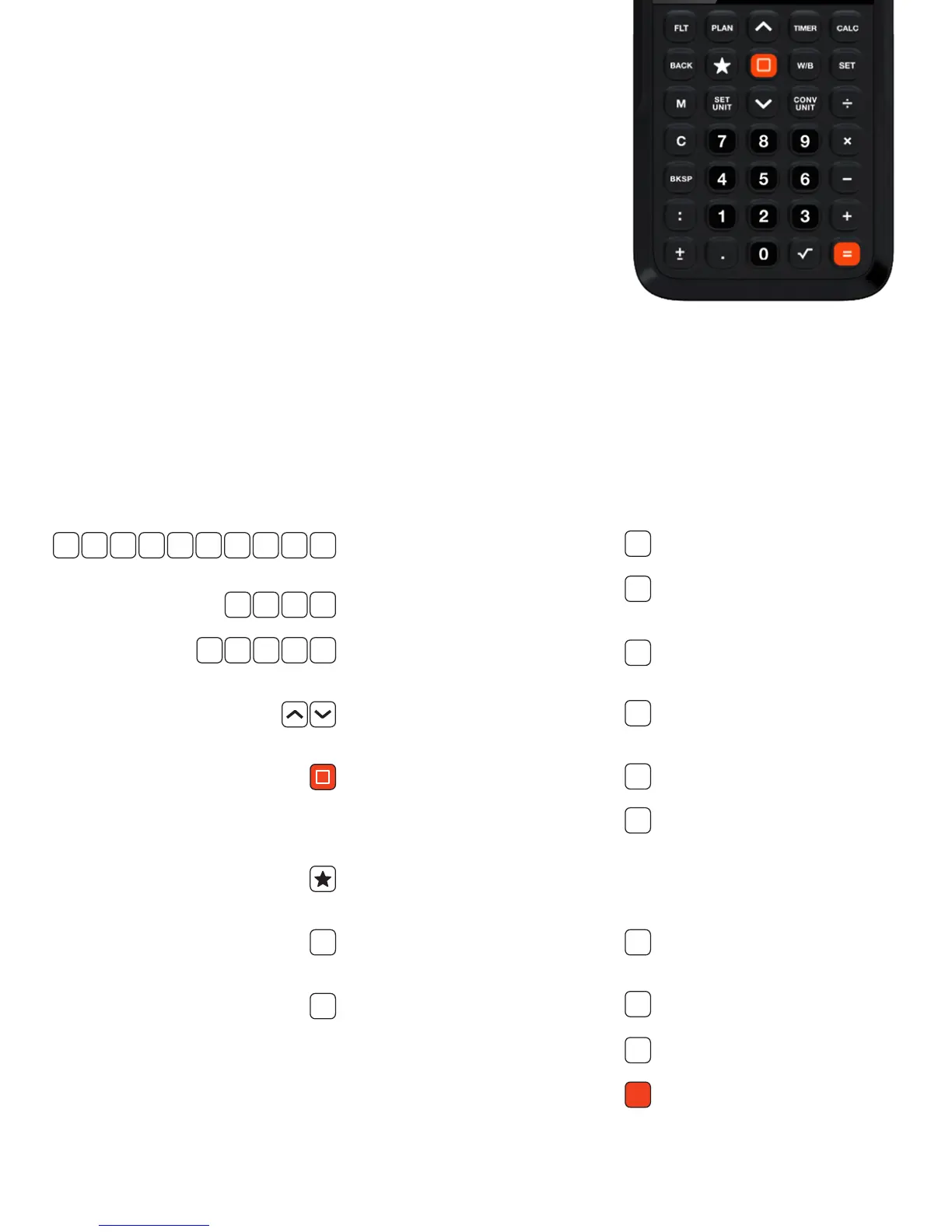
Numeric keys for entering
numbers.
Standard arithmetic operators.
Selects each of the ve main
menus.
Used to navigate through the
menu structure.
Power to turn CX-3 ON/OFF.
Select highlighted menu item,
or enter current input line when
function is requesting input.
Favorites: sets a saved function for
easy recall.
Changes display to the previous
menu.
Use to access the CX-3’s
preferences settings (Theme,
Backlighting, Time Set, Units,
Aircraft Prole, etc.)
BACK
SET
F LT PLAN TIMER CALC W/B
0 1 2 3 4 5 6 7 8 9
÷ x — +
KEYPAD
The CX-3’s simple keypad is possible because of the sophisticated
display screen and menu structure. The advantages of such a keypad are
twofold: A calculator with 35 keys is simpler to use than one with 50 or
more, and it is small enough to t in a shirt pocket. Both advantages make
the CX-3 useful to pilots in day-to-day operations.
Memory function for saving numbers.
Sets the current units for a given
function.
Converts the current value into
another unit.
Clears current input line. In calculator
mode, clears the math completely.
Deletes the last entered value.
Separates hours from minutes and
minutes from seconds on time
inputs. For example, 2 hours, 38
minutes and 45 seconds will display
as 02:38:45.
Changes sign (positive or negative)
of current input line.
Decimal point.
Activates the square root function.
Completes the calculation.
M
C
SET
UNIT
CONV
UNIT
BKSP
:
.
√
+
−
=


 To Next Page