– 15 –
CALC (CALCULATOR)
3. Scroll down to Reset and tap enter to return the
Stopwatch to 00:00:00. Scroll back up to Start
and tap enter to begin the stopwatch again.
from. For example, press
to enter 2 minutes, 30 seconds. Scroll down
to Start and tap enter to start the countdown
timer.
2. Tap enter to stop the timer at any time.
3. The timer will continue counting down after zero
is reached. In this case, a negative sign will
precede the time and the font will turn red.
To return to Stopwatch mode, scroll down to reset
and tap enter.
CX
-
3
Flight Computer
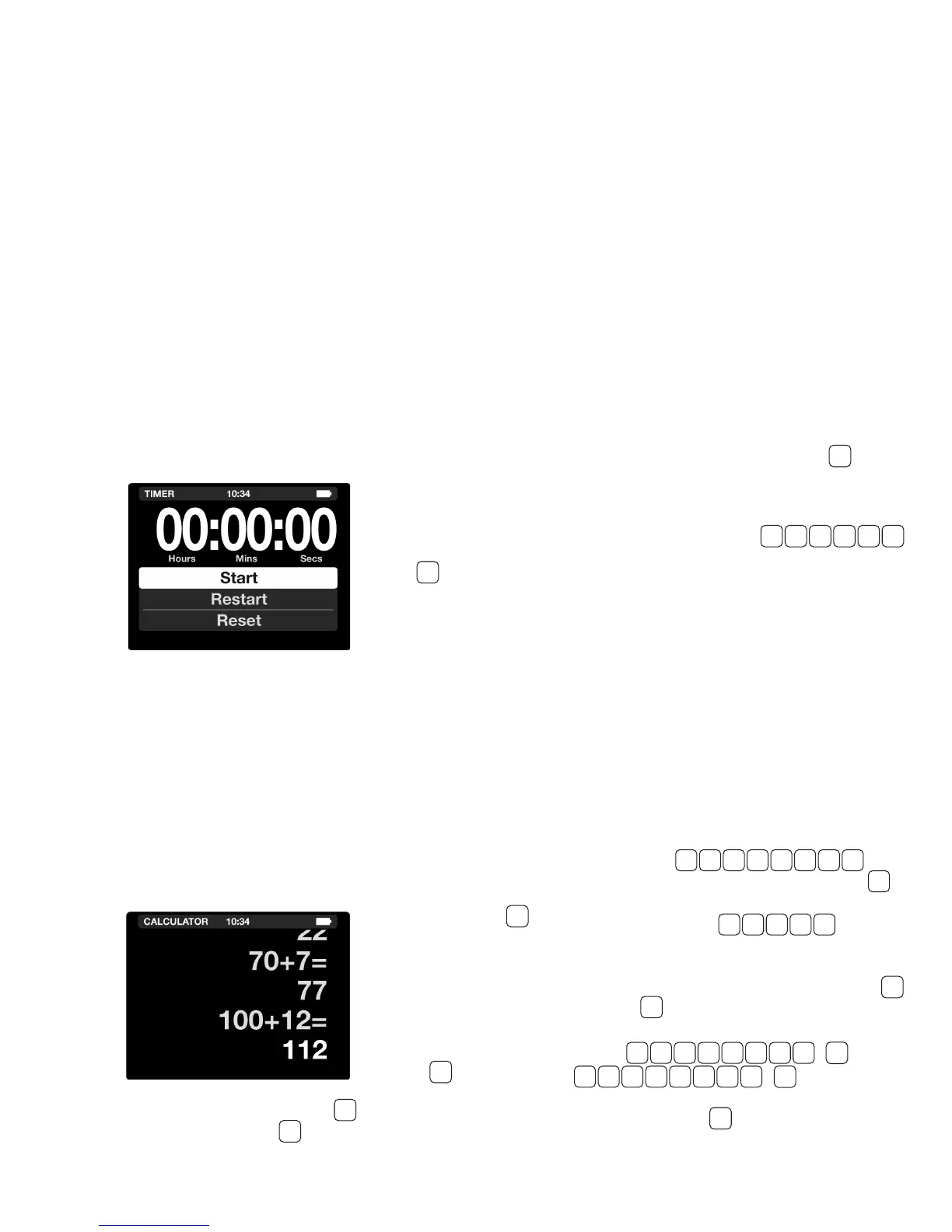
TIMER
The CX-3 has two timers: a stopwatch that counts up
and a countdown timer. The stopwatch can be used
to keep track of elapsed time or to determine the
time required to y a known distance. The countdown
timer can be used as a reminder to switch fuel tanks
or to determine the missed approach point on a
non-precision instrument
approach.
◗ STOPWATCH
The Stopwatch will count
from zero to 99:59:59.
Press to access the
Stopwatch.
1. Select Start and
tap enter to start the
Stopwatch.
2. Select Stop and tap enter to stop the
Stopwatch. Tap enter again to begin the
Stopwatch from where it left off.
The CX-3 is conventional regarding mathematics.
The computer performs the four standard arithmetic
operations (addition, subtraction, multiplication and
division), as well as the
square root function, .
It will accept input numbers
up to a maximum of 8 digits
and display results with a
maximum of 8 digits with a
oating decimal point and a
minus sign. The sign of any
number can be changed
with the key. The
calculator can be cleared
by either pressing , which clears one line, or by
pressing , which clears the entire screen.
With the CX-3 turned on, add the numbers 123 and
456 by pressing .
The number 579 will be displayed. Now press
to change the number to: -579. As a nal step, multiply
-579 by 6.5 by keying in , resulting
in the answer: -3763.5.
The CX-3 also has the ability to compute and
convert time units. With the CX-3 turned on, press
and press to change into HH:MM:SS (00:00:00).
To solve 02:14:17 + 03:15:00
Press
, resulting in an
answer of 05:29:17. You can convert this number to
a decimal by pressing and vice versa.
TIMER
◗ COUNTDOWN
The countdown timer will run from any preset value
(as high as 99:59:59) down to zero. Press to
TIME
R
access the countdown timer.
1.Slide up to highlight the time value and type in
the value you want to begin the countdown
CALC
CALC
C
CONV
UNIT
CONV
UNIT
√
x 6 . 5 =
0 0 0 2 3 0
1 2 3 + 4 5 6 =
1 2 : 1 4 : 1 7
0 3 : 1 5 : 0 0
+
−
+
−
+
=


 To Next Page