– 6 –
CX
-
3
Flight Computer
When a menu is displayed, the menu items can
be selected by highlighting a particular choice by
scrolling or followed by tapping the enter key.
To return to the previous menu, press the key.
You can go directly to the Flight, Plan, Timer,
Calculator, and Weight & Balance menus by pressing
the , , , , and keys. Any CX-3
function can be reached with a maximum of 2
keystrokes. See Appendix D on page 21 for a quick
guide to names and abbreviations of the various
functions.
The computer will prompt you for the inputs with
an amber question mark, and the answers will display
with a green equals sign. The formulas used for these
functions handle multiple units of measure. The CX-3
will convert any headings exceeding 360 to remain
within 360°. For example, if you enter 390 for any
heading, the CX-3 will change this to 30 once you
tap enter. All math and conversion functions can be
carried out on any input line.
The CX-3 remembers the most recent display
of variables, whether it was an input or an answer.
The CX-3 will offer these again for any subsequent
function requiring the same variables for a solution.
This allows for “chains” of problems, where a value
that is an answer in one function will be automatically
entered as input in a succeeding function. If a
function is repeated, any and all input lines will be
re-entered automatically by tapping enter. This allows
you to repeat a calculation where only one or two
inputs are changed, with minimum effort. You may
delete the inputs to be changed by pressing C or
simply typing in replacement numbers. Resetting the
computer will delete everything in memory. This will
reset all variables to zero.
The numbers displayed as inputs are the numbers
used in the calculations. The CX-3 will round each
input variable to two decimal places. Similarly, each
function output variable is also rounded to two
decimal places. This rounding procedure means
the display will always be accurate for the numbers
displayed and keep numbers manageable, yet will
also allow for precise answers.
◗ FAVORITE
The button is a shortcut to a specic function.
This shortcut can be saved or changed in the
settings menu and can then be quickly accessed by
pressing the button.
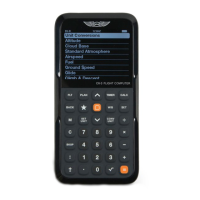
MENU SYSTEM
The CX-3 menu system is organized to reect the natural order of ight. Simply
work through the menus in sequential order as you complete your ight plan.
BACK
F LT PLAN TIMER CALC
W/B


 To Next Page