ASD Document 600541 Rev. G 26 TerraSpec® User Manual
www.asdi.com Chapter 4 Fiber Optic Interface
When the bundle matcher is removed, it may be a good time to clean the fiber
optic cable and the exposed fiber optic on the spectrometer. This can be done
by using de-ionized water, cleaning the end, and then gently wiping the excess
off. You can also use canned air to blow off any dust that may have
accumulated.
4.4 LED Check for Fiber Optic Cable
The TerraSpec spectrometer allows you to perform a visual verification of the
internal fiber optic cable using built-in LEDs, a magnifier placed on the fiber
optic bundle matcher, and the Fiber Check software.
WARNING! The Fiber Check utility produces rapid flashing lights in the SWIR 1
and 2 region's optical fibers. If you are susceptible to epileptic seizures,
exercise caution or avoid using the Fiber Check utility.
Step 1 Remove any external fiber optic cable from the spectrometer.
Step 2 Remove the bundle matcher. Use the 3/8 inch hex-nut driver to loosen the
bundle matcher if necessary.
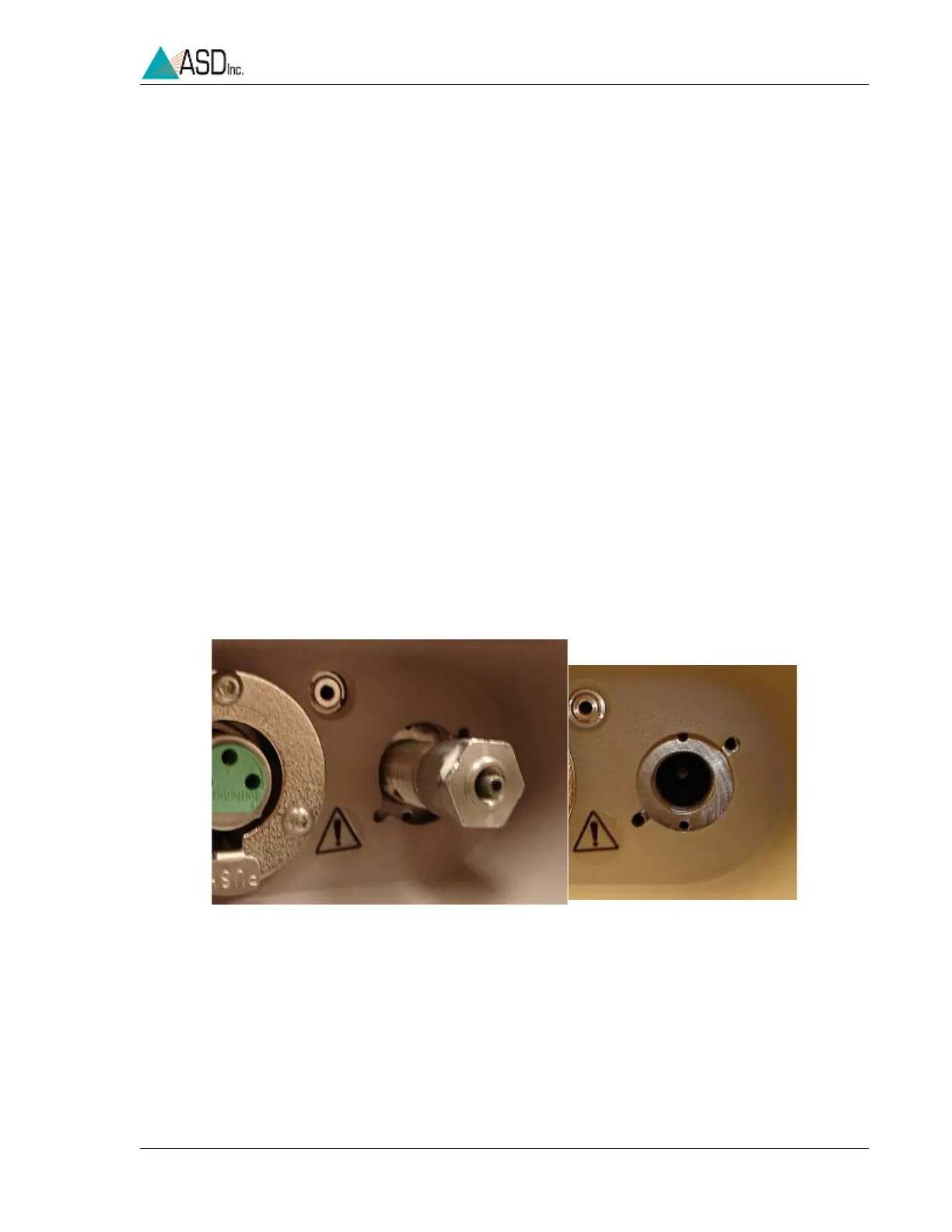
Step 3 Remove the Fiber Optic Port using the 9/16 nut driver (included with the
instrument.)
Step 4 Carefully insert the tip of the magnifier until it butts up against the internal
fiber optic, as shown in
Figure 4-7.
Note: Be careful not to apply any load or torque to the magnifier which could
break the tip off.
Figure 4-6 Fiber Optic Port


 To Next Page