EasyManua.ls Logo

Asko OCS8456S - Control Unit

Asko OCS8456S
56 pages
Print Icon
To Next Page IconTo Next Page
To Previous Page IconTo Previous Page
Loading...
7
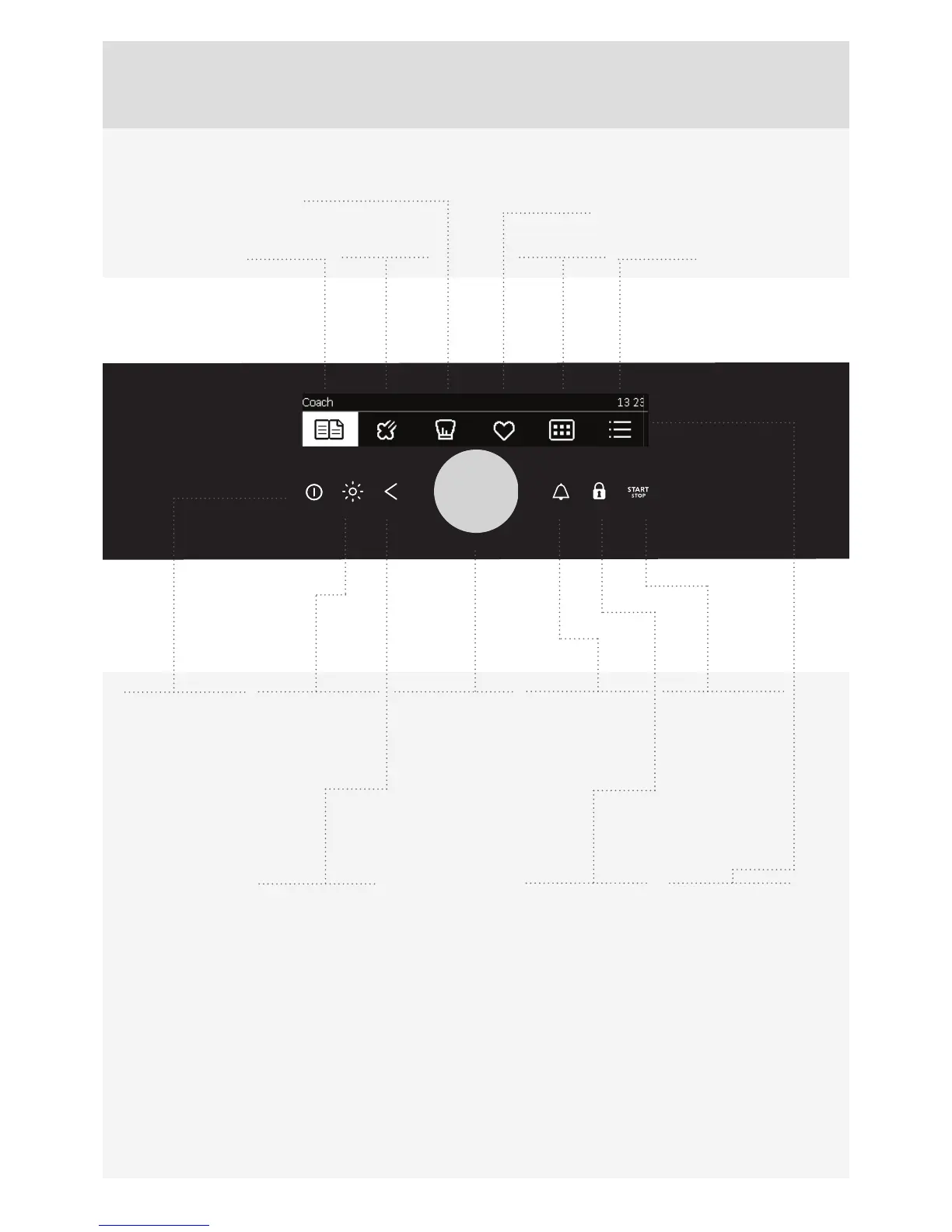
AUTOMATIC
QUICK ACCESS
TO STEAM
PROGRAMS
PROFESSIONAL MODE
MY RECIPES
EXTRA
FUNCTIONS
GENERAL
SETTINGS
NOTE:
The keys will respond better if you touch them with a larger area of your ngertip. Each time you press a key, this will be
acknowledged by a short acoustic signal.
1
ON/OFF KEY
2
OVEN
LIGHTING
ON/OFF KEY
3
BACK KEY
Touch brie y to
return to previous
menu.
Touch and hold
to return to main
menu.
4
Selection and
CONFIRMA-
TION KNOB
Select the setting
by rotating the knob.
Con rm your
selection by
pressing the knob.
5
MINUTE
MINDER/
ALARM
6
CHILD LOCK
KEY
Locking the
control unit
7
START/STOP
KEY
Long touch: START
Long touch during
operation: STOP
8
DISPLAY –
displays all
settings
CONTROL UNIT

Related product manuals