24
Leave the oven to cool down before
cleaning it manually.
In general, don't use any type of
scouring powder or metal-backed
sponge, or any sharp objects for
cleaning.
- Make sure the oven is switched off
and not hot.
- Avoid touching heating elements.
Changing the light bulb
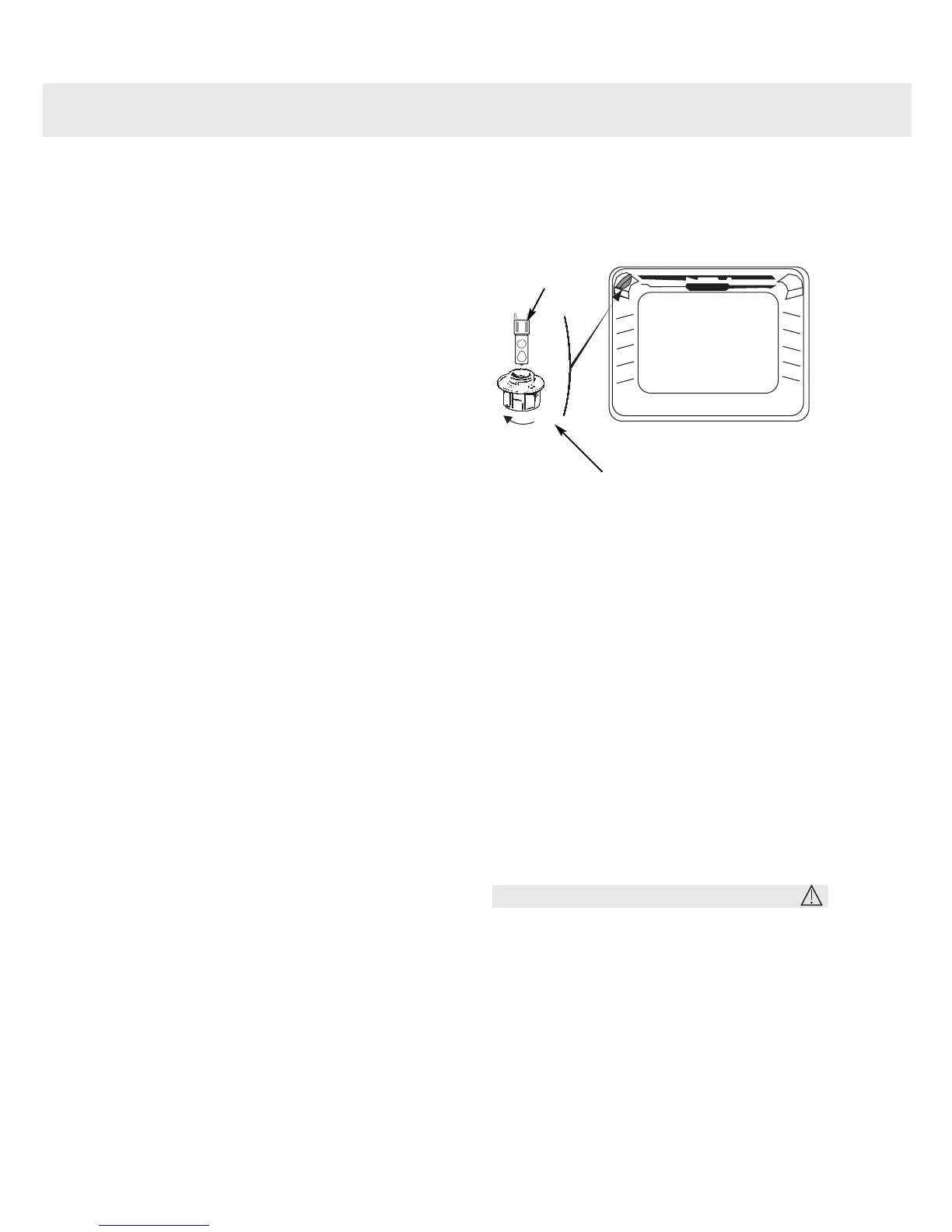
• The bulb is located in the top of the oven.
Unscrew the protective shade (see
diagram).
Pull the bulb out.
The bulb used is a:
- 15 W
- 220-240 V
- 300°C
- E14 Cap
Change the bulb, replace the shade
and switch your oven back on at the
mains.
Warning
Switch off the power at the main switch
before attempting to change the bulb.
Leave the oven to cool if necessary.
3
2
1
General maintenance
Unscrew
Protective shade
Bulb fitting



 To Next Page